AEV STARGATE
Futurcom Srl via della Tecnica 35, 40050 Argelato Bologna ITALY
16
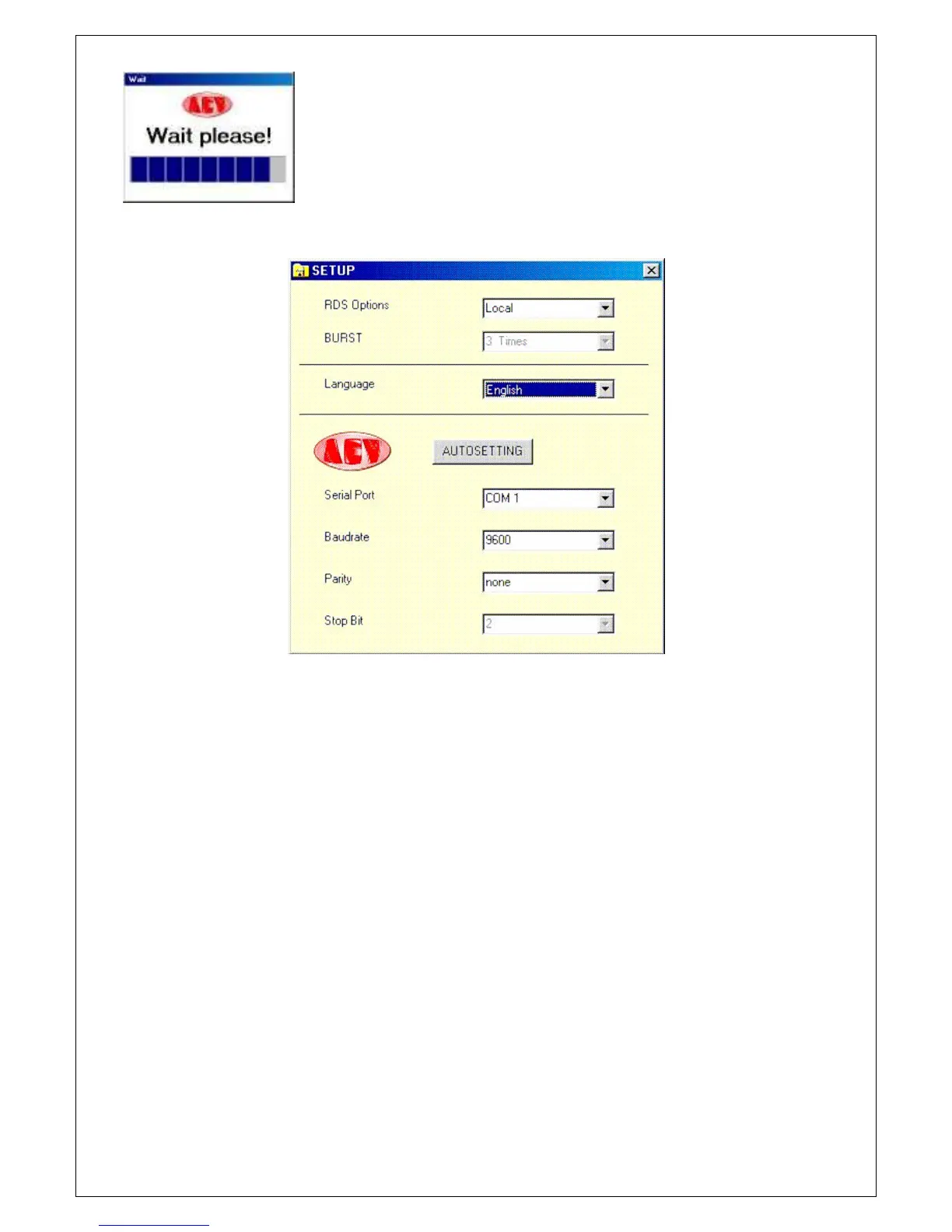
Select the RS232 icon and the following window will appear:
Let’s now see the parameters and their meaning:
- RSD Option
this is used to choose whether a coder programmed locally or via satellite is involved.
This choice affects all the programming windows and disables or enables certain functions.
In the case of programming "via satellite", only the transmission function is available therefore
all the reading push buttons will be disabled. A new push button called BURST will also be
enabled, which automatically repeats the transmission performed a number of Times, equal to
that set in the specific option.
This performance has been implemented to overcome the problem of any "MTF’s" transmitted
with the consequent incompleteness of the parameters sent.
- BURST
3 Times 4 Times ..... 10 Times as explained above, this parameter takes care of the
transmission, repeating it 3, 4 ....10 times.
- LANGUAGE
Choice of the operational language.
- AUTOSETTI NG
This push button is enabled only in the “Local” configuration and automatically searches
the communication parameters of the serial port. It may in any event always be entered
manually.
- Ser ial Por t
Choice of the communication port: COM1, COM2, COM3 or COM4.
- Baudrate
Choice of the transmission speed. It must be set according to all set on the dipswitches of
the coder.
It may assume the following values: 2400, 4800, 9600 or 19200
- Parity
Choice of the parity, which may take on the following values: none, even or odd


 To Next Page