7
in.k200instructions
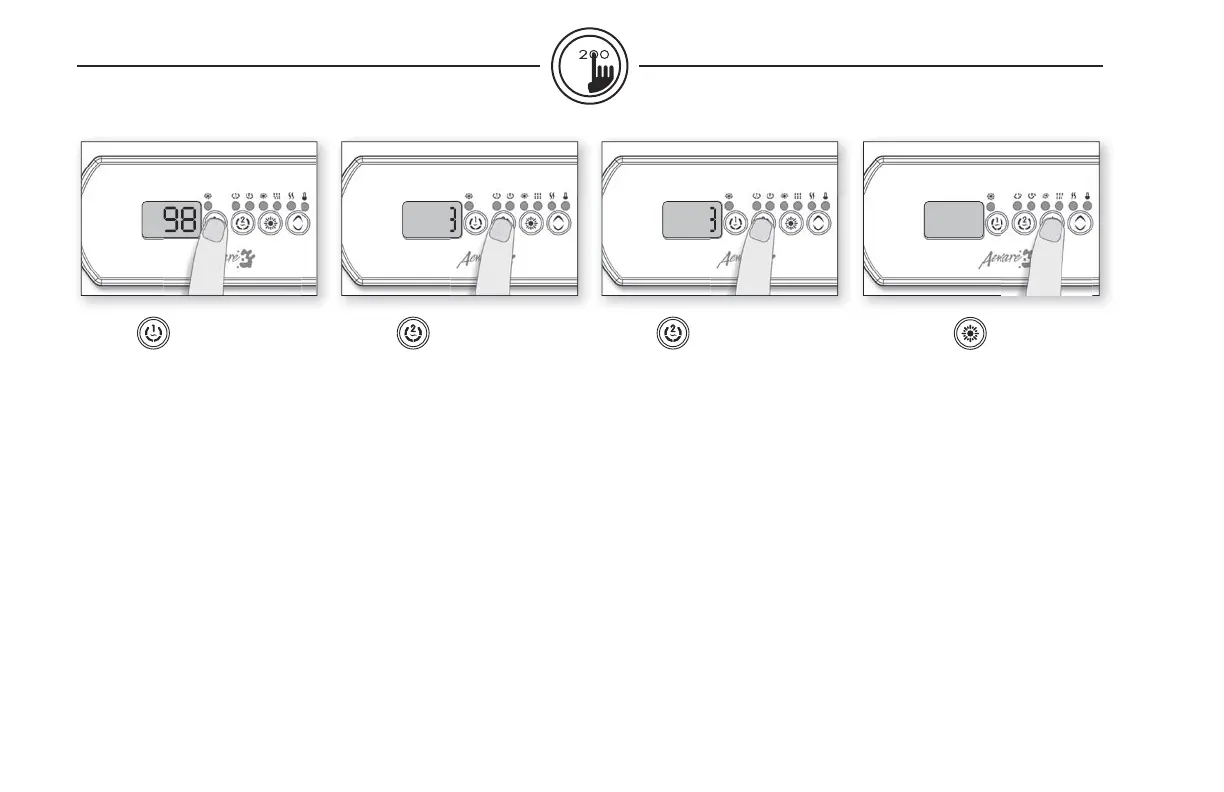
Key 1
Press Key 1 key to turn Pump 1
on at low speed. Press a second
time to turn pump to high speed
(with a dual-speed pump).
A third time turns pump off.
A built-in timer automatically
turns pump off after 20 min-
utes, unless pump has been
manually deactivated fi rst.
The “Pump 1” indicator lights
up when Pump 1 is on. With
dual-speed pump, indicator
will fl ash when Pump 1 is on at
low speed.
Key 2
2 Pump (or single pump/
blower)
Press Key 2 key to turn Pump 2
or Blower on. Press a second
time to turn pump or Blower
off.
A built-in timer automatically
turns pump off after 20 min-
utes, unless pump or blower
has been manually deactivated
fi rst.
The “Pump 2” indicator lights
up when Pump 2 or blower
is on.
Light key
Press Light key to turn light on.
Press Light key a second time to
turn light off.
A built-in timer automatically
turns light off after 2 hours,
unless it has been manually
deactivated fi rst.
The “Light” indicator lights up
when light is on.
Key 2 (2 Pump/Blower)
Press Key 2 to turn Pump 2
on at high speed. Pressing a
second time turns blower on.
A third press turns Pump 2 off
but leaves blower on. A fi nal
press turns blower off. A built-in
timer automatically turns Pump
2/blower off after 20 minutes,
unless Pump 2/blower has
been manually deactivated fi rst.
The “Pump 2” indicator lights
up when Pump 2/blower is on.


 To Next Page