8
in.k200
instructions
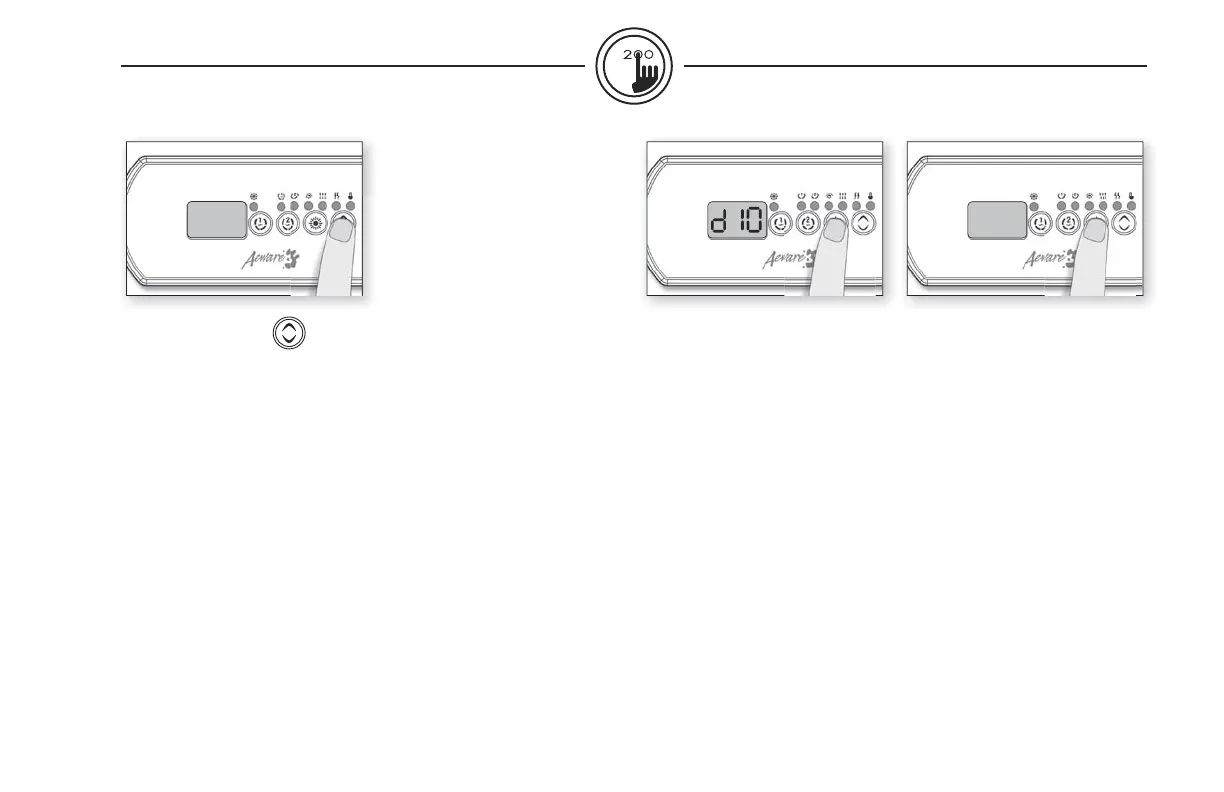
Up/Down key
Use Up or Down key to set
desired water temperature.
The temperature setting will
be displayed for 5 seconds to
confi rm your new selection.
The "Set Point" icon indicates
that the display shows the
desired temperature, NOT the
current water temperature!
Programming fi lter cycles
Depending on system confi gu-
ration the system performs
either purge cycles or fi lter
cycles.
To program the fi lter cycles, you
must enter these parameters:
duration and frequency. During
a fi lter cycle, pumps & blower
run at high speed for one
minute to purge the plumbing.
Pump 1 or CP then runs at low
speed for the remaining of the
cycle.
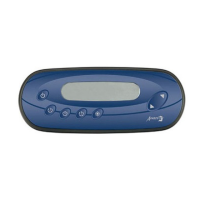
Setting fi lter cycle duration
Press and hold Light key until
the display shows dxx, with "xx"
representing the duration in
hours. (Default: 2 hours).
Use Up or Down key to change
setting.
0 = no fi ltration
24 = continuous
fi ltration
Note: it's not recommended to
set this to "0".
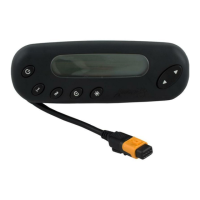
Filter cycle frequency
Press Light key again. The
display will show Fx, with "x"
representing the number of
fi lter cycles per day (up to 4).
(Default: twice a day).
Use Up or Down key to
change setting.
When the desired setting is
displayed, press Light key to
confi rm. A fi lter cycle will start
immediately.
The “Filter” indicator lights up
when a fi lter cycle is on.


 To Next Page