16
in.k600™
Setting Economy mode
The Economy mode allows you
to lower the temperature set
point of the spa by 20 °F
(11 °C) during a certain period
of the day.
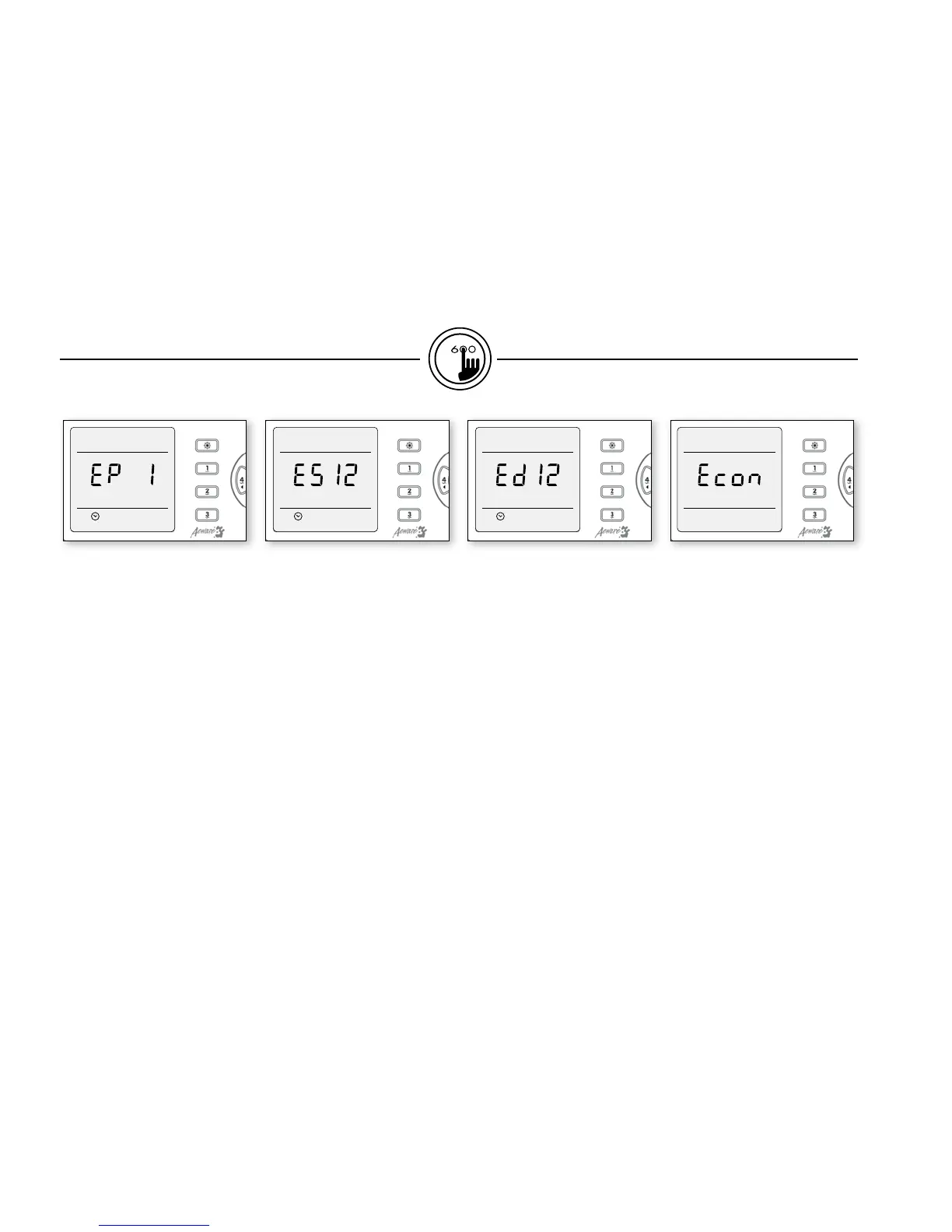
Press Prog. key a sixth time.
Use (+) key to enable the
economy mode, the display
will show EP 1.
Use (-) key to disable economy
mode, the display will show
EP 0.
Setting Economy start time
To program the Economy
mode, you must enter two
parameters: the start time and
the duration.
Press Prog. key a seventh time.
The display will show ESxx,
with "xx" representing the
starting hour.
Use (+) or (-) key to change
setting (0:00 h - 23:00h).
Setting Economy duration
Press Prog. key an eighth time.
The display will show Edxx,
with "xx" representing the
duration in hours.
Use (+) or (-) key to change
setting.
If the Economy mode is not
required the duration must be
set to "0".
If continuous activation of the
Economy mode is required the
duration must be set to "24".
When in Economy mode, the
“Econ” message is displayed.
functions


 To Next Page