Enter Setup Mode: Press and hold 1 and 2 BUTTONS for 3-5 seconds.
Use the ENTER button to confirm settings.
Settings include: MONTH, DAY, YEAR, HOUR, MINUTE, and AM/PM.
Review Settings: You can review your settings at any time while in Setup Mode. Use the ENTER button to scroll
through settings.
Exit Setup Mode: To confirm the Date and Time, press and hold ENTER for 3 seconds.
To Reset: Simply reenter Setup Mode and adjust Date and Time to the correct setting.
1)
2)
3)
4)
5)
6)
Turn on ascent trainer.
Press START button and begin exercising.
Program will automatically default to Manual (P1), the time will count up from 0:00, and the resistance will
default to level 1, and the incline will default to 0%.
The resistance and incline level can be adjusted during the workout.
1)
2)
3)
4)
Select a program using the UP/DOWN ARROW keys and press ENTER.
NOTE: If you press START before pressing ENTER, the program will begin and counts up from 0:00 for the
Manual (P1) and Constant Watts (P4) programs, and count down from 30:00 for all other programs. The
level defaults to 1.
Set TIME using the UP/DOWN ARROW KEYS on the programming button and press ENTER.
Select a LEVEL using the UP/DOWN ARROW KEYS on the programming button and press ENTER.
Press START or ENTER to begin the program.
1)
2)
3)
4)
PULSE GRIPS
Place the palm of your hands directly on the grip pulse handlebars. Both hands must grip the bars for your heart
rate to register. It takes 5 consecutive heart beats (15-20 seconds) for your heart rate to register. When gripping
the pulse handlebars, do not grip tightly. Holding the grips tightly may elevate your blood pressure. Keep a loose,
cupping hold. You may experience an erratic readout if consistently holding the grip pulse handlebars. Make
sure to clean the pulse sensors to ensure proper contact can be maintained. See MAINTENANCE SECTION.
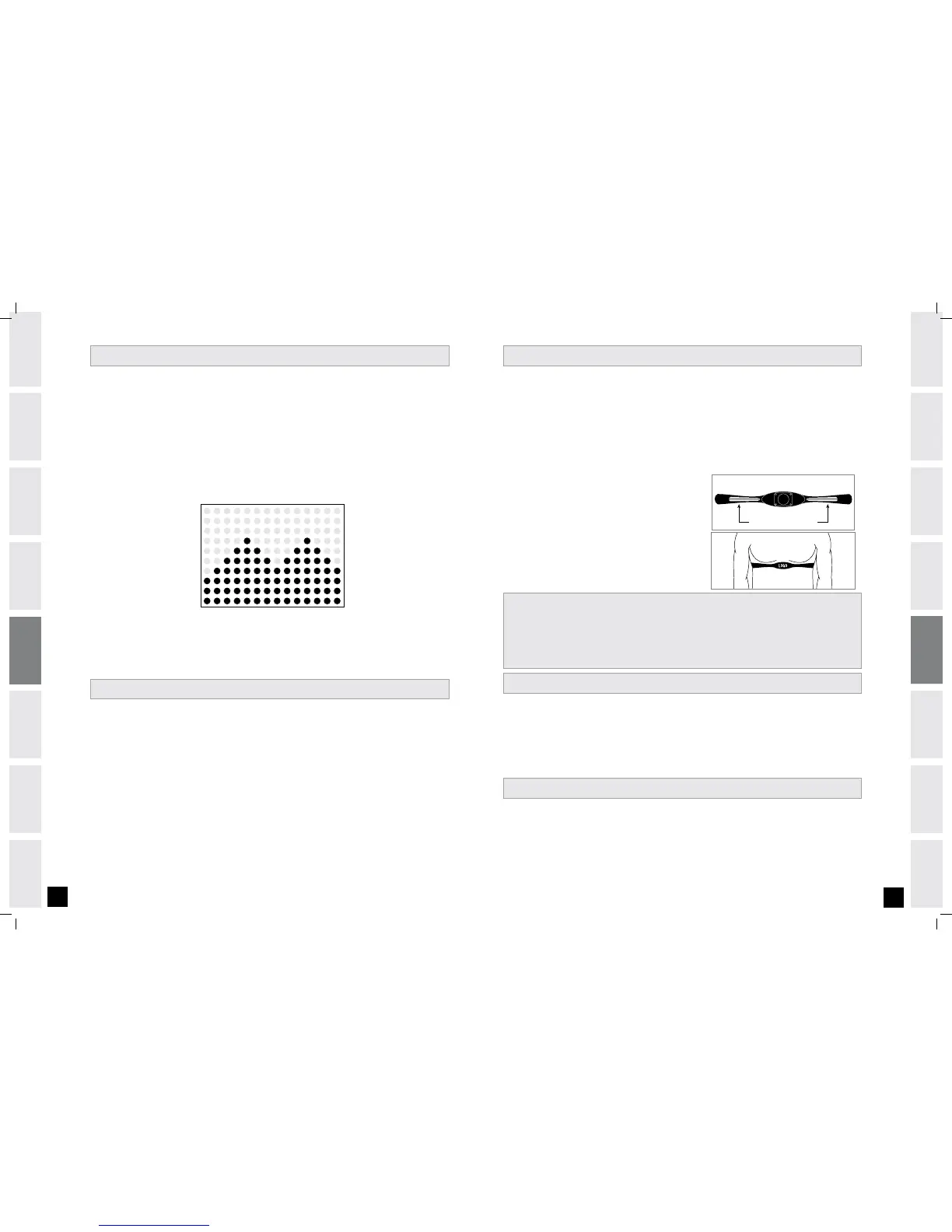
WIRELESS CHEST TRANSMITTER
Prior to wearing the wireless chest transmitter on your chest,
moisten the two rubber electrodes with water. Center the chest
strap just below the breast or pectoral muscles, directly over
your sternum, with the logo facing out.
NOTE: The chest strap must be tight and properly placed to
receive an accurate and consistent readout. If the chest strap
is too loose, or positioned improperly, you may receive an erratic
or inconsistent heart rate readout.
MONIT O R D ISPLAY
DATE & C LOCK SE T U P
Speed: Shown as MPH.
Time: Shown as Minutes:Seconds. Indicates the time remaining or the time elapsed in your workout.
HEART RATE: Shown as Beats Per Minute. Indicates your heart rate (displayed when contact is made with both
pulse grips).
Distance: Shown as Miles. Indicates distance traveled during your workout.
Incline: Shown as Percent. Indicates the incline of the ascent trainer guide rail.*
Calories: Indicates total Calories burned during your workout.
WATTS: Displays current user power output.
RESISTANCE: Indicates the resistance of the ascent trainer workout.*
WORKOUT PROFILES: Represents the profile of the workout being used (speed during speed based workouts and
incline during incline based workouts).
* Incline and Resistance will display in Alphanumeric display when adjusted and then will revert
back to current workout info.
SELEC T I N G PROGRA M S
QUICK S TAR T
HEART R ATE
IMPORTANT: The heart rate function on this product is not a medical device. While heart rate grips can
provide a relative estimation of your actual heart rate, they should not be relied on when accurate readings are
necessary. Some people, including those in a cardiac rehab program, may benefit from using an alternate heart
rate monitoring system like a chest or wrist strap. Various factors, including movement of the user, may affect
the accuracy of your heart rate reading. The heart rate reading is intended only as an exercise aid in determining
heart rate trends in general. Please consult your physician.


 To Next Page
 Loading...