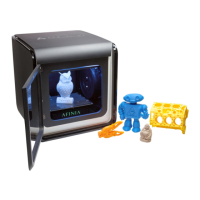
Afinia H480 3D Printer User’s Manual
41
Updating the Printer ROM
Note: This is a function that should only be performed if necessary.
The H480 Printer ROM can only be updated using the Windows version of the Afinia Software.
Follow these steps to perform the update:
1. With the H480 Printer on and initialized, select Update ROM from the Tools menu.
2. Click the OK button in the dialog asking you to confirm that you want to update the ROM.
3. Click OK in the next dialog to select the ROM update file.
4. Use the browse dialog to find the updated ROM file. This file will be located in the
C:\Program Files\Afinia\System folder. The file name will include the ROM version just
before the .ROM file extension.
5. Click the Open button when the correct file is selected.
6. Verify that you have selected the correct file and click OK. Click OK again to begin the
update.
7. When notified that the update is complete, follow the prompts and power cycle the H480.
8. Initialize using the hardware button on the front of the Printer.
9. Select About Afinia under the Help menu and verify that the new ROM version has been
applied.
Specifications
Printer Physical Characteristics
Printing Material ABS or PLA Plastic
Layer Thickness 0.15 – 0.40 mm
Nozzle Diameter 0.40mm
Print Speed 10-100 cm
3
/h
Print Size 140×140×135mm
Printer Weight 11 lb (5 KG)
Printer Size 245 × 260 × 350 mm
Specifications
Power Requirements 100-240 VAC, 50-60 Hz, 180W
Model Support Auto-generated Support
Input Format STL, UP3, UPP
Workstation compatibility Win XP/Vista/Win7/Win8/Mac OSX
Environmental specifications
Ambient temperature 60°F~85°F
Relative humidity 20%~50%


 To Next Page