Afinia H480 3D Printer User’s Manual
8
Installing the Afinia H480 3D Printer
Attaching the Material Spool
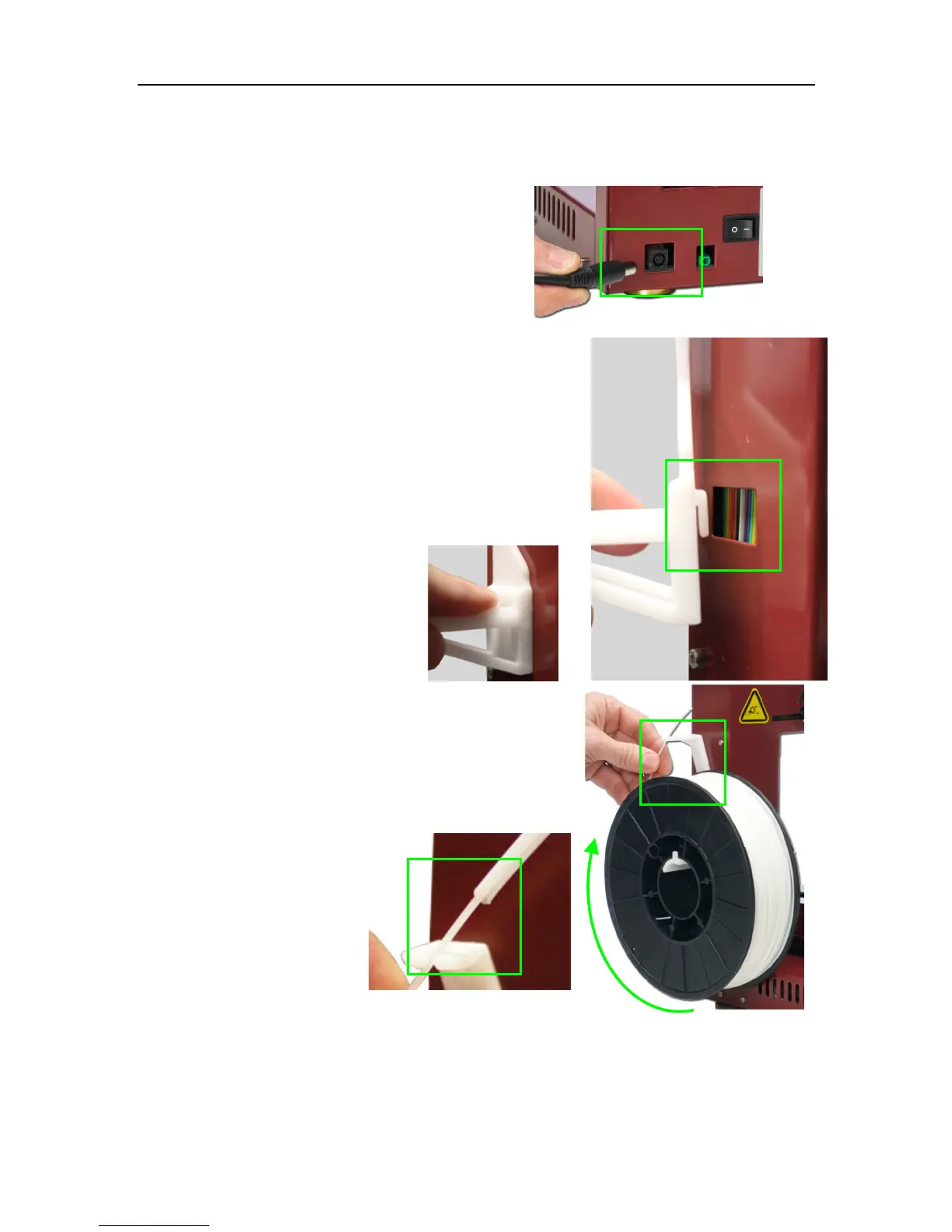
Attach the Material Spool with these steps:
A. Connect the power adapter to the power
interface and turn on the power switch.
B. Install the ABS plastic spool holder and filament guide.
a. Insert the tab on the back of the spool holder
into the slot on the left side of the printer.
b. Slide the spool holder down as far as it will go.
C. Put the ABS Material Spool onto the holder with the
end of the filament pointing up from the back. Thread
the filament through the Filament Guide at the top of
the spool holder.
D. Insert the end of
filament into one end
of the Filament tube.
Feed the filament
through the tube until
about 4 inches of
filament protrudes
from the tube.
The filament will be loaded into the extruder later in the installation process.


 To Next Page