4.4 Communication Connection
The monitoring module could transmit the data to the cloud server, and display
the data on the PC, tablet and smart-phone.
WIFI / Ethernet / GPRS / RS485 communication is applicable to the inverter.
Please refer to "Communication Configuration Instruction" for detailed
instruction.
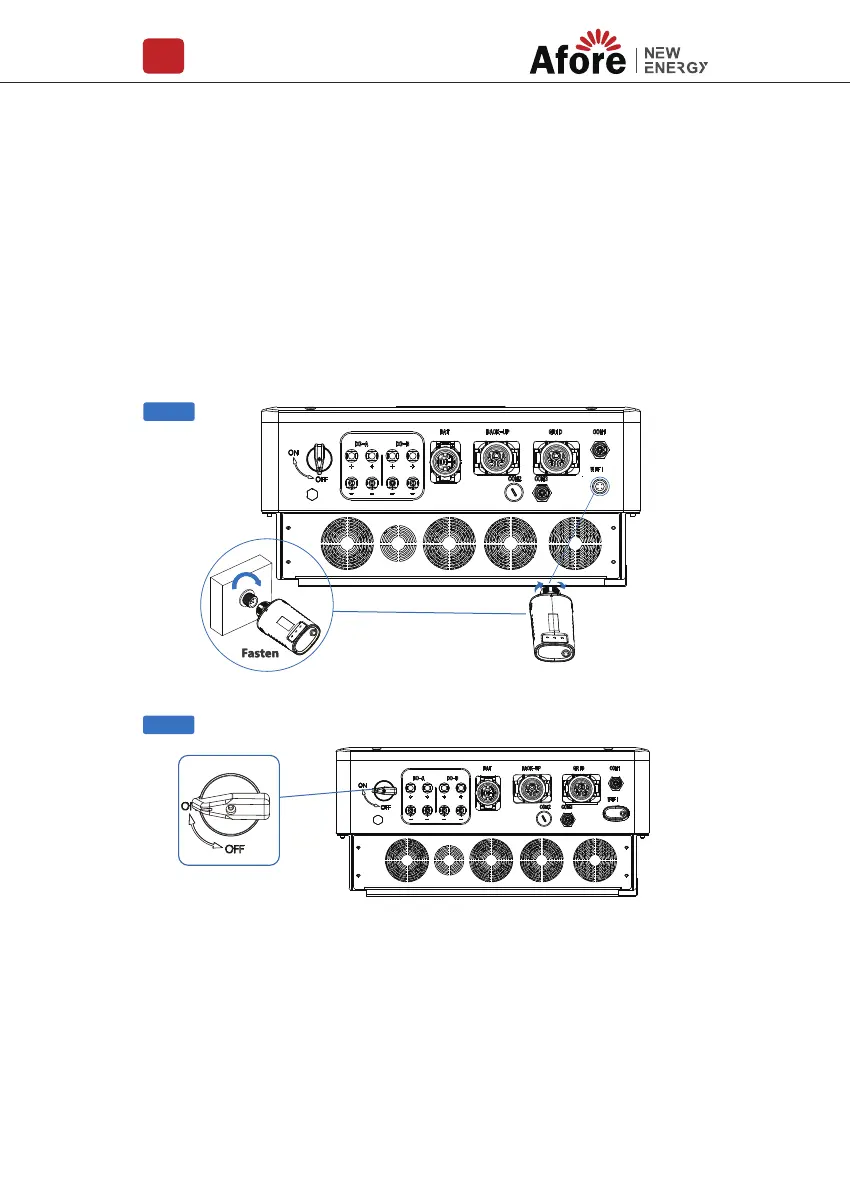
Install the WIFI / Ethernet / GPRS / RS485 Communication
Step 2
Step 1
Turn on the DC switch and AC circuit breaker, and wait until the LED indicator
on the monitoring module flashes, indicating that the monitoring module is
successfully connected.
Installation
219


 To Next Page