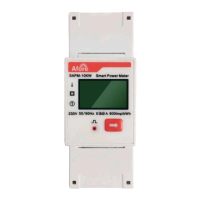
Connect the Smart Meter to Three-phase System
15
UP/DOWN
Choose SET
UP/DOWN
Choose COM2 Protocol
Communciate Para View
COM1 Address: 01
COM1 Protocol RS485
COM2 Address: 01
COM2 Protocol ModBus
UP/DOWN
Choose COM2 Address
Communciate Para View
COM1 Address: 01
COM1 Protocol RS485
COM2 Address: 01
COM2 Protocol ModBus
UP/DOWN Choose
Communication
SET
ESC
UP/DOWN Choose ON
and press ENT to confirm
UP/DOWN
Choose PQD
UP/DOWN Choose
password:6231
UP/DOWN Choose Meter
press ENT to confirm
ENT
Para Adj
Address: 01
Protocol: ModBus
Baud rate 9600
Para Adj
UP/DOWN
Set the COM2 address to 01, 02, 03...
ENT
UP/DOWN
Choose Running
1s Delay1s Delay1s Delay 1s Delay
ENT
Enter User Password
ENT
SET
System
Running
Protection
Communication
Running Adj
PQD: ON
PQ mode: OFF
Power Percent: xx%
Main Menu
Run Info
Err Record
SET
ON/OFF
Wifi Info
Version
System Info
System Checking...
>>>>>>>>
ww.aforenergy.com
Power
xx KW
xx KWh
xx KWh
Run
110
50
0
5 8
11 14 1720 23
t
P(%)
28/8/2020 11:00
EDay
EAll
State
xxxx
Running
PQD: OFF
PQ mode: OFF
Power Percent: xx%
ENT
ENT
System
Running
Protection
Communication
Address: 01
Protocol: Meter
Baud rate 9600
b. For Three-phase 30-60kW Setting
Note:
1. For the multiple-inverter system, set the Master inverter COM 2
address as 1, set the Salve inverter COM 2 address as 2, 3, 4…
separately.
2. The total power of the inverters should not exceed 50kW
(TAPM-50kW) / 130kW (TAPM-130kW).
ENT
ENT
ENT


 To Next Page
