2.
Installation and Measurement
2.1
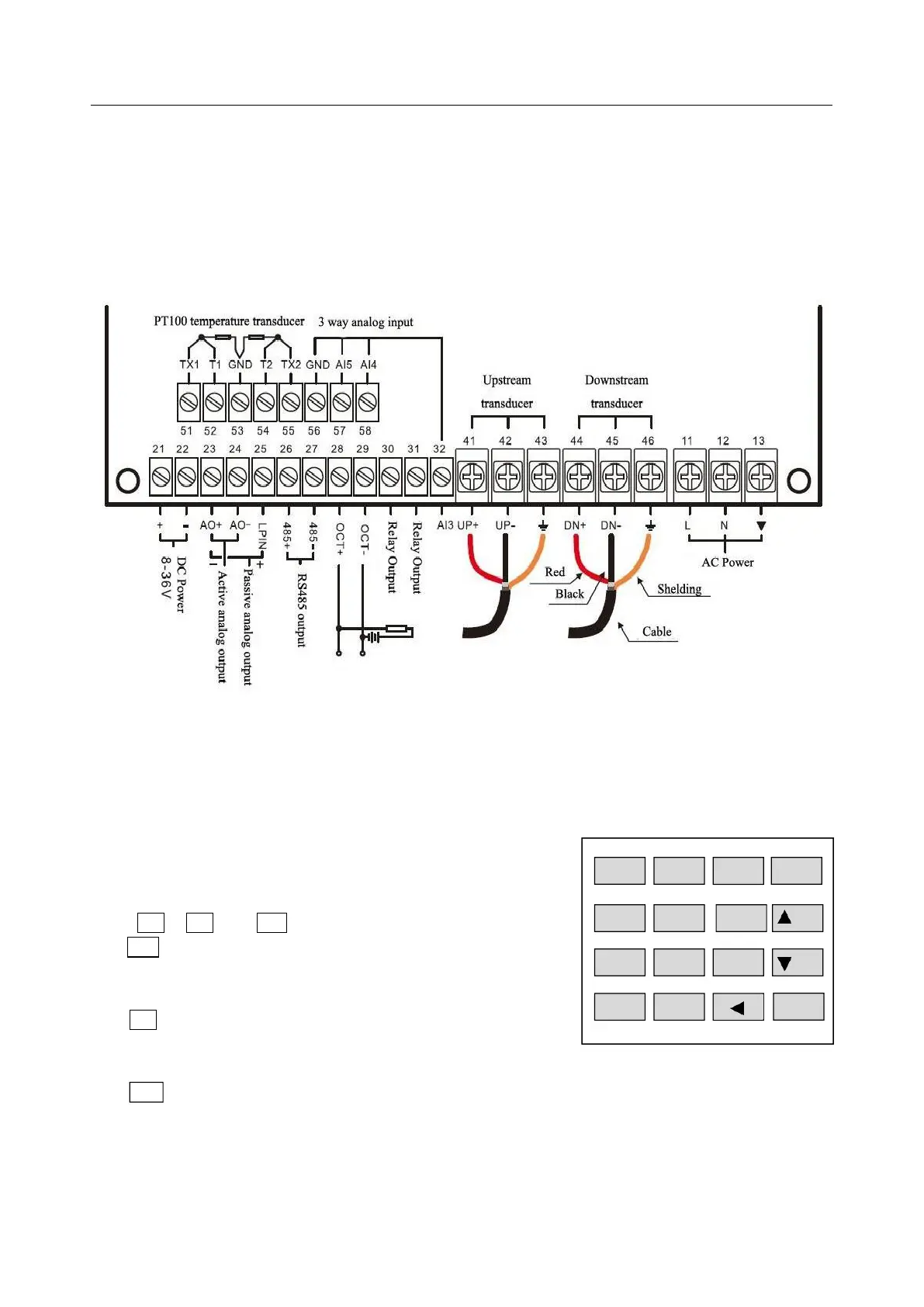
Wiring diagram
2.2
Keypad
The keypad for the operation of the flow meter is as
shown by the right picture.
Keys 0 - 9 and . are keys to enter numbers
Key ▲/+ is the going UP key, when the user wants to go to the
upper menu window. It also works as the “+” key when entering
numbers
Key ▼/- is the going DOWN key, when the user wants to go
down-sided menu window. It also works as the “–” key when
entering numbers.
Key is backspace key, when the user wants go left or wants backspace the left character that is
located to the left of the cursor.


 To Next Page