
 To Next Page
S
Sharon ThomasAug 5, 2025
How to fix Aftershokz Bluez AS330 Headphone that does not turn on?
- JJoseph MurrayAug 5, 2025
If your Aftershokz Headphone does not turn on, try charging the battery. It may simply be out of power.

How to fix Aftershokz Bluez AS330 Headphone that does not turn on?
If your Aftershokz Headphone does not turn on, try charging the battery. It may simply be out of power.
Why is my Aftershokz Bluez AS330 unable to pair?
If you're unable to pair your Aftershokz Headphone, it could be because it is not in pairing mode. To enter Manual Pairing Mode, press and hold the Play Button for 5 seconds.
What to do if people can't hear me on my Aftershokz Bluez AS330?
If people can't hear you when you're on a call using your Aftershokz Headphone, it might be because the microphone is muted. This can happen if the Play Button was pressed during the call. Press the Play Button again to turn off the mute function.
What to do if Aftershokz Headphone does not reconnect automatically?
If your Aftershokz Headphone does not reconnect automatically, it may be in Bluez entries standby mode. To reconnect manually, press any button.
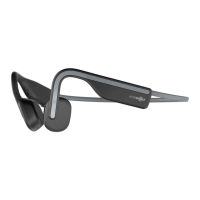
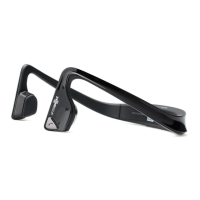
Open ear design for awareness, stereo Bluetooth for wireless phone and music.
Place band behind neck with transducers on bone in front of ears. Adjust Tension Band as needed.
Connect to USB. Full charge in 3 hours. Red while charging, blue when complete.
Slide power to ON. Select 'AFTERSHOKZ' on device. LED flashes blue/red for pairing.
Indicates low battery status.
Indicates the device is currently charging.
Indicates that charging is complete.
Indicates the device is in pairing mode.
Press Call Button to answer or end a call. Hold for 1 second to reject a call.
Press Play Button to play/pause music. Hold Volume Control for 2 seconds for next/previous song.
Slide power switch to ON for power on, OFF for power off.
Ensure the battery is fully charged.
If disconnected, press any button to manually reconnect.
Press and hold Play Button for 5 seconds to enter manual pairing mode.
Up to 6 hours playback, under 3 hours charging time.
Bluetooth 2.1+EDR with a wireless range of 10m (33ft).
Store in cool, dry place (0-45°C). Avoid extreme temperatures and humidity.
Clean with a soft cloth. Headset is water resistant, not waterproof.
Avoid modifications. Device complies with Part 15 of FCC Rules.
Device complies with Industry Canada licence-exempt RSS standard(s).
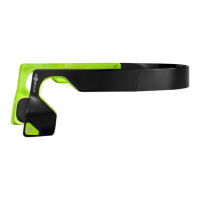
The AS330 AfterShokz Bluez Bone Conduction Bluetooth Headset is designed to provide an open-ear listening experience, allowing users to remain aware of their surroundings while enjoying audio. This stereo Bluetooth headset offers both wireless phone and music functions, aiming for a more comfortable and stable fit during extended use.
To wear the headset, users should place the wraparound headband behind their neck, ensuring the transducers rest on the bone in front of their ears, not directly on the ears. For individuals with smaller heads or those who find the headset not secure enough, an adjustable and removable Tension Band is included. This band can be adjusted to achieve a snug fit or removed entirely if not needed.
Charging the AS330 AfterShokz Bluez is straightforward. The headset connects to a standard USB port on a PC or a wall charger using the provided USB charging cable. A full charge takes approximately 3 hours. During charging, the LED indicator will display a solid red light, which then turns solid blue once charging is complete. It is recommended to fully charge the headset before its initial use. It's important to note that the headset is not functional while charging.
Pairing the headset with a device involves a few simple steps. First, slide the Power Switch on the Bluez to the "ON" position (indicated by green). Then, locate the Bluetooth menu on the device and select "AFTERSHOKZ." If the Bluez is being paired with a device for the first time, it will automatically enter pairing mode, and the LED indicator will flash blue/red. For devices that have been previously paired, the Bluez will automatically reconnect within 18 seconds, and the LED indicator will flash blue. To pair with a new phone or re-pair with an existing device manually, users need to press and hold the Play Button for 5 seconds. In this manual pairing mode, the LED indicator will flash quickly blue/red.
The headset is designed to manage disconnections. If the Bluez goes out of range (more than 33 feet/10 meters) from a connected device, it will disconnect. Upon returning within range, it will automatically reconnect. However, if the disconnection lasts for more than 3 minutes, users might need to press any button on the headset to manually reconnect. Similarly, if the connected device is turned off while connected to Bluez, the headset will disconnect. Turning the device back on requires pressing any button on the Bluez to manually reconnect.
The LED indicator provides visual cues for various statuses:
The headset offers a range of actions controlled by its buttons:
Troubleshooting guidance is provided for common issues:
For maintenance, the headset should be stored in a cool and dry place, with a working temperature range of 0~45°C (32~113°F). Operating in extreme cold/hot or highly humid environments can reduce battery life. After long periods of storage, it's advisable to charge the headset before use. The headset is water-resistant but not waterproof, so it should not be submerged in water. Cleaning should be done with a soft, dry cloth. Avoid contact with sharp objects and do not expose the headset to extremely high or low temperatures.
The device complies with FCC and Industry Canada regulations, ensuring it operates without causing harmful interference and accepts any interference received. It is designed to be installed and operated with a minimum distance of 20cm between the radiator and the user's body.
 General
| Type | Bone conduction |
|---|---|
| Brand | Aftershokz |
| Model | Bluez AS330 |
| Wireless | Yes |
| Bluetooth | Yes |
| Battery Life | 6 hours |
| Charging Time | 2 hours |
| Water Resistance | Sweat-resistant |
| Warranty | 2 years |