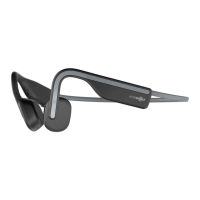
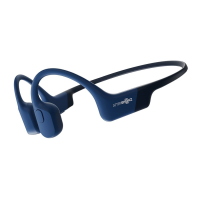
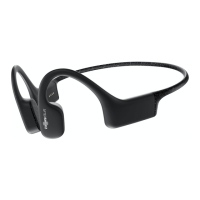
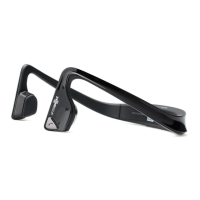
The OpenMove is a pair of bone conduction headphones designed for comfortable listening and communication. These headphones are equipped with a multifunction button (A), a volume+/power button (B), and a volume- button (C), allowing for a wide range of controls. Earplugs (D) are also included as an optional accessory for specific listening environments.
Function Description
The primary function of the OpenMove headphones is to provide audio playback and call management through bone conduction technology. This allows users to listen to audio while remaining aware of their surroundings.
Audio Playback:
- Play/Pause Music: A single click of the multifunction button (A) will play or pause music, indicated by one beep.
- Skip to Next Song: Double-clicking the multifunction button (A) while music is playing will skip to the next track, accompanied by one beep.
- Skip to Previous Song: Triple-clicking the multifunction button (A) while music is playing will go back to the previous song, also with one beep.
- Adjust Volume: Clicking the volume+ button (B) or volume- button (C) while music is playing allows for volume adjustment, confirmed by one beep.
Call Management:
- Answer Call: A single click of the multifunction button (A) will answer an incoming call, indicated by two beeps.
- End Call: Clicking the multifunction button (A) once will end an ongoing call, with one beep.
- Answer Call Waiting and Hang Up on Current Caller: Pressing and holding the multifunction button (A) for 2 seconds will answer a waiting call and hang up the current one, signaled by one beep.
- Reject Call: Pressing and holding the multifunction button (A) for 2 seconds will reject an incoming call, resulting in two beeps.
- Redial Last Number: Double-clicking the multifunction button (A) when the headphones are idle will redial the last number, and Audrey will say "Redial last number."
- Mute: Pressing and holding both the volume+ button (B) and volume- button (C) for 2 seconds during a call will mute or unmute the microphone. Audrey will announce "Mute on" or "Mute off."
Power and Connectivity:
- Power On: To turn on the headphones, press and hold the volume+ button (B) for 2 seconds. Audrey will say "Welcome to AfterShokz."
- Power Off: To turn off the headphones, press and hold the volume+ button (B) for 3 seconds. Audrey will say "Power off."
- Pairing: To enter pairing mode, start with the headphones powered off. Press and hold the volume+ button (B) until Audrey says "pairing" and the LED indicator flashes red and blue. Then, open your device's Bluetooth® menu and select "OpenMove by AfterShokz." Audrey will say "connected," and the LED indicator will flash blue once.
- Multipoint Pairing: This feature allows the OpenMove to connect to two devices simultaneously, enabling seamless transitions.
- Start with the headphones powered off.
- Enter pairing mode by pressing and holding volume+ until Audrey says "pairing" and the LED indicator flashes red and blue.
- Press and hold the multifunction button (A) and volume+ button (B) for 3 seconds. Audrey will say "multipoint enabled."
- Connect to your first device via its Bluetooth® menu. Audrey will say "connected."
- Turn your headphones off.
- Re-enter pairing mode (press and hold volume+ until Audrey says "pairing" and the LED indicator flashes red and blue).
- Connect to your second device via its Bluetooth® menu. Audrey will say "connected."
- Turn your headphones off.
- Turn your headphones on. They will now be connected to both devices. Audrey will say "connected" and "device 2 connected."
- To turn off multipoint pairing, press and hold the multifunction button (A) and volume- button (C) for 3 seconds while in pairing mode. Audrey will say "multipoint disabled."
Voice Assistant:
- Activate Device's Voice Assistant: Pressing and holding the multifunction button (A) for 2 seconds will activate your device's voice assistant, indicated by a device beep.
Language and EQ Settings:
- Switch Language: While in pairing mode, double-clicking the multifunction button (A) allows you to switch between "English/中文/日本語/한국어."
- Switch EQ: Pressing and holding both the volume+ button (B) and volume- button (C) for 3 seconds while music is playing will cycle through "Standard mode," "Vocal booster mode," and "Earplug mode."
Usage Features
The OpenMove headphones are designed for versatile use, from daily commutes to active lifestyles.
- Bone Conduction Technology: This core feature allows sound to be transmitted through your cheekbones, leaving your ears open to ambient sounds. This enhances safety, especially in outdoor environments where situational awareness is crucial.
- Comfortable Fit: The lightweight and open-ear design ensures comfort even during extended wear, without blocking your ear canals.
- Optional Earplugs: For environments where blocking out ambient noise is desired (e.g., on a train or airplane), the included earplugs can be used. When using earplugs, it's recommended to switch to "Earplug mode" via the EQ settings for an optimized audio experience. To use earplugs, roll them firmly between your fingers and place them in your ears. Remember to switch EQ settings back when you remove the earplugs.
- Intuitive Controls: The strategically placed buttons allow for easy access to all functions without needing to interact with your connected device.
- Voice Prompts: Audrey's voice prompts provide clear feedback on the headphones' status, such as power on/off, pairing, connection status, and battery level.
Maintenance Features
Proper care and maintenance will ensure the longevity and optimal performance of your OpenMove headphones.
- Charging: The headphones are charged using the included USB-C charging cable. The LED indicator will be red during charging and turn blue when charging is complete.
- Battery Status Check: To check the battery status, click the volume+ button (B) or volume- button (C) while music is paused. Audrey will announce "Battery high," "Battery medium," "Battery low," or "Charge me."
- Resetting Headphones: If you encounter any issues, you can reset your headphones:
- Start with the headphones powered off.
- Enter pairing mode (press and hold volume+ until Audrey says "pairing" and the LED indicator flashes red and blue).
- Press and hold the multifunction button (A), volume+ button (B), and volume- button (C) simultaneously for 3-5 seconds until you hear two beeps or feel vibrations.
- Turn your headphones off. The OpenMove is now reset and ready to be re-paired.
- Registration: To protect your headphones against defects, it is recommended to register your OpenMove at Aftershokz.com. This ensures you can take advantage of any warranty or support services.
- LED Indicator Guidance: The LED indicator provides visual cues for various statuses:
- Solid red: Charging
- Solid blue: Charging complete
- Flashes red and blue: Pairing mode
- Flashes blue: Incoming call
- Flashes red every 2 minutes: Low battery
By following these instructions, users can effectively operate, customize, and maintain their OpenMove headphones for a superior audio experience.

 Need help?
 General
 Weight and Dimensions

 To Next Page