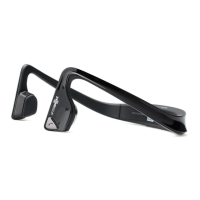
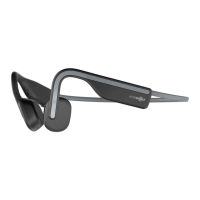
Need help?
Do you have a question about the Aftershokz TREKZ TITANIUM and is the answer not in the manual?
Charge the headphones using the included micro-USB cable. The LED indicator turns blue when charging is complete.
Press and hold the power button for 5 seconds to enter pairing mode. LED flashes blue/red during discovery.
Enable Bluetooth on your device and select "Trekz Titanium". The LED indicator turns blue when connected.
Details functions like play/pause, skip, answer/end calls, and voice dial via the multifunction button.
Covers power on/off, mute, EQ settings, battery status check, and volume adjustment.
Lists key technical details including part number, speaker type, frequency response, and Bluetooth version.
Step-by-step instructions for pairing the headphones with two devices simultaneously.
Explains the different light patterns of the LED indicator for charging, pairing, and call status.
Procedure to reset the Trekz Titanium headphones by pressing multiple buttons.
Information on optional accessories like FitBands for adjustability and earplugs for noise blocking.
Provides advice on storing, cleaning, and maintaining the headphones for optimal lifespan.
Details the FCC rules and conditions for operation and potential interference.
Confirms compliance with Industry Canada's license-exempt RSS standards.
 General
| Ear coupling | Circumaural |
|---|---|
| Headphone frequency | 20 - 20000 Hz |
| Headphone sensitivity | 100 dB |
| Microphone type | Built-in |
| Microphone sensitivity | -40 dB |
| Standby time | 10 h |
| Battery recharge time | 1.5 h |
| Bluetooth | Yes |
| Wireless range | 10 m |
| Bluetooth version | 4.1 |
| Bluetooth profiles | A2DP, AVRCP, HFP, HSP |
| Connectivity technology | Wireless |
| Headset type | Binaural |
| Product type | Headset |
| Product color | Black, Grey |
| Wearing style | Neck-band |
| Recommended usage | Sports |
 Weight and Dimensions
| Weight | 36 g |
|---|


 To Next Page