EasyManua.ls Logo

AG Neovo DR-17P - User Manual

AG Neovo DR-17P
46 pages
Print Icon
To Next Page IconTo Next Page
Loading...
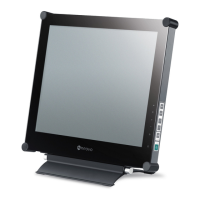
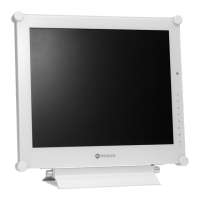
DR-17P LCD Display
User Manual

Other manuals for AG Neovo DR-17P

Questions and Answers

  • A
    Amy LewisAug 15, 2025
    Why do red, blue, green, white dots appear on AG Neovo Monitor screen?
    • D
      David KennedyAug 16, 2025
      If you notice red, blue, green, or white dots on your AG Neovo Monitor screen, it's usually not a cause for concern. LCD displays contain millions of micro transistors, and it's normal for a few to be damaged, resulting in these spots. This is generally acceptable and not considered a defect.
  • A
    atorresAug 18, 2025
    What to do if AG Neovo Monitor has no picture and the LED is off?
    • Z
      zgarciaAug 18, 2025
      If your AG Neovo Monitor isn't displaying any picture and the LED indicator is off, ensure the LCD display is turned on and that the power cord is properly connected to both the LCD display and the power outlet.
  • S
    Sandy JohnsonAug 21, 2025
    How to fix no audio output on AG Neovo Monitor?
    • C
      Christopher DownsAug 21, 2025
      If there's no audio output from your AG Neovo Monitor, first check if the volume is set to 0 or if the audio is set to off. Also, for VGA or DVI input, verify the audio settings on your computer.
  • T
    tonyalarsonAug 25, 2025
    Why is the LED indicator AMBER on my AG Neovo Monitor?
    • J
      joshua70Aug 25, 2025
      If the LED indicator on your AG Neovo Monitor is amber, check if the computer is turned on. If the computer is in standby mode, try moving the mouse or pressing a key to wake it up.
  • M
    Melissa McmillanAug 27, 2025
    How to fix blurry displayed texts on AG Neovo Monitor?
    • S
      Stephanie RodriguezAug 27, 2025
      If the displayed texts on your AG Neovo Monitor appear blurry, and you're using VGA input, use the keypad to auto-adjust the display. Additionally, try adjusting the image settings.
  • E
    Emma HunterAug 30, 2025
    What to do if the OSD menu can’t be called out on AG Neovo Monitor?
    • K
      Kelly SullivanAug 31, 2025
      If you can't call out the OSD menu on your AG Neovo Monitor, it's likely that the OSD is locked. Try unlocking the OSD.
  • L
    Lori WilliamsSep 2, 2025
    How to correct the image position on AG Neovo Monitor?
    • A
      Alyssa BallardSep 3, 2025
      If the image position on your AG Neovo Monitor is incorrect, adjust the H. POSITION and V. POSITION values.
  • S
    swoodSep 5, 2025
    What to do if faint shadows appear on AG Neovo Monitor screen?
    • K
      Kimberly BrownSep 5, 2025
      If you notice faint shadows from a static image appearing on your AG Neovo Monitor screen, turn off the LCD display for extended periods of time. Alternatively, use a screen saver or a black and white image and run it for extended periods.
  • A
    Anthony MartinezSep 8, 2025
    Why is there dew formed on or inside AG Neovo Monitor?
    • D
      Derek JohnsonSep 8, 2025
      If dew has formed on or inside the LCD display of your AG Neovo Monitor, this usually happens when the monitor is moved from a cold to a hot room. Do not turn on the LCD display; wait for the dew condensation to disappear.
  • J
    James JacksonSep 12, 2025
    Why is there mist formed inside the glass surface of AG Neovo Monitor?
    • J
      Jeffery GilesSep 12, 2025
      If mist forms inside the glass surface of your AG Neovo Monitor, it's typically due to humid weather conditions. This is a normal occurrence, and the mist will disappear after a few days or as soon as the weather stabilizes.

Summary

Safety Information

FCC Declaimers

This device complies with Section 15 of the FCC listing and its operation must meet specified conditions.

Precautions

Cautions When Setting Up

Guidelines for safely positioning the LCD display to avoid damage or hazards.

Cautions When Using

Important safety guidelines for operating the LCD display and handling the power cord.

Chapter 1: Product Description

1.2 Wall Mounting Installation Preparation

Steps and considerations for preparing the LCD display for wall mounting.

1.3 LCD Display Overview

Description of the LCD display's front view, keypad buttons, and their functions.

Chapter 2: Making Connections

2.1 Connecting the Power

Instructions for connecting the power cord and adapter to the LCD display and power outlet.

2.2 Connecting Input Source Signals

Procedures for connecting various input sources like computers and video devices.

Chapter 5: Adjusting the LCD Display

5.1 Brightness Setting

Adjusting the screen's luminance and contrast levels for optimal viewing.

5.2 Colour Setting

Configuring color temperature, auto color, and user-defined RGB settings.

Chapter 6: Appendix

6.2 Troubleshooting

Common problems with the LCD display and their possible causes and solutions.

Chapter 7: Specifications

7.1 Display Specifications

Detailed technical specifications of the DR-17P LCD display, including panel size, resolution, and power.

AG Neovo DR-17P Specifications

General IconGeneral
BrandAG Neovo
ModelDR-17P
CategoryMonitor
LanguageEnglish

Related product manuals