EasyManua.ls Logo

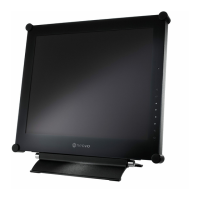
AG Neovo X-17P - User Manual

AG Neovo X-17P
44 pages
Print Icon
To Next Page IconTo Next Page
Loading...
User Manual
X-17P LCD Display

Other manuals for AG Neovo X-17P

Questions and Answers

  • S
    seanburtonAug 13, 2025
    Why is there no audio output from my AG Neovo X-17P?
    • A
      anthony61Aug 13, 2025
      If there is no audio output from your AG Neovo Monitor, first check if the volume is set to 0. Next, verify that the AUDIO setting is not set to OFF. If you are using VGA or DVI input, check the audio settings on your computer.
  • R
    ryanhayesAug 16, 2025
    What to do if the LED indicator on my AG Neovo X-17P is amber?
    • S
      Sue FlowersAug 16, 2025
      If the LED indicator on your AG Neovo Monitor is amber, check if the computer is turned on. If the computer is in standby mode, move the mouse or press any key to wake it up.
  • D
    davistimothyAug 21, 2025
    How to adjust image position on AG Neovo X-17P?
    • E
      ewilliamsAug 21, 2025
      If the image position on your AG Neovo Monitor is incorrect, adjust the H. POSITION and V. POSITION values.
  • M
    Mark FloresAug 25, 2025
    What to do if the OSD menu can't be called out on AG Neovo X-17P Monitor?
    • M
      Melissa StokesAug 26, 2025
      If the OSD menu on your AG Neovo Monitor cannot be called out, the OSD might be locked. Unlock the OSD.
  • T
    Theresa HaysAug 28, 2025
    How to remove faint shadows on AG Neovo X-17P screen?
    • T
      Tamara KirkAug 28, 2025
      If faint shadows from a static image appear on the screen of your AG Neovo Monitor, turn off the LCD display for extended periods of time. Alternatively, use a screen saver or a black and white image and run it for extended periods.
  • J
    Jessica LynchSep 1, 2025
    Why is there dew inside my AG Neovo X-17P?
    • A
      Ann McmillanSep 1, 2025
      This normally happens when the AG Neovo Monitor is moved from a cold room to a hot room temperature. Do not turn on the LCD display, wait for the dew condensation to disappear.
  • A
    amy04Sep 4, 2025
    Why do red, blue, green, white dots appear on my AG Neovo X-17P screen?
    • M
      Mr. Duane Rice PhDSep 5, 2025
      The appearance of red, blue, green, or white dots on the screen of your AG Neovo Monitor is normal. This is because there are millions of micro transistors inside the LCD display, and it is normal for a few to be damaged and produce spots. This is acceptable and not considered a failure.
  • J
    James WagnerSep 8, 2025
    Why is there mist inside the glass surface of my AG Neovo X-17P Monitor?
    • E
      Elizabeth RodriguezSep 8, 2025
      Mist forming inside the glass surface of your AG Neovo Monitor happens due to humid weather conditions. This is a normal occurrence, and the mist will disappear after a few days or as soon as the weather stabilizes.

Summary

Safety Information

FCC Declaimers

Explains FCC compliance and interference regulations.

Precautions

Cautions When Setting Up

Guidelines for safe placement, ventilation, and environmental conditions.

Cautions When Using

Safe handling of power cord, usage restrictions, and electrical safety.

Chapter 1: Product Description

1.2 Wall Mounting Installation Preparation

Steps to prepare the display for wall mounting, including base stand removal.

Chapter 2: Making Connections

2.1 Connecting the Power

Step-by-step guide to connect the power cord, adapter, and outlet.

2.2 Connecting Input Source Signals

Instructions for connecting various input sources like computers and video devices.

Chapter 3: Using the LCD Display

3.1 Turning on the Power

Steps for powering the display on and off.

3.2 Selecting the Input Source Signal

How to choose between different input signals.

3.7 Using Auto Adjustment Function

Guide to automatically optimize display settings.

Chapter 4: On Screen Display Menu

4.1 Using the OSD Menu

How to navigate and interact with the OSD menu.

Chapter 5: Adjusting the Settings

5.1 Brightness Setting

How to adjust screen brightness, contrast, and black level.

5.2 Colour Setting

Adjusting colour temperature and auto colour settings.

Chapter 6: Appendix

6.2 Troubleshooting

Common problems and their possible causes and solutions.

Chapter 7: Specifications

7.1 Display Specifications

Technical specifications of the LCD display panel and features.

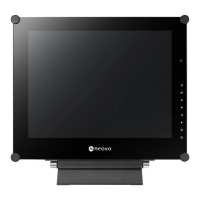
AG Neovo X-17P Specifications

General IconGeneral
HD typeSXGA
Panel life- h
Pixel pitch0.264 x 0.264 mm
Response time3 ms
Display diagonal17 \
Display brightness250 cd/m²
Display resolution1280 x 1024 pixels
Display technologyLED
Vertical scan range50 - 85 Hz
Horizontal scan range24 - 82 kHz
Viewing angle, vertical160 °
Contrast ratio (typical)1000:1
Display number of colors16.78 million colors
Display diagonal (metric)- cm
Viewing angle, horizontal170 °
HDMI ports quantity0
DVI-D ports quantity1
Tilt angle range-20 - 20 °
Multi-display supported-
Product colorWhite
Product designDigital signage flat panel
Panel mounting interface75 x 75, 100 x 100 mm
Cables includedAC, Audio (3.5mm), VGA
Sustainability certificatesRoHS
CertificationCB, FCC, CE, WEEE, REACH, GOST-R
RMS rated power3 W
Number of built-in speakers2
Power consumption (standby)0.5 W
Power consumption (typical)19 W
Package depth228 mm
Package width486 mm
Package height497 mm
Package weight7000 g
Storage temperature (T-T)-20 - 60 °C
Operating temperature (T-T)0 - 40 °C
Storage relative humidity (H-H)5 - 95 %
Operating relative humidity (H-H)10 - 90 %
Weight and Dimensions IconWeight and Dimensions
Depth175 mm
Width409 mm
Height398 mm
Weight6100 g

Related product manuals