EasyManua.ls Logo

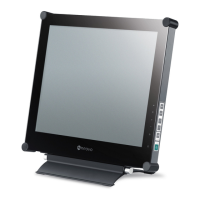
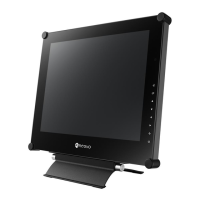
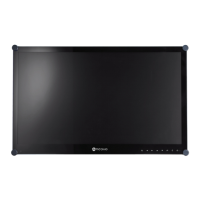
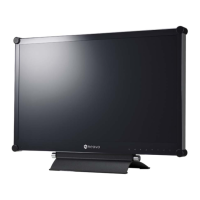
AG Neovo X-24E - User Manual

AG Neovo X-24E
47 pages
Print Icon
To Next Page IconTo Next Page
Loading...
X-22E & X-24E LED-Backlit Display
User Manual

Questions and Answers

  • L
    Laura NelsonSep 23, 2025
    How to prevent shadows from static images on AG Neovo Monitor?
    • O
      Oscar TranSep 23, 2025
      To address faint shadows from a static image appearing on the screen of your AG Neovo Monitor: turn off the LCD display for extended periods of time. Alternatively, use a screen saver or a black and white image and run it for extended periods of time.
  • M
    Matthew PaceAug 25, 2025
    What to do if there is no audio output from my AG Neovo X-24E Monitor?
    • W
      wilkinsonmichaelAug 25, 2025
      If you're experiencing no audio output from your AG Neovo monitor, here's what you can check: * Verify the volume isn't set to 0. Consult page 17 or 36 for volume settings. * Ensure the AUDIO setting isn't set to OFF in AUDIO SETTING (see page 36). * If using VGA or DVI input, check the audio settings on your computer. * For HDMI or DP input, select the correct audio input source (see page 36).
  • J
    Jasmin MorrisAug 25, 2025
    Why is the LED indicator on my AG Neovo Monitor AMBER?
    • K
      Kaitlin BrownAug 26, 2025
      If the LED indicator on your AG Neovo monitor is amber, check the following: * Ensure your computer is turned on. * If the computer is in standby mode, move the mouse or press any key to wake it up.
  • S
    Steven BrandtAug 27, 2025
    How to fix blurry text on my AG Neovo Monitor?
    • W
      William AlvarezAug 27, 2025
      If the text displayed on your AG Neovo monitor is blurry: * For VGA input, touch the button on the keypad to auto-adjust the display. * Adjust the IMAGE SETTING (see page 28).
  • S
    Shelby BoydAug 27, 2025
    How do I correct the image position on my AG Neovo X-24E Monitor?
    • P
      Patrick HuntAug 27, 2025
      To correct an incorrect image position on your AG Neovo monitor, adjust the H. POSITION and V. POSITION values. See IMAGE SETTING on page 28.
  • W
    williamselizabethSep 16, 2025
    Why PIP mode does not work on AG Neovo X-24E Monitor?
    • S
      Sheryl StephensonSep 16, 2025
      If PIP mode does not work on your AG Neovo Monitor, the main and sub input source signals are not compatible to be displayed together in PIP mode. Check the PIP Compatibility Table for details.
  • A
    ashley54Sep 13, 2025
    How to correct image position on AG Neovo X-24E?
    • J
      James SanchezSep 13, 2025
      If the image position on your AG Neovo Monitor is incorrect, adjust the H. POSITION and V. POSITION values.
  • N
    Nathan ShepardSep 15, 2025
    What to do if the OSD menu can't be called out on AG Neovo X-24E Monitor?
    • J
      Jeremy BanksSep 15, 2025
      If the OSD menu on your AG Neovo Monitor can't be called out, the OSD is likely locked. To unlock it, see page 17.
  • H
    housemonicaSep 5, 2025
    What to do if there is no audio output from AG Neovo X-24E?
    • H
      Hannah RogersSep 5, 2025
      If there is no audio output from your AG Neovo Monitor, first, ensure the volume isn't set to 0. Next, verify that the AUDIO setting isn't set to OFF. If you're using VGA or DVI input, check the computer's audio settings. For HDMI or DP input, select the correct audio input source.
  • M
    Matthew PenningtonSep 3, 2025
    Why is there dew formed on or inside the LCD display of my AG Neovo Monitor?
    • D
      Daniel BrooksSep 3, 2025
      Dew forming on or inside the LCD display of your AG Neovo monitor typically occurs when the monitor is moved from a cold to a hot room. To resolve this, do not turn on the LCD display; wait for the dew condensation to disappear.

AG Neovo X-24E Specifications

General IconGeneral
BrandAG Neovo
ModelX-24E
CategoryMonitor
LanguageEnglish

Related product manuals