EasyManua.ls Logo

AG Neovo X-15E - User Manual

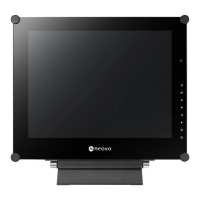
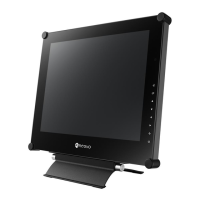
AG Neovo X-15E
47 pages
Print Icon
To Next Page IconTo Next Page
Loading...
X-15E, X-17E & X-19E LED-Backlit Display
User Manual
displays.agneovo.com

Questions and Answers

  • G
    garcianathanSep 3, 2025
    Why is there dew formed on AG Neovo Monitor?
    • C
      Cynthia GordonSep 4, 2025
      Dew forming on or inside the LCD display of your AG Neovo Monitor normally happens when the LCD display is moved a cold room to a hot room temperature. Do not turn ON the LCD display; wait for the dew condensation to disappear.
  • K
    kennedylisaSep 18, 2025
    Why mist formed inside the glass surface of AG Neovo X-15E Monitor?
    • L
      Lisa LeeSep 18, 2025
      If mist has formed inside the glass surface of your AG Neovo Monitor, this is a normal occurrence due to humid weather conditions. The mist should disappear after a few days or as soon as the weather stabilizes.
  • K
    kerrjeanetteSep 16, 2025
    What to do if dew formed on AG Neovo X-15E Monitor?
    • J
      Jonathan JohnsonSep 16, 2025
      If dew has formed on or inside the LCD display of your AG Neovo Monitor, which typically occurs when moving the display from a cold to a hot environment, do not turn on the LCD display. Wait for the dew condensation to disappear.
  • J
    Jordan FieldsSep 14, 2025
    How to correct image position on AG Neovo Monitor?
    • L
      Lee RodriguezSep 15, 2025
      If the image position is incorrect on your AG Neovo Monitor, adjust the H. POSITION and V. POSITION values.
  • P
    Parker BrooksSep 12, 2025
    What to do if texts are blurry on AG Neovo X-15E?
    • C
      Cheryl ThompsonSep 12, 2025
      If the displayed texts on your AG Neovo monitor appear blurry, and you are using VGA input, touch the button on the keypad to auto-adjust the display. You can also adjust the IMAGE SETTING.
  • D
    davidharringtonSep 12, 2025
    Why is the LED indicator on my AG Neovo Monitor amber?
    • A
      Adrian RuizSep 12, 2025
      If the LED indicator on your AG Neovo Monitor is amber, ensure that your computer is turned on. If the computer is in standby mode, move the mouse or press any key to wake it up.
  • J
    Janice DrakeSep 9, 2025
    What to do if there is no audio output on AG Neovo Monitor?
    • C
      christian78Sep 9, 2025
      If you have no audio output from your AG Neovo monitor, first verify that the volume isn't set to 0. Next, check if the AUDIO setting is set to OFF. If you are using VGA or DVI input, check the audio settings on your computer. For HDMI or DP input, make sure the correct audio input source is selected.
  • R
    Renee PottsSep 7, 2025
    How to fix AG Neovo X-15E when there is no picture and LED is off?
    • S
      Sarah OsborneSep 7, 2025
      If your AG Neovo Monitor displays no picture and the LED indicator is off, ensure that the LCD display is turned on and the power cord is correctly connected to both the LCD display and the power outlet.
  • M
    michael20Sep 5, 2025
    Why is there mist inside the glass surface of my AG Neovo X-15E?
    • K
      Kathleen TaylorSep 5, 2025
      Mist forming inside the glass surface of your AG Neovo Monitor happens due to humid weather conditions, and it is a normal occurrence. The mist will disappear after a few days or as soon as the weather stabilizes.
  • C
    Carl JuarezAug 20, 2025
    Why is there no audio output from my AG Neovo Monitor?
    • R
      Robert BaxterAug 21, 2025
      If there is no audio output from your AG Neovo Monitor, first check if the volume is set to 0. Then, verify that the AUDIO setting is not set to OFF. For VGA or DVI input, check the audio setting of the computer. For HDMI or DP input, select the correct audio input source.

AG Neovo X-15E Specifications

General IconGeneral
Screen Size15 inches
Resolution1024 x 768
Panel TypeTFT LCD
Brightness250 cd/m²
Aspect Ratio4:3
Input PortsVGA
Power Consumption25 W

Related product manuals