EasyManua.ls Logo

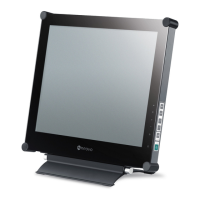
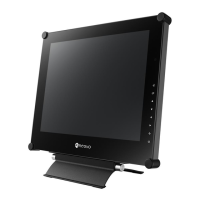
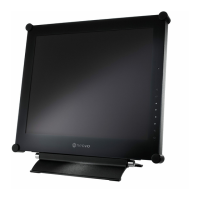
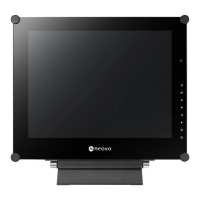
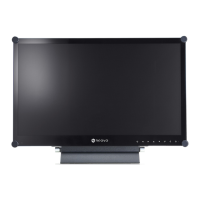
AG Neovo X-22 - User Manual

AG Neovo X-22
46 pages
Print Icon
To Next Page IconTo Next Page
Loading...
X-22 & X-24 LED-Backlit Display
User Manual

Other manuals for AG Neovo X-22

Questions and Answers

  • E
    Eileen RichmondAug 18, 2025
    How to fix a AG Neovo Monitor with no picture and the LED indicator is OFF?
    • L
      lucasgarrettAug 18, 2025
      If your AG Neovo monitor's LED indicator is off and there's no picture, ensure the LCD display is turned on and that the power cord is properly connected both to the LCD display and the power outlet.
  • S
    Suzanne TrujilloAug 20, 2025
    What to do if there is no audio output from AG Neovo Monitor?
    • M
      martintiffanyAug 20, 2025
      If there is no audio output from your AG Neovo monitor, first check if the volume is set to 0. Also verify that AUDIO is not set to OFF. For VGA or DVI input, check the audio setting of the computer.
  • M
    Megan WrightAug 23, 2025
    Why are the displayed texts blurry on my AG Neovo X-22?
    • C
      Charles WaltersAug 23, 2025
      If the texts displayed on your AG Neovo monitor are blurry when using VGA input, touch the keypad to auto-adjust the display. Alternatively, adjust the IMAGE SETTING.
  • W
    William BlevinsAug 26, 2025
    What to do if the displayed picture looks distorted on AG Neovo X-22?
    • M
      Meghan SheltonAug 26, 2025
      If the picture on your AG Neovo monitor looks distorted, adjust the aspect ratio in the settings.
  • C
    christophernealAug 28, 2025
    Why is the LED indicator AMBER on my AG Neovo X-22 Monitor?
    • A
      angelabatesAug 28, 2025
      If the LED indicator on your AG Neovo monitor is amber, check if the computer is turned on. If the computer is in standby mode, move the mouse or press any key to wake it up.
  • T
    Timothy LozanoAug 30, 2025
    How to correct an incorrect image position on AG Neovo X-22 Monitor?
    • S
      seanparsonsAug 30, 2025
      If the image position is incorrect on your AG Neovo monitor, adjust the H. POSITION and V. POSITION values.
  • L
    Laura RamseySep 2, 2025
    What to do if the OSD menu can’t be called out on AG Neovo X-22 Monitor?
    • A
      Alicia WilliamsSep 2, 2025
      If the OSD menu cannot be called out on your AG Neovo monitor, the OSD might be locked. Unlock the OSD.
  • S
    Scott SmithSep 4, 2025
    Why can't I adjust Backlight setting on AG Neovo X-22 Monitor?
    • V
      vsanchezSep 4, 2025
      If you cannot adjust the Backlight setting on your AG Neovo monitor, the AUTO BRIGHTNESS setting is likely ON. Disable AUTO BRIGHTNESS.
  • A
    Ashley BriggsSep 6, 2025
    How to remove faint shadows from a static image on AG Neovo X-22 Monitor?
    • D
      donaldromeroSep 7, 2025
      If faint shadows from a static image appear on your AG Neovo monitor's screen, turn off the LCD display for extended periods. Alternatively, use a screen saver or a black and white image and run it for extended periods.
  • V
    Veronica CarrilloSep 9, 2025
    Why PIP mode does not work on AG Neovo X-22?
    • B
      Billy CobbSep 9, 2025
      If PIP mode does not work on your AG Neovo monitor, the main and sub input source signals are not compatible to be displayed together in PIP mode. Check the PIP Compatibility Table for details.

Summary

SAFETY INFORMATION

PRECAUTIONS

Usage Cautions

Safety instructions for operating the display and handling the power cord.

MAKING CONNECTIONS

Connecting the Power

Step-by-step guide on how to connect the display to a power source.

Connecting Input Source Signals

Instructions for connecting various video and audio sources like computers and cameras.

USING THE LCD DISPLAY

Powering On and Off

Procedure for powering the display on and off, and LED indicator status.

Selecting Input Source

How to switch between different input signals like VGA, HDMI, etc.

Picture-in-Picture (PIP) Function

Explains the PIP feature for displaying multiple input sources simultaneously and its modes.

Auto Adjustment

How to automatically optimize display settings for VGA input.

ON SCREEN DISPLAY MENU

Navigating the OSD Menu

Guide on navigating and interacting with the On-Screen Display (OSD) menu.

ADJUSTING THE LCD DISPLAY

Brightness and Contrast Settings

Instructions for adjusting brightness, contrast, and black level settings.

Input Source Selection

How to select the active input source signal for the display.

APPENDIX

Troubleshooting Guide

A guide to common problems and their solutions, such as no picture or distorted images.

AG Neovo X-22 Specifications

General IconGeneral
BrandAG Neovo
ModelX-22
CategoryMonitor
LanguageEnglish

Related product manuals