EasyManua.ls Logo

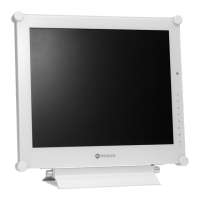
AG Neovo DR-17E - User Manual

AG Neovo DR-17E
52 pages
Print Icon
To Next Page IconTo Next Page
Loading...
DR-17E & DR-22E LED-Backlit Display
User Manual

Questions and Answers

  • H
    hriosAug 14, 2025
    What to do if AG Neovo DR-17E has no picture and LED is off?
    • J
      Jessica ClarkAug 14, 2025
      If your AG Neovo monitor displays no picture and the LED indicator is off, ensure the LCD display is turned on. Verify that the power adapter is correctly connected to the LCD display and that the power cord is properly plugged into the power outlet.
  • A
    andrealeonAug 17, 2025
    How to fix no audio output on AG Neovo DR-17E Monitor?
    • S
      Samantha PierceAug 17, 2025
      If there is no audio output from your AG Neovo monitor, check if the volume is set to 0. For VGA or DVI input, check the audio setting of the computer. For HDMI or DP input, select the correct audio input source.
  • V
    Victoria WeeksAug 21, 2025
    Why is the LED indicator AMBER on my AG Neovo DR-17E?
    • T
      Tami DavisAug 21, 2025
      If the LED indicator on your AG Neovo monitor is amber, check if the computer is turned on. Also, check if the computer is in standby mode; if so, move the mouse or press any key to wake it up.
  • T
    Timothy AndrewsAug 25, 2025
    What to do if displayed texts are blurry on AG Neovo Monitor?
    • R
      Robert MathewsAug 25, 2025
      If the displayed texts on your AG Neovo monitor are blurry, and you are using VGA input, use the keypad to auto-adjust the display. You may also need to adjust the IMAGE SETTING.
  • A
    Amber SpencerAug 27, 2025
    How to correct image position on AG Neovo DR-17E Monitor?
    • L
      Logan TerryAug 28, 2025
      To correct an incorrect image position on your AG Neovo monitor, adjust the H. POSITION and V. POSITION values.
  • L
    Linda KentAug 31, 2025
    How to remove faint shadows on AG Neovo DR-17E?
    • B
      bortegaAug 31, 2025
      If faint shadows from a static image appear on your AG Neovo monitor's screen, turn off the LCD display for extended periods. Alternatively, use a screen saver or a black and white image and run it for extended periods.
  • T
    Travis MatthewsSep 3, 2025
    Why can't I adjust backlight setting on AG Neovo DR-17E?
    • K
      Kiara SandersSep 3, 2025
      If you cannot adjust the backlight setting on your AG Neovo monitor, the Eco Smart feature may be enabled. To disable it, set the ECO SMART > ENABLE setting to OFF.
  • M
    Melissa GordonSep 6, 2025
    Why is there dew formed on my AG Neovo DR-17E?
    • P
      Phillip GonzalesSep 6, 2025
      Dew forming on or inside the LCD display of your AG Neovo monitor normally happens when the monitor is moved from a cold room to a hot room temperature. Do not turn on the LCD display; wait for the dew condensation to disappear.
  • R
    Robert LewisSep 10, 2025
    Why is there mist inside the glass surface of my AG Neovo Monitor?
    • G
      Gregory MartinSep 12, 2025
      Mist forming inside the glass surface of your AG Neovo monitor happens due to humid weather conditions. The mist will disappear after a few days or as soon as the weather stabilizes.

Summary

Safety Information

EMC Information and Guidance

Electromagnetic compatibility guidelines and manufacturer declarations.

Precautions

Cautions When Using

Important warnings and advice for operating the LCD display safely.

Chapter 1: Product Description

Chapter 2: Making Connections

Connecting the Power

Step-by-step guide to connect the power supply to the LCD display.

Connecting Input Source Signals

Instructions for connecting various input sources like computer and video devices.

Connecting a Camera or Video Device

How to connect S-Video and CVBS cables for video input.

Connecting HDMI and DisplayPort Cables

Instructions for connecting HDMI and DisplayPort sources.

Chapter 5: Adjusting the LCD Display

Brightness and Contrast Settings

How to adjust brightness, contrast, backlight, and black level.

Colour Temperature Settings

Guide to adjusting colour temperature, including neutral, warm, cool, and user modes.

Image Settings

Adjusting sharpness, saturation, tint, gamma, colour range, and noise reduction.

Eco Smart Feature

Utilizing the Eco Smart sensor for automatic brightness adjustment.

Chapter 6: Appendix

Troubleshooting Guide

Solutions for common problems encountered with the LCD display.

Chapter 7: Specifications

Display Specifications

Detailed technical specifications for the DR-17E and DR-22E models.

AG Neovo DR-17E Specifications

General IconGeneral
BrandAG Neovo
ModelDR-17E
CategoryMonitor
LanguageEnglish

Related product manuals