EasyManua.ls Logo

AG Neovo MH-24 - User Manual

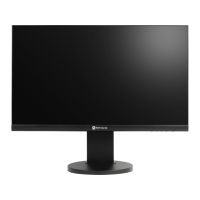
AG Neovo MH-24
32 pages
Print Icon
To Next Page IconTo Next Page
Loading...
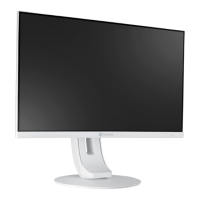
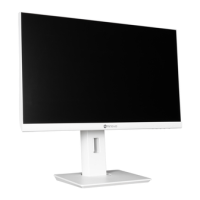
MH-24 & MH-27 LED-Backlit Monitor
User Manual
www.agneovo.com

Questions and Answers

  • J
    James WardJul 28, 2025
    What to do if my AG Neovo MH-24 has no picture and the LED indicator is off?
    • M
      Michael AnthonyJul 28, 2025
      First, ensure that the AG Neovo LCD monitor is turned on. Then, verify that the power cord is correctly connected to the LCD monitor and properly plugged into the power outlet.
  • R
    Ronald MarshallAug 3, 2025
    Why is there no audio output from my AG Neovo MH-24?
    • T
      Teresa DeanAug 4, 2025
      Check if the volume is set to 0. Also, verify in the Other menu if the Audio Volume setting is set to 0. If you are using VGA input, check the audio setting of the computer.
  • S
    Susan FergusonAug 9, 2025
    What to do if the displayed texts are blurry on my AG Neovo MH-24 Monitor?
    • A
      Angela CohenAug 9, 2025
      Press the AUTO button to auto-adjust the AG Neovo monitor. Alternatively, adjust the Clock and Phase settings in the Picture menu.
  • J
    Jacob LynchAug 15, 2025
    What to do if faint shadows from a static image appear on the screen of my AG Neovo Monitor?
    • M
      Matthew SanchezAug 15, 2025
      Turn off the AG Neovo LCD monitor for extended periods. You can also use a screen saver or a black and white image and run it for extended periods.
  • C
    Cameron PowersAug 22, 2025
    Why does dew form on my AG Neovo MH-24 Monitor?
    • M
      Michelle JohnstonAug 22, 2025
      Dew normally forms when the AG Neovo LCD monitor is moved from a cold room to a hot room temperature. Do not turn on the LCD monitor and wait for the dew condensation to disappear.

Summary

SAFETY INFORMATION

FCC Compliance Notice

Information regarding Federal Communications Commission compliance for US users.

WEEE Disposal Information

Information for users in European Union countries regarding WEEE disposal.

PRECAUTIONS

Manual Symbols Guide

Explanation of symbols used throughout the user manual for hazard indication.

Important Usage Notices

Important notice regarding manual usage, product specifications, and warranty.

Setup Safety Precautions

Safety guidelines and precautions to follow during the monitor setup process.

Usage Safety Precautions

Safety guidelines and precautions to follow during the operation of the monitor.

Cleaning and Maintenance Guide

Instructions for cleaning and maintaining the LCD monitor, including service warnings.

Monitor Performance Notices

Notices regarding monitor performance, image retention, burn-in, and transistor spots.

CHAPTER 1: PRODUCT DESCRIPTION

Package Contents Checklist

List of items included in the product package upon unpacking.

Monitor Stand Installation

Step-by-step instructions for installing the monitor stand.

Viewing Angle and Height Adjustment

Guidance on how to adjust the monitor's tilt, swivel, and height for optimal viewing.

Pivot Angle Adjustment Guide

Instructions for adjusting the monitor's pivot angle (screen rotation).

Monitor Height Adjustment

Details on how to adjust the monitor's height relative to the stand.

Wall Mounting Procedure

Procedure for removing the stand and mounting the monitor on a wall using VESA standard.

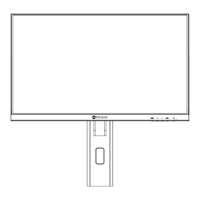
Front Panel Overview

Identification of the monitor screen and control buttons on the front panel.

Control Buttons Explained

Detailed explanation of the function of each control button on the monitor.

Auto Button and Other Controls

Explanation of the Auto Button for automatic image adjustment and other button functions.

Rear Ports Identification

Identification of input/output ports and power input on the rear of the monitor.

CHAPTER 2: MAKING CONNECTIONS

AC Power Connection

Instructions for connecting the monitor to a power outlet.

Input Signal Cable Connections

Guidance on connecting video input signals via DisplayPort, HDMI, and VGA cables.

Audio Device Connections

Instructions for connecting audio input and output devices, including headphones.

CHAPTER 3: ON SCREEN DISPLAY MENU

Navigating the OSD Menu

Step-by-step guide on how to navigate and use the On-Screen Display (OSD) menu.

OSD Menu Structure: Colour & Picture

Overview of the OSD menu structure for Colour and Picture settings.

OSD Menu Structure: Other & Reset

Overview of the OSD menu structure for Other settings and Reset options.

CHAPTER 4: ADJUSTING THE LCD MONITOR

Colour Settings Adjustment

Detailed instructions for adjusting colour-related settings like Contrast, Brightness, and Color Temp.

Picture Settings Adjustment

Instructions for adjusting picture settings such as Horizontal Position, Vertical Position, Clock, and Phase.

OSD Interface Settings

Configuration options for OSD language, position, timer, and transparency.

Other Display Settings

Adjustments for display mode, audio volume, signal source, aspect ratio, and contrast enhancements.

Factory Reset Procedure

Procedure to reset the monitor settings to factory defaults.

CHAPTER 5: APPENDIX

Troubleshooting Warning Messages

Information on common warning messages, their causes, and solutions.

General Troubleshooting Guide

Common problems and their corresponding causes and solutions for troubleshooting the monitor.

Monitor Packing for Transport

Instructions for safely removing the stand and packing the monitor for transport.

CHAPTER 6: SPECIFICATIONS

Technical Monitor Specifications

Detailed technical specifications for the MH-24 and MH-27 monitors.

Monitor Physical Dimensions

Diagrams and measurements showing the physical dimensions of the MH-24 and MH-27 monitors.

AG Neovo MH-24 Specifications

General IconGeneral
Screen Size23.8 inches
Panel TypeIPS
Brightness250 cd/m²
Response Time5 ms
Viewing Angle178° (H) / 178° (V)
ConnectivityVGA, HDMI
Refresh Rate60 Hz
Aspect Ratio16:9
Color Support16.7 million colors
Resolution1920 x 1080
Contrast Ratio1000:1

Related product manuals