EasyManua.ls Logo

AG Neovo MX-22 - User Manual

AG Neovo MX-22
52 pages
Print Icon
To Next Page IconTo Next Page
Loading...
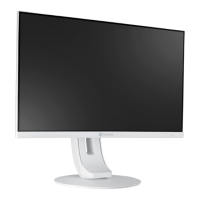
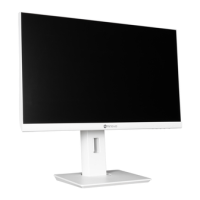
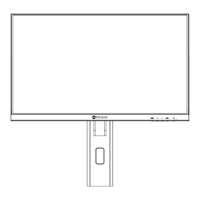
MX-22 & MX-24 LED-Backlit Display
User Manual

Questions and Answers

  • H
    Heather EstesSep 23, 2025
    Why mist formed inside the glass surface of my AG Neovo Monitor?
    • B
      Bryan UnderwoodSep 23, 2025
      If mist has formed inside the glass surface of your AG Neovo Monitor, this is a normal occurrence due to humid weather conditions. The mist will disappear after a few days or as soon as the weather stabilizes.
  • E
    Erica HendersonAug 23, 2025
    Why AG Neovo Monitor has no audio output?
    • R
      rsmithAug 23, 2025
      If there is no audio output from your AG Neovo Monitor, check the following: * Ensure the volume is not set to 0. * Verify that the AUDIO SETTING > AUDIO setting is not set to OFF. * If using VGA or DVI input, check the audio settings on your computer. * If using HDMI or DP input, select the correct audio input source.
  • J
    Jesus AndersonAug 25, 2025
    What to do if AG Neovo MX-22 LED indicator is amber?
    • L
      loriwhitneyAug 26, 2025
      If the LED indicator on your AG Neovo Monitor is amber, check if the computer is turned on. Also, verify if the computer is in standby mode; if so, move the mouse or press any key to wake it up.
  • T
    Tony HayesAug 26, 2025
    How to fix blurry text on AG Neovo MX-22?
    • S
      stevenskevinAug 26, 2025
      If the displayed texts on your AG Neovo Monitor are blurry, try the following: * For VGA input, touch the button on the keypad to auto-adjust the display. * Adjust the IMAGE SETTING.
  • J
    Justin MoodyAug 27, 2025
    How to adjust image position on AG Neovo Monitor?
    • M
      Melinda DouglasAug 27, 2025
      To correct an incorrect image position on your AG Neovo Monitor, adjust the H. POSITION and V. POSITION values.
  • D
    Darrell WilsonSep 16, 2025
    How to fix faint shadows from static image on AG Neovo Monitor?
    • S
      Samuel WallaceSep 17, 2025
      If you notice faint shadows from a static image appearing on your AG Neovo Monitor screen, turn off the LCD display for extended periods of time. Alternatively, use a screen saver or a black and white image and run it for extended periods of time.
  • T
    todd91Sep 14, 2025
    What to do if the displayed picture looks distorted on AG Neovo MX-22 Monitor?
    • R
      Roger WilliamsSep 14, 2025
      If the displayed picture on your AG Neovo Monitor looks distorted, adjust the aspect ratio.
  • B
    Blake BradleySep 15, 2025
    Why can't I adjust the backlight setting on my AG Neovo MX-22?
    • J
      Jeffrey BakerSep 16, 2025
      If you cannot adjust the backlight setting on your AG Neovo Monitor, the Eco Smart feature might be enabled. To disable it, set the E C O S M A R T > E N A B L E setting to OFF.
  • A
    Ann JacksonSep 6, 2025
    Why mist formed inside the glass surface of AG Neovo MX-22 Monitor?
    • B
      Brian BrownSep 6, 2025
      If mist has formed inside the glass surface of your AG Neovo Monitor, this is usually due to humid weather conditions. This is a normal occurrence and the mist will disappear after a few days or as soon as the weather stabilizes.
  • L
    Lisa RogersSep 3, 2025
    What to do if faint shadows from static image appear on AG Neovo MX-22?
    • E
      Elizabeth BrownSep 3, 2025
      If faint shadows from a static image appear on the screen of your AG Neovo Monitor: * Turn off the LCD display for extended periods of time. * Use a screen saver or a black and white image and run it for extended periods of time.

Summary

Safety Information

FCC Class B Interference Statement

Statement regarding FCC Class B digital device compliance and interference.

Electromagnetic Compatibility (EMC)

Guidelines for EMC and necessary precautions for optimal performance.

Electromagnetic Immunity Guidance

Manufacturer's declarations on immunity compliance and environmental guidance.

Precautions

Usage, Maintenance, and Safety Warnings

Guidelines for operation, power cord handling, cleaning, and critical safety warnings.

Electrical, Water, and Medical Safety

Warnings on power, water ingress, modifications, and medical environment considerations.

Making Connections

Connecting the Power Supply

Step-by-step guide to connect the power adapter and cord safely.

Connecting Computer Video Signals

How to connect a PC using VGA, DVI, and DisplayPort cables.

Connecting Computer Audio and Video Devices

Connecting audio via audio port and video devices via HDMI.

Connecting Video Sources

Guide for connecting external video devices using HDMI cables.

Adjusting the LCD Display

5.1 Brightness and Contrast Settings

Adjusts screen brightness, contrast, backlight, and black level.

5.3 Image Settings

Adjusts sharpness, saturation, tint, gamma, color range, noise reduction, and picture mode.

5.5 PIP Settings

Sets up PIP/PBP modes, main/sub sources, and display options.

Appendix

Troubleshooting Common Problems

Provides solutions for issues like no picture, incorrect image, no audio, and PIP problems.

AG Neovo MX-22 Specifications

General IconGeneral
BrandAG Neovo
ModelMX-22
CategoryMonitor
LanguageEnglish

Related product manuals