EasyManua.ls Logo

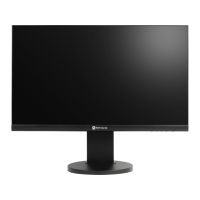
AG Neovo MH2402 - User Manual

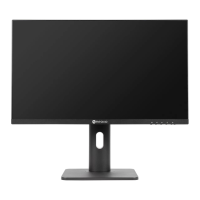
AG Neovo MH2402
20 pages
Print Icon
To Next Page IconTo Next Page
Loading...
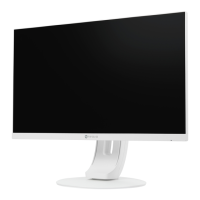
MH2402 & MH2702 LCD Monitor
User Manual
www.agneovo.com

Questions and Answers

  • D
    Dr. Jared WashingtonAug 13, 2025
    What to do if AG Neovo MH2402 Monitor has power but no picture?
    • K
      Kimberly WhiteAug 13, 2025
      If your AG Neovo Monitor's power indicator light is on but there's no picture, try these steps: First, ensure your PC is powered on. Next, check that the PC display card is properly inserted. Verify the monitor's signal cable is correctly connected to the PC and that none of the pins on the cable plug are bent. Finally, test if your PC is working by pressing the Caps Lock key and observing the indicator light.
  • M
    Michael SullivanAug 16, 2025
    Why is my AG Neovo Monitor picture flickering?
    • C
      Chloe BensonAug 17, 2025
      If you are experiencing a flickering picture or ripples on your AG Neovo Monitor, it might be due to interference from nearby electrical appliances or equipment. Try moving the monitor away from these devices to see if the issue resolves.
  • J
    Jacob GonzalezAug 20, 2025
    How to fix color differences on AG Neovo MH2402 Monitor?
    • N
      Nathan LittleAug 20, 2025
      If your AG Neovo Monitor displays a picture with a color difference where white does not look white, you can adjust the RGB color settings or reselect the color temperature in the monitor's settings.
  • C
    Christopher FarleyAug 25, 2025
    Why is plug-and-play not working on AG Neovo MH2402 Monitor?
    • B
      Brian PetersonAug 25, 2025
      If your AG Neovo Monitor is not working with plug-and-play, verify that the plug-and-play function of the device is compatible with your PC. Also, ensure that your display card supports the plug-and-play function and check the signal line 15 pin d joint for any bending.
  • K
    kirsten67Aug 28, 2025
    What to do if AG Neovo Monitor has color shortage?
    • C
      colerachelAug 28, 2025
      If there is a color shortage (red, green, and blue) on your AG Neovo Monitor, check the signal cable to ensure that every pin is not bent.
  • L
    Lindsay MartinAug 31, 2025
    How to fix blurry font on AG Neovo MH2402 Monitor with VGA?
    • S
      Susan DudleyAug 31, 2025
      If the screen font appears blurred under VGA signal on your AG Neovo Monitor, select the “E” option to automatically adjust the image.
  • M
    Marcia CruzSep 4, 2025
    How to correct screen color error on AG Neovo MH2402?
    • R
      rachel15Sep 4, 2025
      If the screen color is incorrect under VGA signal on your AG Neovo Monitor, select “Auto color” in the OSD (On-Screen Display) to correct it under the white output screen.
  • T
    Tommy WarrenSep 8, 2025
    Why is the power indicator light off on my AG Neovo MH2402?
    • M
      Melissa VelasquezSep 8, 2025
      If the power indicator light on your AG Neovo Monitor is not on, check that the power is on and that the power cord is properly connected.

Summary

SAFETY INFORMATION

FCC Compliance Notice

FCC compliance statement for Class B digital devices, including interference guidelines.

PRECAUTIONS

Manual Symbols and Notices

Explains hazard symbols, general notices, and warranty sticker advice.

Setup Cautions

Guidelines for safe monitor placement and ventilation during setup.

Usage Cautions

Advice on using the power cord, extension cords, and handling the unit safely.

Important Safety Warnings

Specific warnings regarding power cord handling and overhead mounting.

Cleaning and Maintenance

Instructions for cleaning the display and general maintenance advice.

LCD Display Usage Notes

Tips on brightness, image retention, and pixel defects.

CHAPTER 1: PRODUCT DESCRIPTION

Package Contents

Lists all items included in the product package.

Installation Guide

General instructions for installing the monitor.

Stand Installation and Adjustment

Steps for attaching the stand and adjusting tilt/height.

Wall Mounting Instructions

Procedures for removing the stand and mounting the display on a wall.

Overview and Control Buttons

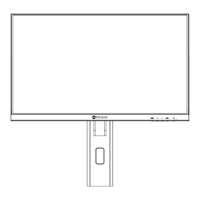
Describes the monitor's front view and the function of each control button.

Rear View and Ports

Identifies and explains the function of rear panel ports and connectors.

CHAPTER 2: MAKING CONNECTIONS

AC Power Connection

Guide on how to connect the monitor to a power source.

Input Signal Connections

Instructions for connecting video and audio input sources.

Cable Management

Tips for organizing monitor cables using the management slot.

CHAPTER 3: ON SCREEN DISPLAY MENU

OSD Menu Tree Overview

Detailed breakdown of the On-Screen Display (OSD) menu structure.

CHAPTER 4: APPENDIX

Warning Messages and Solutions

Explains common warning messages and provides solutions for them.

Troubleshooting Common Problems

Lists common issues with their causes and solutions for quick problem-solving.

CHAPTER 5: SPECIFICATIONS

Display Specifications

Lists technical specifications for MH2402 and MH2702 models.

Display Dimensions

Provides detailed dimensional drawings and measurements for the display models.

AG Neovo MH2402 Specifications

General IconGeneral
Resolution1920 x 1080 (Full HD)
Panel TypeIPS
Brightness250 cd/m²
Contrast Ratio1000:1
Response Time5 ms
Refresh Rate60 Hz
Aspect Ratio16:9
Viewing Angle178° (H) / 178° (V)
Color Support16.7 million colors
Screen Size24 inch
ConnectivityHDMI, VGA
Weight3.5 kg

Related product manuals