EasyManua.ls Logo

AG Neovo MD-24 - User Manual

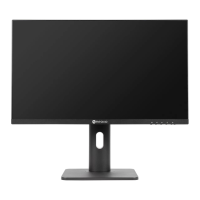
AG Neovo MD-24
39 pages
Print Icon
To Next Page IconTo Next Page
Loading...
MD-24 & MD-27 LED-Backlit Display
User Manualdisplays.agneovo.com

Questions and Answers

  • B
    bettyeatonAug 9, 2025
    What to do if my AG Neovo MD-24 has no picture and the LED indicator is off?
    • R
      Ronald Perez PhDAug 9, 2025
      If your AG Neovo monitor displays no picture and the LED indicator is off, please verify the following: * Ensure the LCD display is turned on. * Check that the power adapter is correctly connected to the LCD display. * Confirm the power cord is properly plugged into the power outlet.
  • B
    Brian PayneAug 13, 2025
    Why does my AG Neovo MD-24 Monitor have no audio output?
    • Y
      Yolanda KingAug 14, 2025
      If there is no audio output from your AG Neovo monitor, verify that the volume is not set to 0. If you are using VGA input, check the audio settings on your computer.
  • A
    Adam RushAug 18, 2025
    What to do if the displayed texts are blurry on my AG Neovo MD-24?
    • E
      Emily MooreAug 18, 2025
      If the texts appear blurry on your AG Neovo monitor when using VGA input, press and hold the button to auto-adjust the display. You can also adjust the Clock and Phase settings in the Image Setup menu.
  • D
    Daniel TrevinoAug 23, 2025
    What to do if my AG Neovo MD-24 Monitor LED indicator is blue but there is no picture?
    • W
      William PooleAug 23, 2025
      If the LED indicator on your AG Neovo monitor is blue but there is no picture, check that the computer is turned on. Also, if the computer is in standby mode, try moving the mouse or pressing any key to wake it up.
  • A
    andrewbrownAug 28, 2025
    Why do faint shadows from a static image appear on the screen of my AG Neovo MD-24?
    • D
      David StricklandAug 28, 2025
      If you notice faint shadows from a static image on your AG Neovo monitor's screen, try turning off the LCD display for extended periods. Alternatively, use a screen saver or a black and white image and run it for extended periods.
  • S
    Sara VasquezSep 2, 2025
    What to do if dew formed on the LCD display of my AG Neovo MD-24 Monitor?
    • J
      Jackson ThomasSep 2, 2025
      Dew formation on the LCD display of your AG Neovo monitor typically occurs when moving it from a cold to a hot environment. Do not turn on the LCD display; wait for the dew condensation to disappear.

AG Neovo MD-24 Specifications

General IconGeneral
BrandAG Neovo
ModelMD-24
CategoryMonitor
LanguageEnglish

Related product manuals