EasyManua.ls Logo

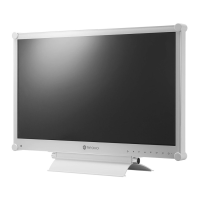
AG Neovo DR-22 - User Manual

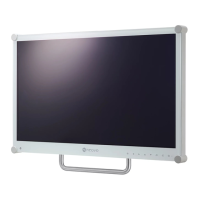
AG Neovo DR-22
50 pages
Print Icon
To Next Page IconTo Next Page
Loading...

Other manuals for AG Neovo DR-22

Questions and Answers

  • N
    Nicole WhiteAug 14, 2025
    Why AG Neovo DR-22 Monitor has no picture and LED indicator is off?
    • S
      Shane MorganAug 14, 2025
      If your AG Neovo Monitor displays no picture and the LED indicator is off, ensure the LCD display is turned on, the power cord is properly connected to the LCD display, and the power cord is plugged into the power outlet.
  • S
    sherrywebbAug 17, 2025
    What to do if AG Neovo DR-22 Monitor has no audio output?
    • J
      jessica56Aug 17, 2025
      If there is no audio output from your AG Neovo monitor, verify that the volume is not set to 0 and that the AUDIO setting is not set to OFF. For VGA or DVI input, check the audio setting of the computer.
  • M
    Marvin HaleyAug 21, 2025
    What to do if AG Neovo DR-22 Monitor displayed texts are blurry?
    • R
      Robert SolisAug 21, 2025
      If the texts displayed on your AG Neovo Monitor are blurry, for VGA input, touch on the keypad to auto-adjust the display. Also, try adjusting the IMAGE SETTING.
  • M
    millerjoshuaAug 25, 2025
    Why AG Neovo Monitor LED indicator is amber?
    • A
      Andrew CarpenterAug 25, 2025
      If the LED indicator on your AG Neovo monitor is amber, ensure that the computer is turned on. Also, check if the computer is in standby mode; if so, move the mouse or press any key to wake it up.
  • B
    Brian OlsonAug 27, 2025
    What to do if AG Neovo Monitor displayed picture looks distorted?
    • G
      Glen RogersAug 27, 2025
      If the displayed picture on your AG Neovo monitor looks distorted, try adjusting the aspect ratio.
  • K
    Kenneth Morgan MDAug 31, 2025
    Why PIP mode does not work on AG Neovo Monitor?
    • L
      Lauren CummingsAug 31, 2025
      PIP mode on your AG Neovo monitor may not work if the main and sub input source signals are not compatible to be displayed together in PIP mode.
  • L
    Lisa AguirreSep 3, 2025
    Why I cannot adjust Backlight setting on AG Neovo Monitor?
    • A
      april31Sep 3, 2025
      If you cannot adjust the Backlight setting on your AG Neovo monitor, the AUTO BRIGHTNESS setting might be ON. Disable AUTO BRIGHTNESS.
  • C
    Carolyn ArmstrongSep 7, 2025
    What to do if image position is incorrect on AG Neovo Monitor?
    • A
      amandajohnsonSep 7, 2025
      If the image position is incorrect on your AG Neovo monitor, adjust the H. POSITION and V. POSITION values.
  • A
    Andrea SmithSep 10, 2025
    What causes dew formed on or inside the AG Neovo LCD Monitor display?
    • M
      mitchellkarenSep 10, 2025
      Dew forming on or inside the AG Neovo LCD display typically happens when the monitor is moved from a cold room to a hot room. Do not turn on the LCD display; wait for the dew condensation to disappear.

Summary

SAFETY INFORMATION

FCC Declaimers

Details FCC Class-B compliance and interference regulations for the device.

Electromagnetic Emissions Guidance

Manufacturer's declaration and guidance on electromagnetic emissions and environment.

Recommended separation distances

Recommended separation distances between RF communications equipment and the model DR-22.

PRECAUTIONS

Cautions When Setting Up

Safety guidelines for proper installation and placement of the LCD display.

Cautions When Using

Essential safety practices and considerations for operating the LCD display.

CHAPTER 1: PRODUCT DESCRIPTION

1.1 Package Contents

Lists and illustrates all items included in the product package.

CHAPTER 2: MAKING CONNECTIONS

2.1 Connecting the Power

Step-by-step instructions for connecting the power cord and adapter.

2.2 Connecting Input Source Signals

Guide on connecting various input source signals to the display.

CHAPTER 3: USING THE LCD DISPLAY

3.1 Turning on the Power

Procedure for powering the LCD display on and off using the power button.

3.2 Selecting the Input Source Signal

How to choose and switch between different input source signals.

CHAPTER 4: ON SCREEN DISPLAY MENU

4.1 Using the OSD Menu

Guide on navigating and operating the On-Screen Display (OSD) menu.

CHAPTER 5: ADJUSTING THE LCD DISPLAY

5.1 Brightness Setting

How to adjust the screen's brightness, contrast, and black level.

5.2 Colour Setting

Adjusting color temperature settings like 6500K, 5400K, 9300K, sRGB, Auto, and User.

CHAPTER 6: APPENDIX

6.2 Troubleshooting

Common problems and their possible causes and solutions.

CHAPTER 7: SPECIFICATIONS

7.1 Display Specifications

Detailed technical specifications of the DR-22 display panel and features.

AG Neovo DR-22 Specifications

General IconGeneral
Screen Size22 inches
Panel TypeIPS
Brightness250 cd/m²
Contrast Ratio1000:1
Response Time5 ms
ConnectivityVGA, DVI, HDMI
Aspect Ratio16:9
Viewing Angle178° (H) / 178° (V)
Resolution1920 x 1080
Built-in SpeakersYes

Related product manuals