EasyManua.ls Logo

AG Neovo LE-22E - User Manual

AG Neovo LE-22E
31 pages
Print Icon
To Next Page IconTo Next Page
Loading...
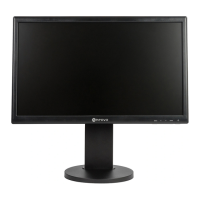
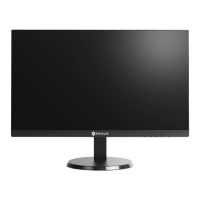
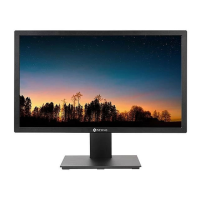
LE-22E, LE-24E & LE-27E LED-Backlit Display
User Manual

Questions and Answers

  • W
    williamrandallAug 6, 2025
    How to fix AG Neovo Monitor when there is no picture and the LED indicator is off?
    • M
      Michael FletcherAug 7, 2025
      If your AG Neovo monitor displays no picture and the LED indicator is off, try the following: * Ensure the LCD display is turned on. * Verify that the power adapter is correctly connected to the LCD display. * Confirm the power cord is properly plugged into the power outlet.
  • T
    Tiffany CortezAug 10, 2025
    What to do if there is no audio output from my AG Neovo LE-22E Monitor?
    • P
      pleeAug 11, 2025
      If you're experiencing no audio output from your AG Neovo monitor, please check the following: * Make sure the volume isn't set to 0. * If using VGA input, verify the audio settings on your computer.
  • B
    Brian LeeAug 14, 2025
    Why is the LED indicator blue on my AG Neovo Monitor?
    • R
      rodriguezryanAug 15, 2025
      If the LED indicator on your AG Neovo monitor is blue, it could indicate the following: * Check that the computer is turned on. * The computer might be in standby mode; try moving the mouse or pressing any key to wake it up.
  • C
    Carmen BaileyAug 19, 2025
    How to resolve blurry displayed texts on AG Neovo Monitor?
    • N
      Natalie CraneAug 19, 2025
      If the texts displayed on your AG Neovo monitor are blurry, try these steps: * If using VGA input, press and hold the AUTO button to auto-adjust the display. * Adjust the Clock and Phase settings in the Image Setup menu.
  • C
    cameronrobertAug 25, 2025
    What to do if faint shadows appear on the screen of my AG Neovo LE-22E?
    • S
      shahmaryAug 25, 2025
      If you notice faint shadows from a static image appearing on your AG Neovo monitor screen, consider these solutions: * Turn off the LCD display for extended periods. * Use a screen saver or a black and white image and run it for extended periods.
  • J
    Joel JonesAug 27, 2025
    How to correct an incorrect image position on my AG Neovo Monitor?
    • J
      Jessica GeorgeAug 28, 2025
      If the image position on your AG Neovo monitor is incorrect when using VGA input, adjust the H. Position and V. Position settings in the Image Setup menu.
  • C
    Carrie BerrySep 1, 2025
    What causes dew to form on the LCD display of AG Neovo LE-22E?
    • C
      Craig YoungSep 1, 2025
      Dew formation on the LCD display of your AG Neovo monitor typically occurs when the monitor is moved from a cold to a hot environment. To resolve this, do not turn on the LCD display and wait for the dew condensation to disappear.

Summary

Safety Information and Warnings

Device Modification Warning

Warns that unauthorized modifications to the device may void the warranty.

Precautions and Safety Guidelines

Setup Precautions

Provides guidelines for safely placing and setting up the LCD display in terms of environment.

Usage and Handling Precautions

Covers precautions for using the power cord, handling the device, and general operation safety.

Mounting Safety Warnings

Highlights warnings regarding ceiling mounting and the potential risks of improper installation.

Cleaning and Maintenance Procedures

Offers instructions on how to clean the display and housing, and provides maintenance advice.

Product Overview and Features

Display Installation Guide

Guides the user through the initial installation process, focusing on attaching the stand.

Control Button Functions

Explains the functions of the AUTO button for auto-adjustment, input selection, and menu navigation.

Rear Panel Ports and Features

Details all input/output ports, the power connector, and the Kensington lock socket on the rear.

Connecting Your Display

Connecting Video Input Signals

Guides on connecting video input signals using DisplayPort, HDMI, and VGA cables.

Display Adjustment Settings

Appendix: Troubleshooting and Warnings

Troubleshooting Common Problems

Lists common issues such as no picture, blurry text, or no audio, with their causes and solutions.

AG Neovo LE-22E Specifications

General IconGeneral
Screen Size22 inches
Resolution1920 x 1080
Aspect Ratio16:9
Response Time5 ms
Brightness250 cd/m²
Contrast Ratio1000:1
ConnectivityVGA, HDMI
Panel TypeLED-Backlit LCD
Input ConnectorsVGA, HDMI
Power Consumption25 W
Viewing Angle170° (H) / 160° (V)

Related product manuals