EasyManua.ls Logo

AG Neovo LA-22 - User Manual

AG Neovo LA-22
32 pages
Print Icon
To Next Page IconTo Next Page
Loading...
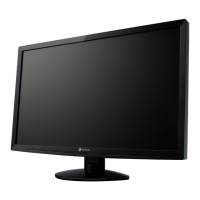
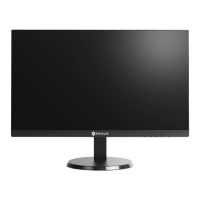
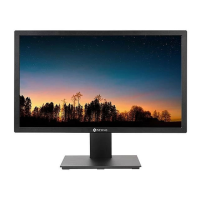
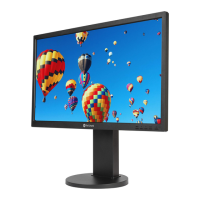
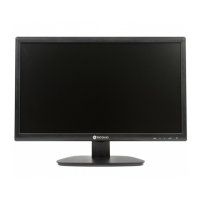
LA-22, LA-24 & LA-27 LED-Backlit Display
User Manual
displays.agneovo.com

Questions and Answers

  • M
    Matthew LewisAug 6, 2025
    Why does my AG Neovo LA-22 have red, blue, green, white dots on the screen?
    • M
      Margaret JordanAug 6, 2025
      It is normal for a few transistors to be damaged and to produce spots. This is acceptable and is not considered a failure.
  • D
    danieloconnorAug 11, 2025
    What to do if there is no audio output from AG Neovo LA-22?
    • T
      Thomas JonesAug 11, 2025
      If there's no audio output from your AG Neovo Monitor, first check if the volume is set to 0. Also, in the Other menu, ensure that the Audio Volume setting isn't set to 0. If you are using VGA input, verify the audio settings on your computer.
  • C
    Christopher JohnsonAug 15, 2025
    How to fix AG Neovo LA-22 Monitor when no picture and LED indicator is OFF?
    • A
      Andrew MartinezAug 15, 2025
      If the LED indicator is OFF on your AG Neovo Monitor, make sure the LCD display is turned ON, the power cord is properly connected to the LCD display and plugged into the power outlet.
  • S
    Scott EvansAug 19, 2025
    What to do if the displayed texts are blurry on AG Neovo LA-22?
    • M
      Maria CollinsAug 19, 2025
      If the displayed texts are blurry on your AG Neovo Monitor, and you are using VGA input, press the AUTO button to auto-adjust the display. You can also adjust the Clock and Phase settings in the Picture menu.
  • M
    Michelle GarciaAug 25, 2025
    How to remove faint shadows from static image on AG Neovo LA-22?
    • R
      Ronald MartinAug 25, 2025
      If faint shadows from a static image appear on the screen of your AG Neovo Monitor, turn off the LCD display for extended periods of time. Alternatively, use a screen saver or a black and white image and run it for extended periods of time.
  • K
    kimberlyowensAug 27, 2025
    What to do if AG Neovo Monitor LED indicator is green but no display?
    • K
      Kevin TaylorAug 27, 2025
      If the LED indicator on your AG Neovo Monitor is green but there is no display, check if the computer is turned ON. If the computer is in standby mode, move the mouse or press any key to wake it up.
  • M
    Matthew FloresSep 1, 2025
    Why dew formed on the LCD display of AG Neovo Monitor?
    • S
      Susan RobinsonSep 1, 2025
      Dew normally forms on the LCD display of AG Neovo Monitor when it is moved from a cold room to a hot room temperature. Do not turn ON the LCD display, wait for the dew condensation to disappear.

AG Neovo LA-22 Specifications

General IconGeneral
Screen Size21.5 inches
Brightness250 cd/m²
Contrast Ratio1000:1
Response Time5 ms
ConnectivityVGA, DVI
Aspect Ratio16:9
Resolution1920 x 1080 (Full HD)
Panel TypeLED-backlit
Viewing Angle (Horizontal)170 degrees
Viewing Angle (Vertical)160 degrees

Related product manuals