EasyManua.ls Logo

AG Neovo EH-24 - User Manual

AG Neovo EH-24
32 pages
Print Icon
To Next Page IconTo Next Page
Loading...
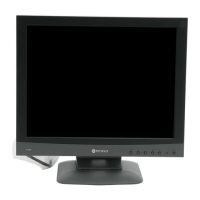
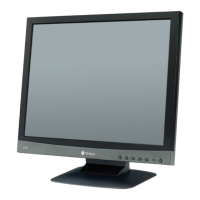
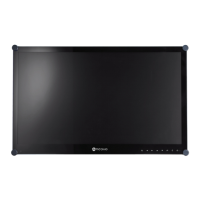
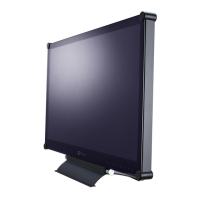
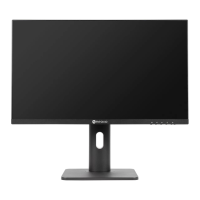
EH-24 LED-Backlit Display
User Manual
www.agneovo.com

Questions and Answers

  • M
    mholdenJul 28, 2025
    How to fix AG Neovo EH-24 Monitor when there is no picture and the LED indicator is off?
    • M
      masonryanJul 28, 2025
      If your AG Neovo monitor's LED indicator is off and there's no picture, first ensure the LCD display is turned on. Then, verify that the power cord is correctly connected to the LCD display and properly plugged into the power outlet.
  • L
    Leah SimpsonAug 2, 2025
    What to do if there is no audio output from AG Neovo EH-24?
    • M
      Madeline SmithAug 2, 2025
      If there's no audio output from your AG Neovo monitor, check if the volume is set to 0. Also, in the Other menu, verify that the Audio Volume setting isn't set to 0. If you are using VGA input, check the audio setting of your computer.
  • N
    nrobinsonAug 7, 2025
    What to do if AG Neovo EH-24 LED indicator is green but no display?
    • L
      Larry HarrisAug 7, 2025
      If the LED indicator on your AG Neovo monitor is green but there's no display, check if the computer is turned on. Also, check if the computer is in standby mode; if so, move the mouse or press any key to wake it up.
  • C
    Caroline ThompsonAug 11, 2025
    How to correct the image position on AG Neovo EH-24 Monitor?
    • N
      nicole60Aug 12, 2025
      If the image position on your AG Neovo monitor is incorrect when using VGA input, adjust the H. Position and V. Position settings in the Picture menu.
  • R
    Robert BrownAug 17, 2025
    How to remove faint shadows on AG Neovo EH-24 screen?
    • E
      Emily HarrisAug 17, 2025
      If faint shadows from a static image appear on the screen of your AG Neovo monitor, turn off the LCD display for extended periods of time. Alternatively, use a screen saver or a black and white image and run it for extended periods of time.
  • M
    Michelle RodriguezAug 22, 2025
    Why does dew form on my AG Neovo EH-24 Monitor LCD display?
    • M
      Monique DavisAug 22, 2025
      Dew formation on the LCD display of your AG Neovo monitor typically occurs when moving it from a cold to a hot room. Do not turn on the LCD display; wait for the dew condensation to disappear.

Summary

Safety Information

Precautions

Usage Cautions

Key precautions to follow while using the LCD display.

Setup Cautions

Important guidelines for safely setting up the LCD display.

Chapter 1: Product Description

Installation Guide

Step-by-step instructions for installing the display.

Chapter 2: Making Connections

Connecting AC Power

Instructions for connecting the display to a power source.

Connecting Input Source Signals

How to connect video sources via DisplayPort, HDMI, or VGA.

Chapter 4: Adjusting the LCD Display

Colour Setting Adjustments

How to adjust contrast, brightness, and color temperature settings.

Picture Setting Adjustments

How to adjust horizontal and vertical position, clock, and phase for VGA input.

Reset Setting

Instructions for restoring the display to factory default settings.

Chapter 5: Appendix

Troubleshooting Guide

Common problems and their solutions for display and audio issues.

AG Neovo EH-24 Specifications

General IconGeneral
BrandAG Neovo
ModelEH-24
CategoryMonitor
LanguageEnglish

Related product manuals