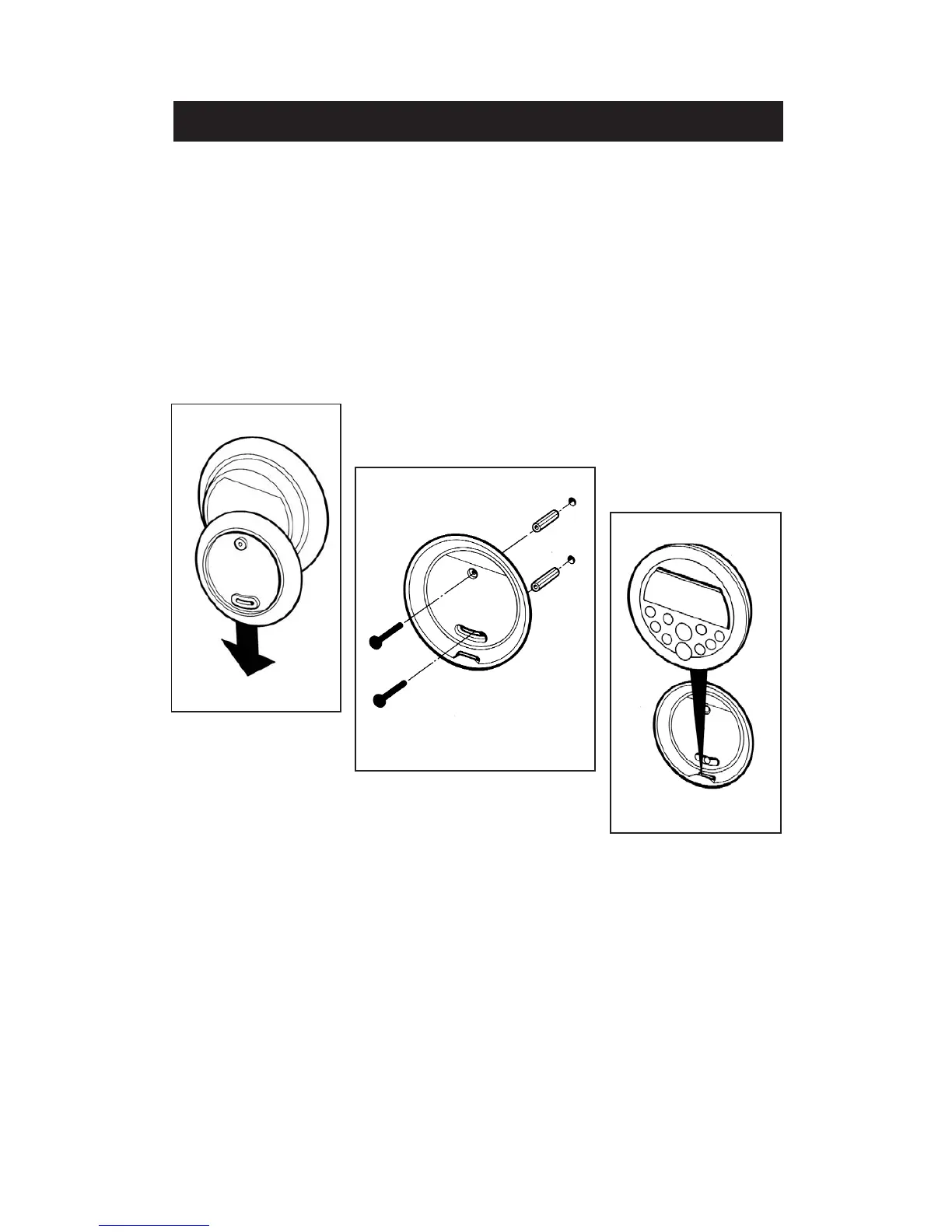
Handset can be wall mounted as described below.
- Remove backplate from the rear of the Handset by sliding down with hand and away
from the Handset (fig 13).
- Select the site for the handset and use the backplate to mark the position of fixing holes.
- Drill 6mm dia. holes with masonry drill for the rawplugs.
- Use rawplugs and screws supplied to fix the backplate to the wall (fig. 14).
- Stick the round self adhesive label supplied to the inside of the backplate to cover the
fixing screw heads.
- Fit the Handset on to the backplate by locating the tag on to the slot in backplate as
shown (fig. 15).
AIMS HANDSET
Fig. 13
Fig. 15
Fig. 14
13


 To Next Page