support@agasio.com Page | 14 713-893-4514
If there is still no live video after confirming the ActiveX add-on module or if you continue to get a black
screen with the red “X” at the top left, you will need to try and enable the ActiveX options of Internet
Explorer’s security settings using the following steps:
Note: You may need to disable your firewall firstly to see if this is not causing the issue.
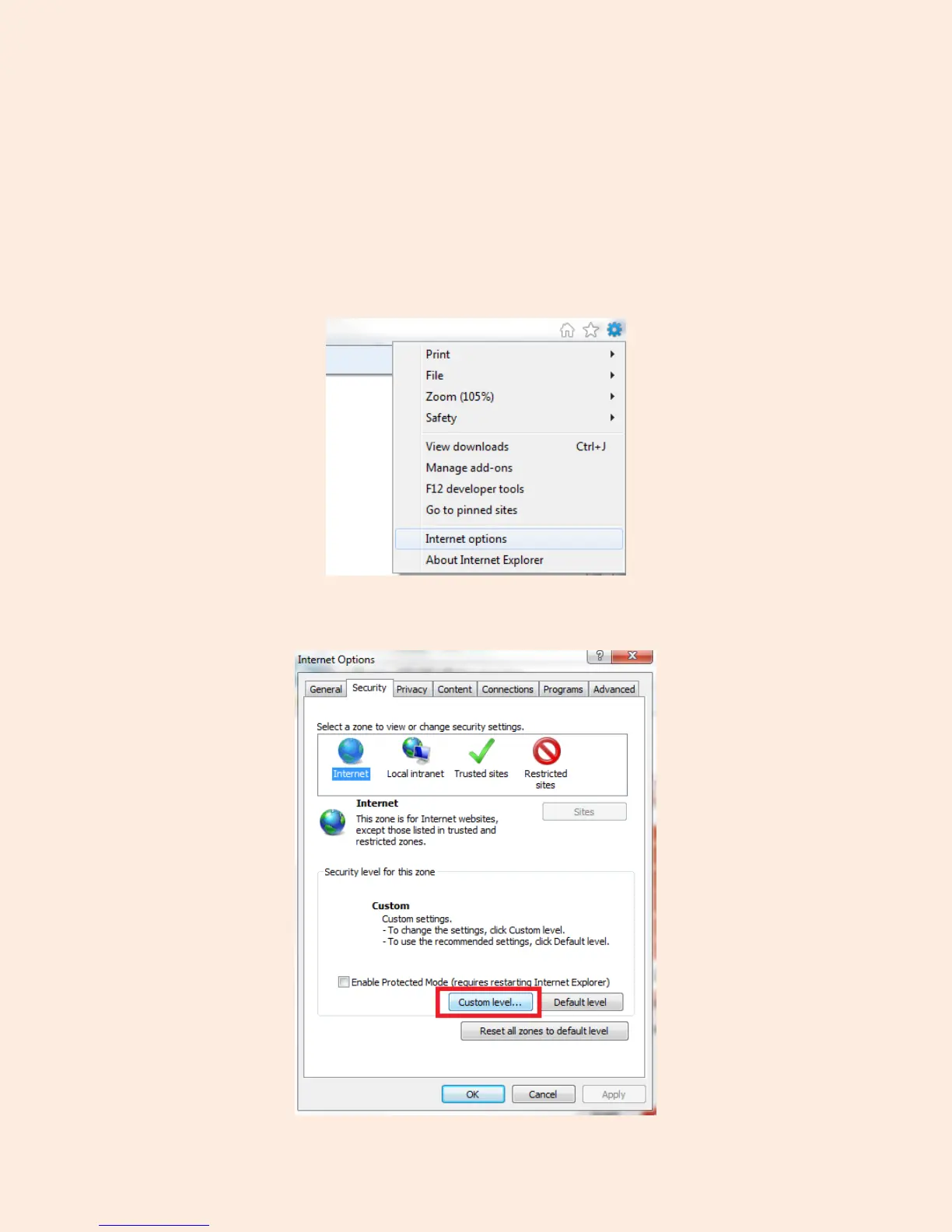
You will need to change the ActiveX settings within Internet Explorer by clicking “Tools” or the “Gear”
symbol on the top bar, and scrolling down to the option named “Internet Options”
Next, click on the tab at the top that reads “Security,” and click on the button near the bottom that reads
“Custom Level.”


 To Next Page