support@agasio.com Page | 16 713-893-4514
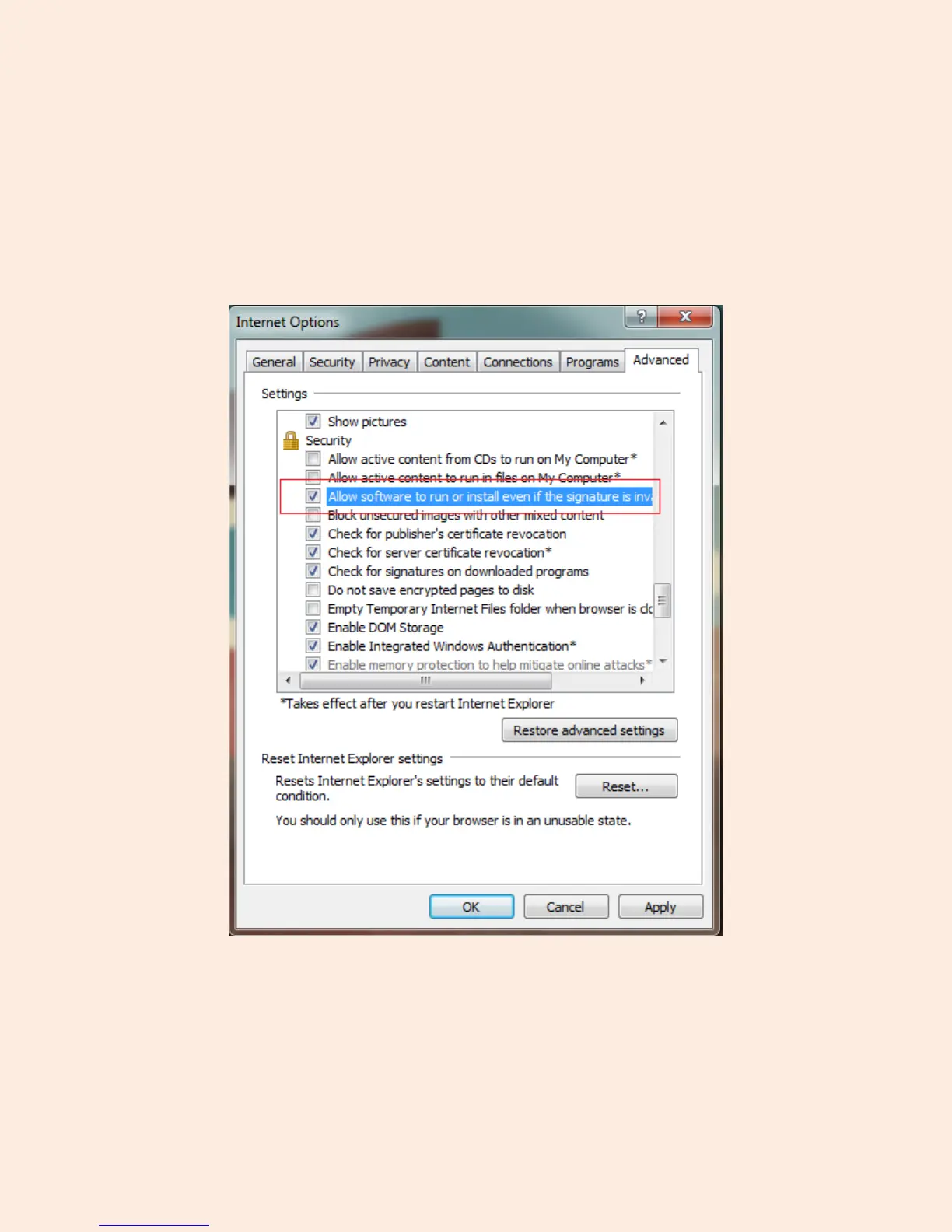
One more setting that will need to be changed is located under the “Advanced” tab in the “Internet
Options” window.
Once on the “Advanced” tab, scroll down to find the parent category named “Security.”
Check the option which states “Allow software to run or install even if the signature is invalid.” This is
pictured below:
Note: Make sure that your firewall or anti-virus software is not blocking the camera software or ActiveX. If
you are unable to view live video, please try disabling/closing your firewall or anti-virus software and
trying to log into the camera again.


 To Next Page