support@agasio.com Page | 27 713-893-4514
Encryption – This field describes the type of encryption your network is running. This is different for all
routers. The most popular encryptions are WEP, WPA, and WPA2. You can find this information by going
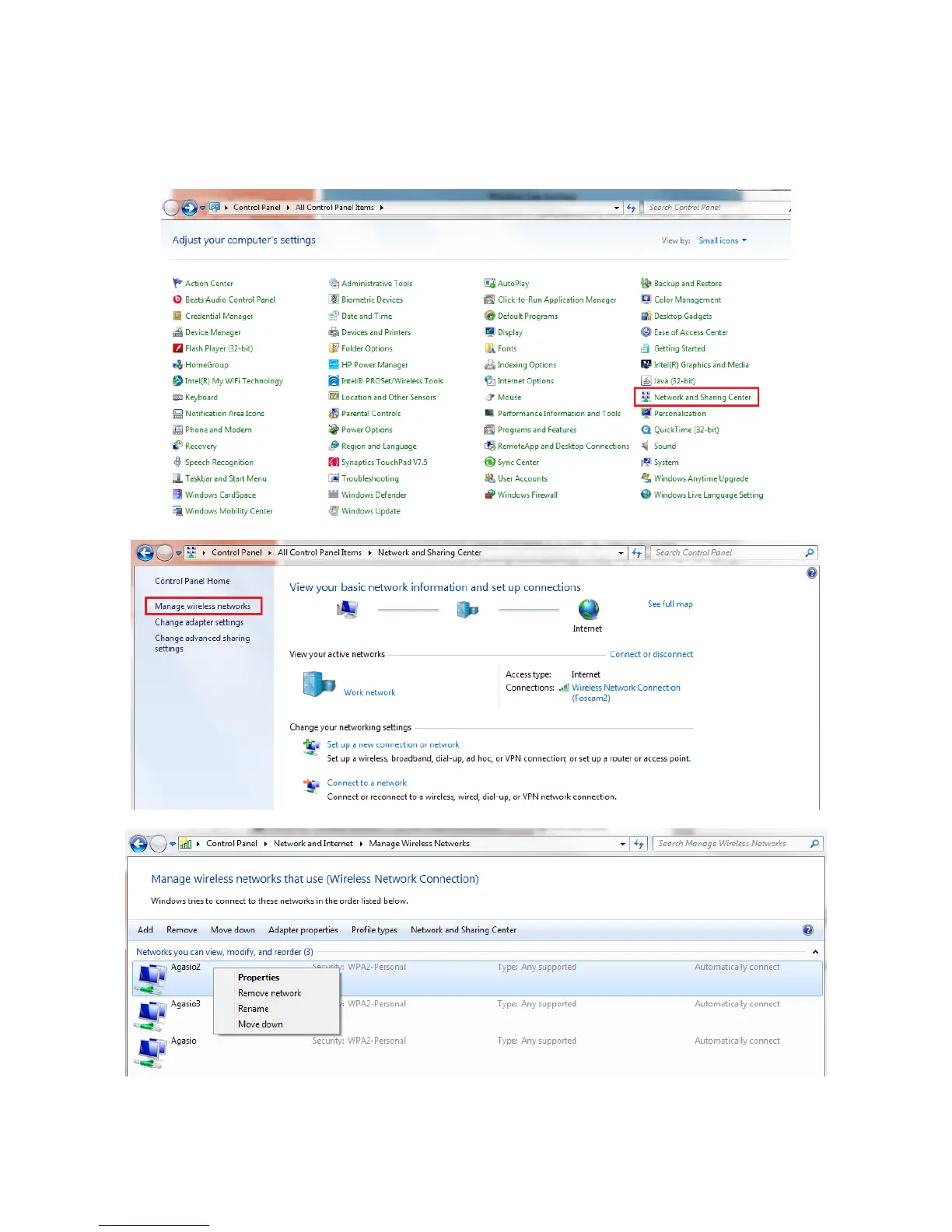
to the Control Panel on your computer and navigating to “Network and Internet.”
Figure 13.2 – Navigate to Manage Wireless Networks, right click on your network, click Properties


 To Next Page