Chapter 2: Installing the Scanner 22
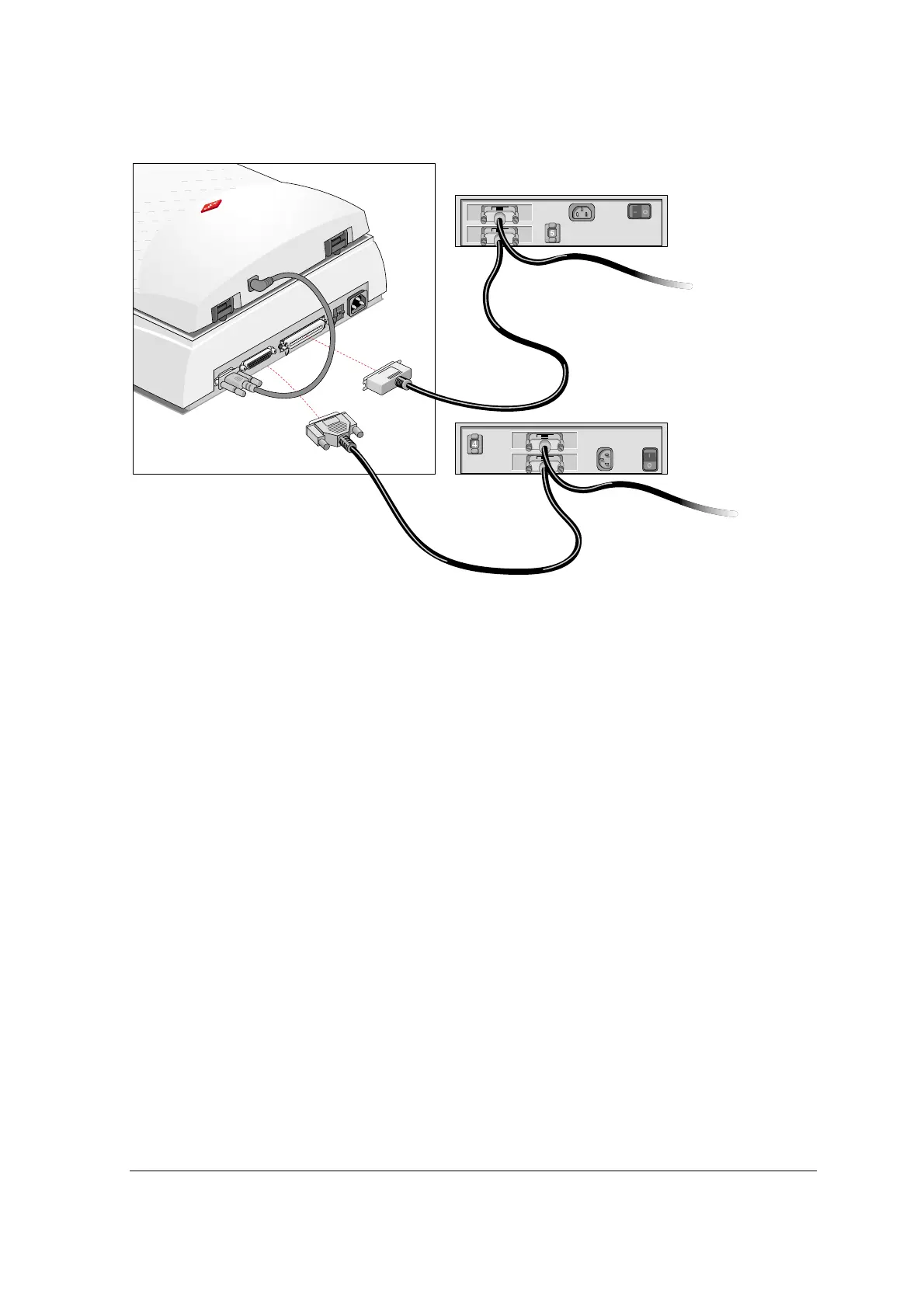
If you install the scanner between two other external SCSI devices
1
Disconnect the SCSI cable from one of these two SCSI devices.
2
Connect the free end of this SCSI cable to the scanner.
3
Connect the 50-pin end of the SCSI cable (the one supplied with your scanner) to the other
adjacent SCSI device.
4
Snap the diamond shaped wire clips into the clip brackets to secure the connection.
5
Connect the 25-pin end of the SCSI cable (the one supplied with your scanner) to the scanner.
6
Tighten the connector screws to secure the connection.
7
Make sure that the last device in the chain is terminated.



 To Next Page