Chapter 1: Preparing the Scanner 9
The Different Parts of Your Scanner
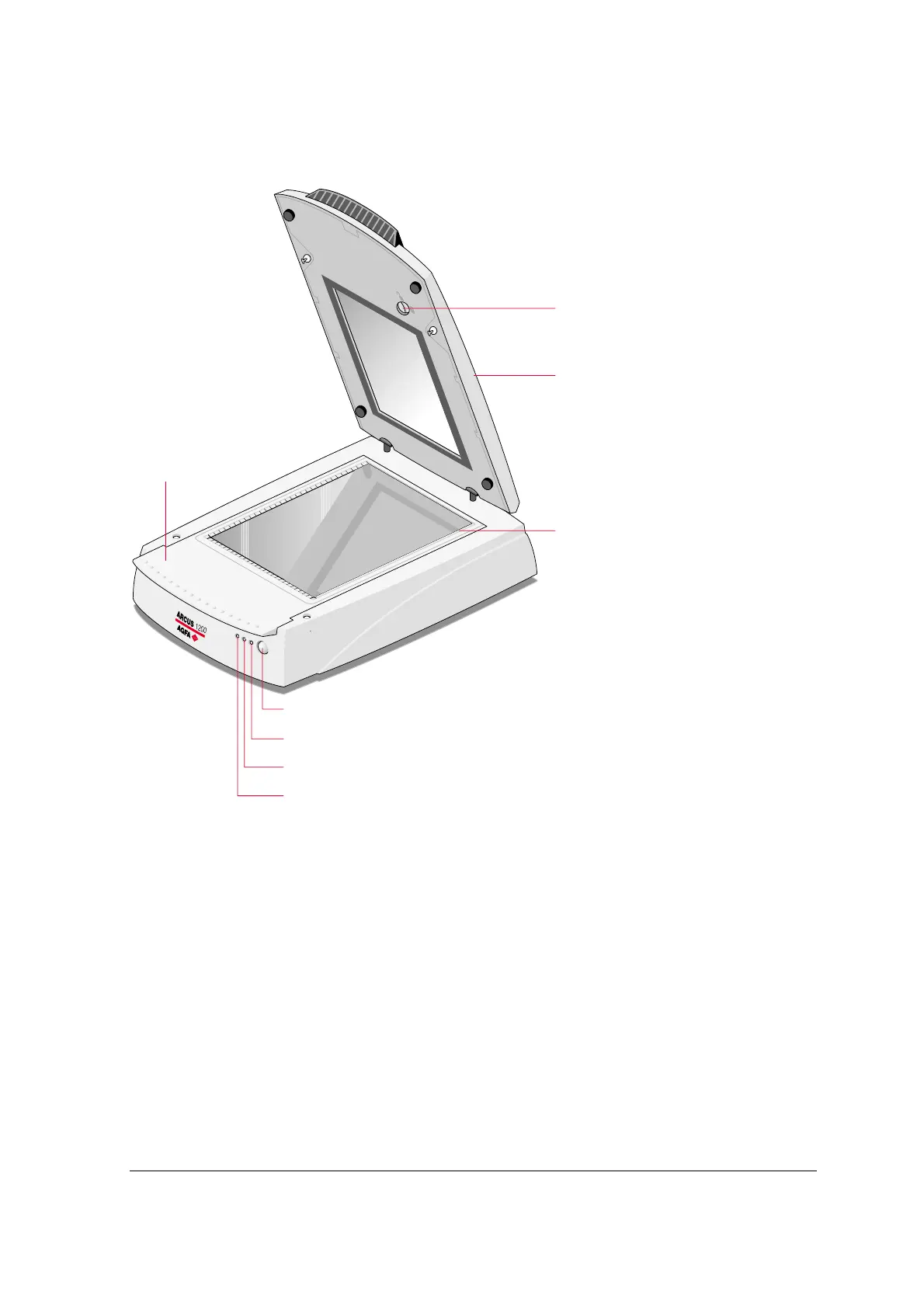
The figure illustrates the locations of the different parts of your Arcus 1200.
2
1
3
4
5
6
7
8
1. TPU unlocking screw
2. TPU
3. rulers
4. removable tray (glass plate/batch slide holder frame)
5. stand-by switch
6. power indicator
7. progress indicator
8. indicator for transparency scanning (Tx)
" Note: After 15 minutes of inactivity of the scanner, the scanner switches automatically to
stand-by mode. To switch off your scanner, disconnect the power cord from the wall outlet.



 To Next Page