DX- D 600
User Manual
0242F EN 20181218
97
In case the Auto-position involves any movement in the Longitudinal,
T ransverse, Alpha and Beta Axes, it must be completed manually before
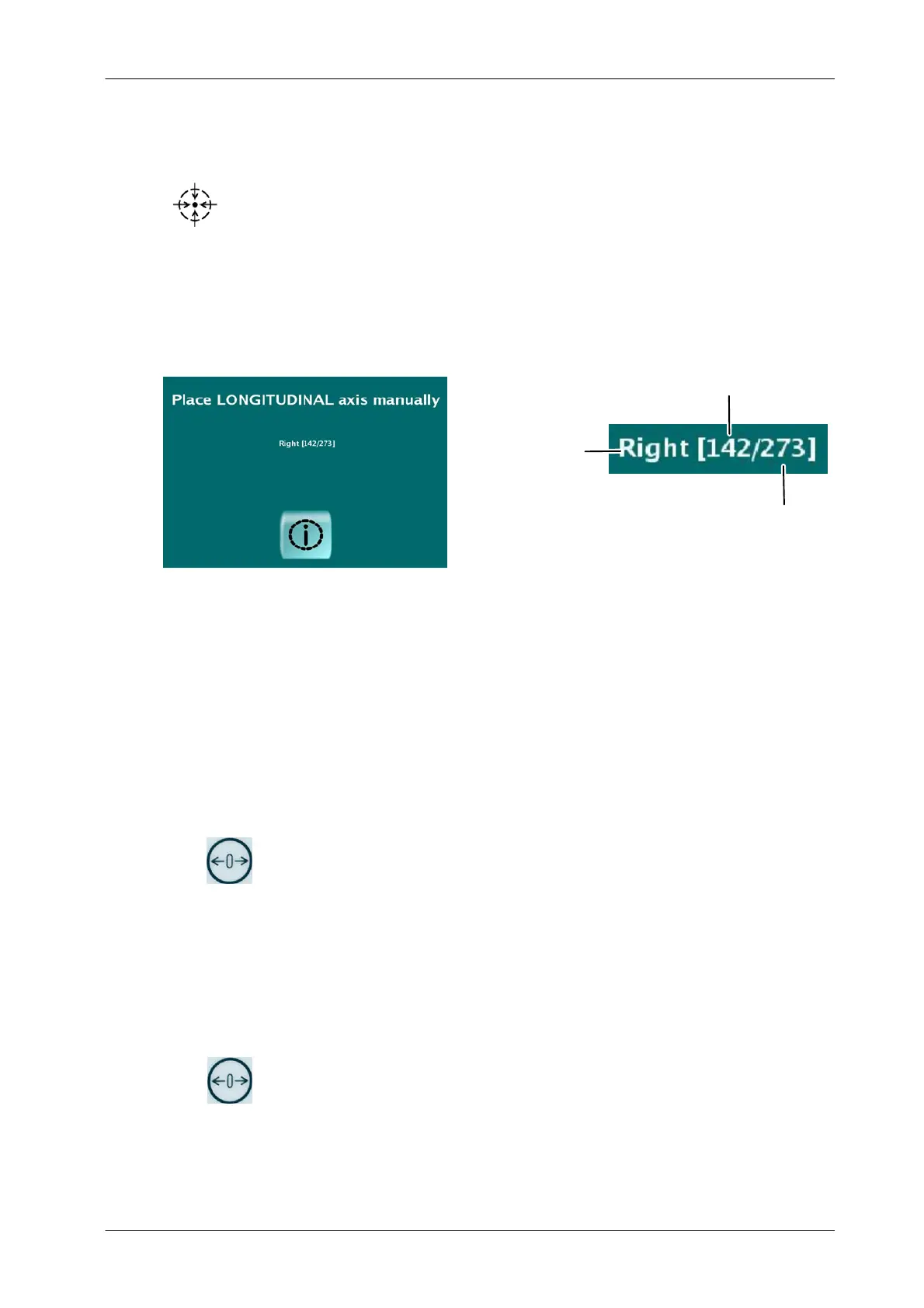
executing the Auto-position. Press the Auto-center Indicator , a message
will be displayed in the console explaining the corrective action to be
completed. It is also indicated first the Current Position and the Final
Position.
Illustration 4-29
Position Message for Semi-automatic System
Final Position
Current Position
Corrective Movement
Direction
1. MANUAL POSITION
Select the Workstation.
Use the INCREASE/DECREASE Buttons to modify the SID
(Source-Image Distance) value, from 800 to 2000 mm (31.5” to 78.7”).
If necessary, configure manually the new Rotation or Angulation angles
when working with the RAD Wall Stand.
Press the VALIDATE AUTO-POSITION Button to activate the position.
Press and hold the PARKING Button on the Automatic Positioning
Control Box or Remote Control if available to execute the movement.
2. AUTO-POSITIONS
Select the Workstation.
Select the Auto-position with the INCREASE/DECREASE Buttons.
Press the VALIDATE AUTO-POSITION Button to activate the position.
Press and hold the PARKING Button on the Automatic Positioning
Control Box or Remote Control if available to execute the movement.
Once the new position is reached, the PARKING POSITION Indicator lights up.


 To Next Page
 Loading...










