DX- D 600
User Manual
0242F EN 20181218
129
6.8 GRID LOADING AND REMOVAL
Grids are intended to reduce scattered radiation and significantly enhance
image quality.
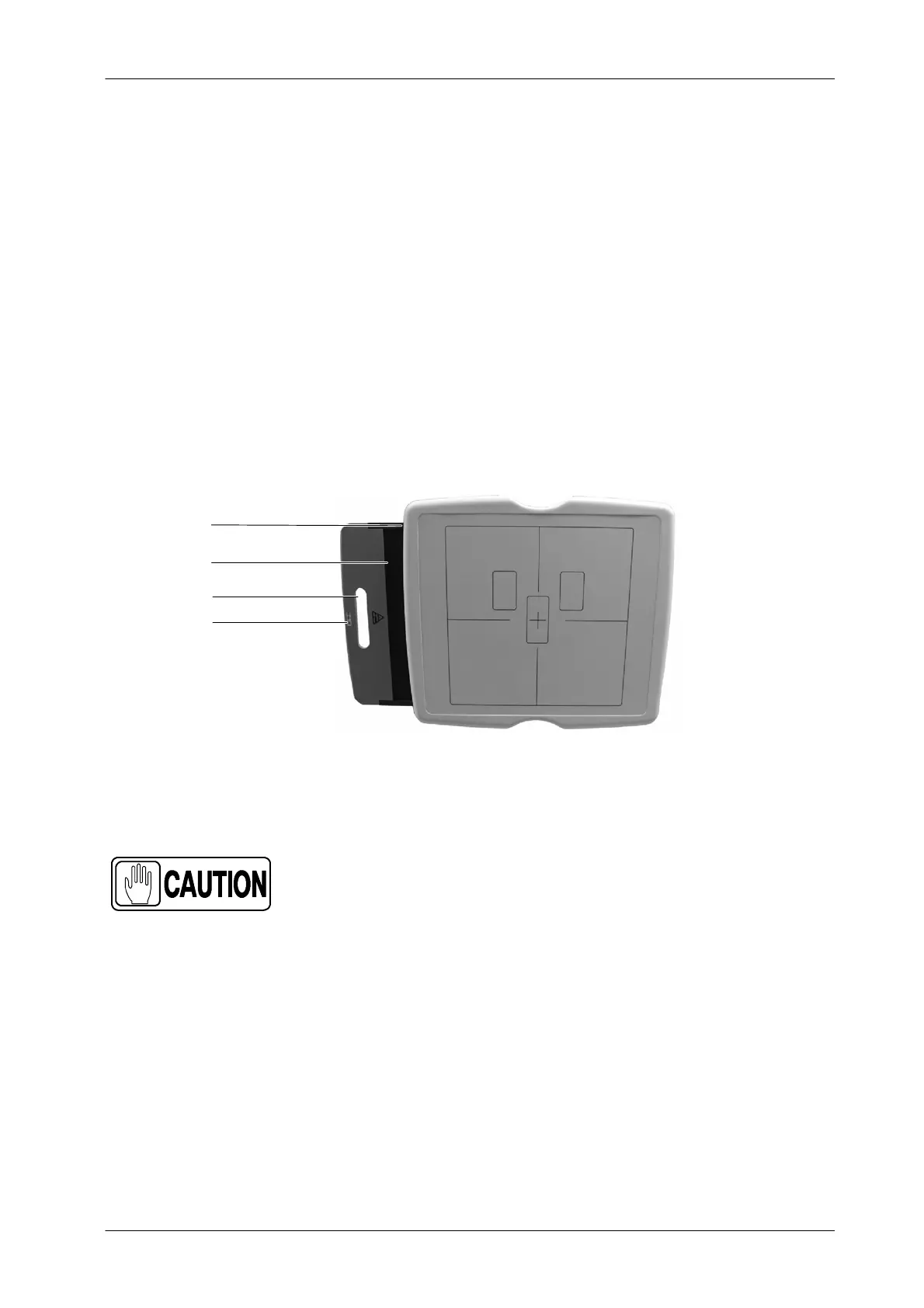
The RAD Wall Stand DR holds a removable grid. When inserting the grid in the
RAD Wall Stand DR grid slot, pay special attention to the type of focalization
distance of each grid.
The standard removable grids are labelled 100 cm (40”), 150 cm (70”) or 180cm
(90”). Use the corresponding grid according to the SID (Source-Image
Distance). The Grid is provided with a label indicating its features.
Illustration 6-12
RAD Wall Stand DR Grid
Removable Grid
SID Label
Grid Handle
Grid Slot
Follow the procedure below for Grid loading. For grid removal, follow the
procedure below in reverse order.
Handle the Grid with care and place it in the accessories
holder when not in use. Dropping the Grid could cause
damage and reduced image quality.
1. Pull out the Grid T ray.
2. Install the Grid with the Tube side label facing up.
3. Push In the Grid Tray.
Check that the Grid is correctly inserted in the slot. A click sound means that
theGridisinplace.



 To Next Page