DX- D 600
User Manual
0242F EN 20181218
132
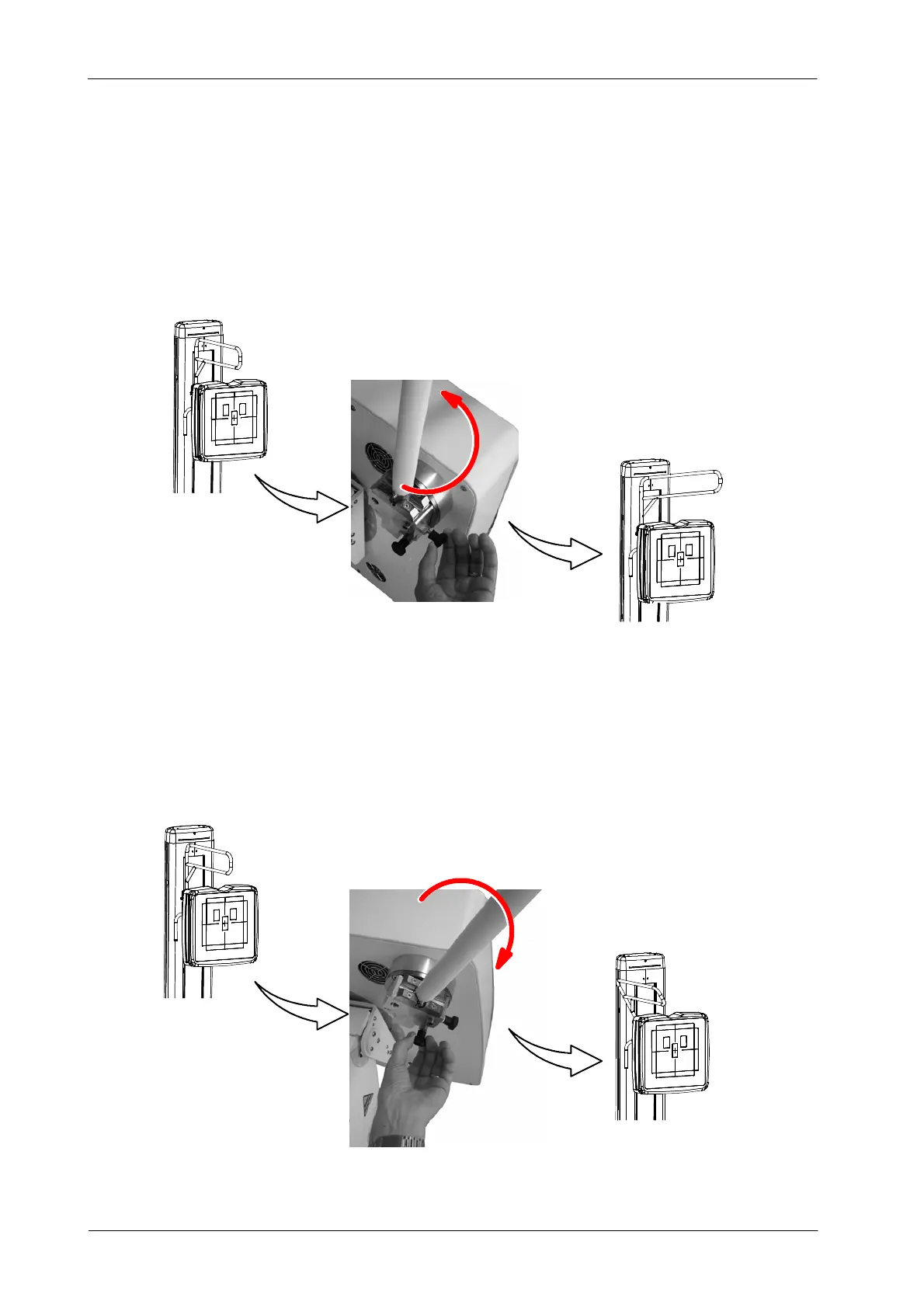
The Patient Support can be used in two different positions: Working position,
at 0
o
, and Parking, at +90
o
or -90
o
. Pull out the Parking Locking Pin and turn
the Support to the opposite of the DR Detector loading configuration.
Illustration 6-16
Overhead Hands Support Working and Parking Position
Working Position
Parking Position
To tilt down the Patient Support, pull out the Tilting Locking Pin and then rotate
the Holder Support. Use the Locking Pin to fix it. There are two different tilting
positions available, at 30
o
and 50
o
when the Holder is at the left and at --30
o
and
-- 5 0
o
when the Holder is at the right.
Illustration 6-17
Overhead Hands Support Tilting Procedure
Initial Position
Tilting Position



 To Next Page