DX- D 600
User Manual
0242F EN 20181218
141
SECTION 8 TROUBLESHOOTING GUIDE
A guide for a quick solution of main typical problems in the use of this equipment
follows. It is recommended to keep this troubleshooting guide with you when
operating with the equipment.
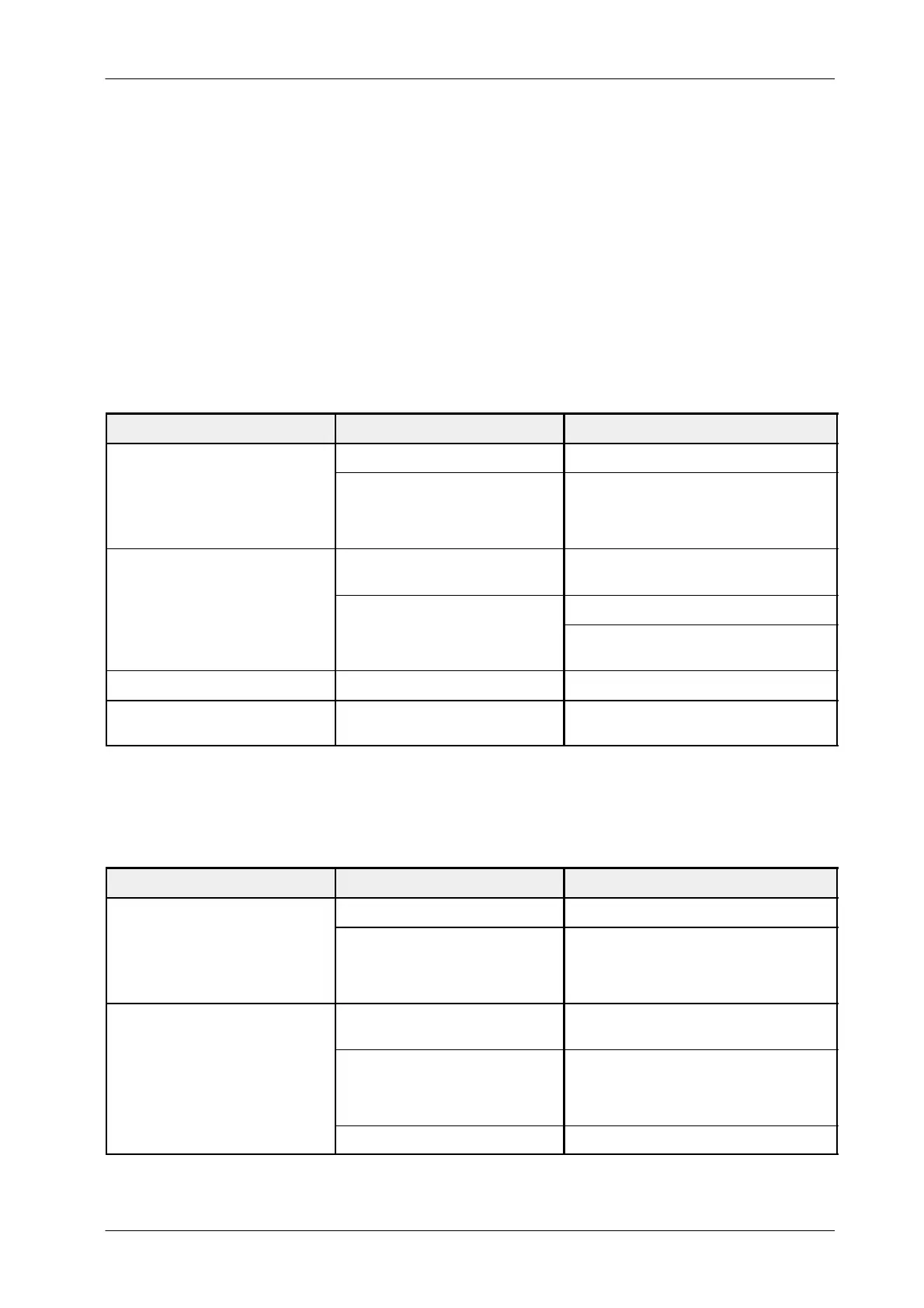
8.1 RAD WALL STAND DR
PROBLEM CHECK IF ACTION
Emergency Stop Switch is activated. Deactivate Emergency Stop Switch.
RAD WALL STAND CAN NOT BE
SWITCHED ON
There is not enough power .
Check that the Line Power is provided to the RAD
Wall Stand from the RAD Table and the Room
Electrical Cabinet. If it is correct and it can not be
turned ON, contact Service.
There is any obstacle on the vertical
travel.
Remove anything that may obstruct the vertical
movement of the column stand.
DR DETECTOR VERTICAL
M
VEMENT I
N
TP
IBLE
Press and hold the V ertical Lock Handle.
It is locked.
In case that Vertical lock is broken, contact
Service.
THE DR DETECTOR DOES NOT TILT Power supply is OFF. Switch on the System.
AUTO-TRACKING FUNCTIONALITY
DOES NOT WORK
Check the Ceiling Suspension Control
Console Error Message.
Complete the recommended Action by the Ceiling
Suspension Control Console.
8.2 RAD TABLE
PROBLEM CHECK IF ACTION
Emergency Stop Switch is activated. Deactivate Emergency Stop Switch.
RAD TABLE CAN NOT BE
SWITCHED ON
There is not enough power .
Check that the Line Power is provided to the RAD
Table from the Room Electrical Cabinet. If it is
correct and it can not be turned ON, contact
Service.
There is not enough power .
Check conditions for ”RAD Table can not be
switched ON” above.
VERTICAL MOVEMENTS ARE
BLOCKED
Control Pedals are not working properly.
Verify that the Control Pedals are not blocked with
any obstacle, when the Pedals are pressed.
If it is correct and movement is not possible,
contact Service.
Anti-collision Switches do not work. Contact Service.



 To Next Page