DX- D 600
User Manual
0242F EN 20181218
142
8.3 CEILING SUSPENSION
PROBLEM CHECK IF ACTION
Emergency Stop Switch is activated. Deactivate Emergency Stop Switch.
CEILING SUSPENSION CAN NOT BE
SWITCHED ON
There is not enough power .
Check that the Line Power is provided to the
Ceiling Suspension from the Room Electrical
Cabinet. If it is correct but it can not be turned ON,
contact Service.
CEILING SUSPENSION ON,
CONTROL CONSOLE OFF
Check Control Console Cables
connections.
Contact Service.
WRONG DISPLAY MEASURES Wrong calibration. Contact Service.
8.4 SOFTWARE ERROR MESSAGES
8.4.1 ERROR DISPLAY
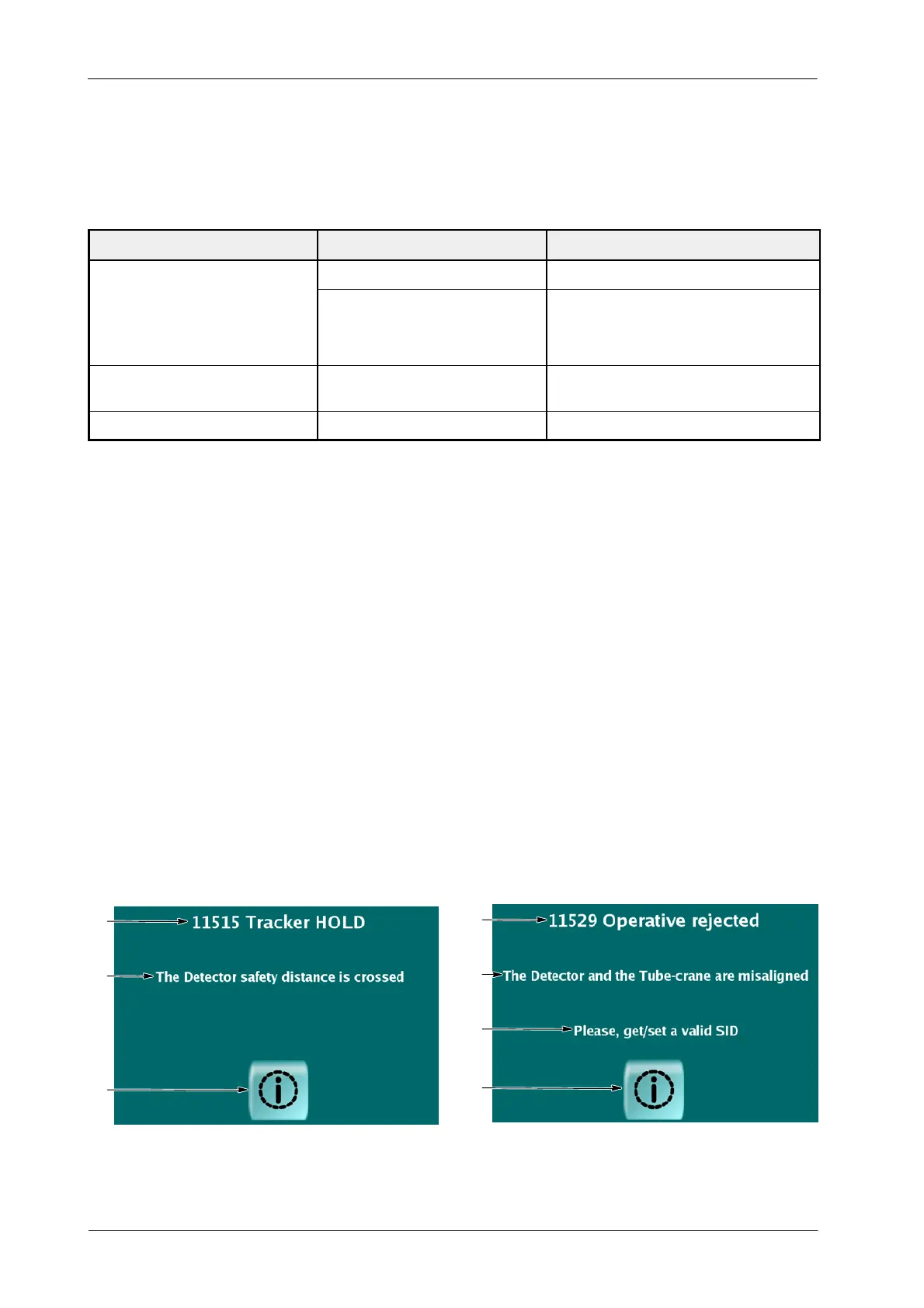
The ERROR MESSAGE is displayed in the Control Console.
1. Error Message.
2. Cause of the Error.
3. Action to be completed to avoid the Error. This last Level is not displayed
with all errors.
4. Press the Error Button to close the Error Message Display.
There are two different display configurations.
Illustration 8-1
Error Display
1
2
4
1
2
4
3
First configuration Second configuration



 To Next Page