DX- D 600
User Manual
0242F EN 20181218
60
CONTROL CONSOLE
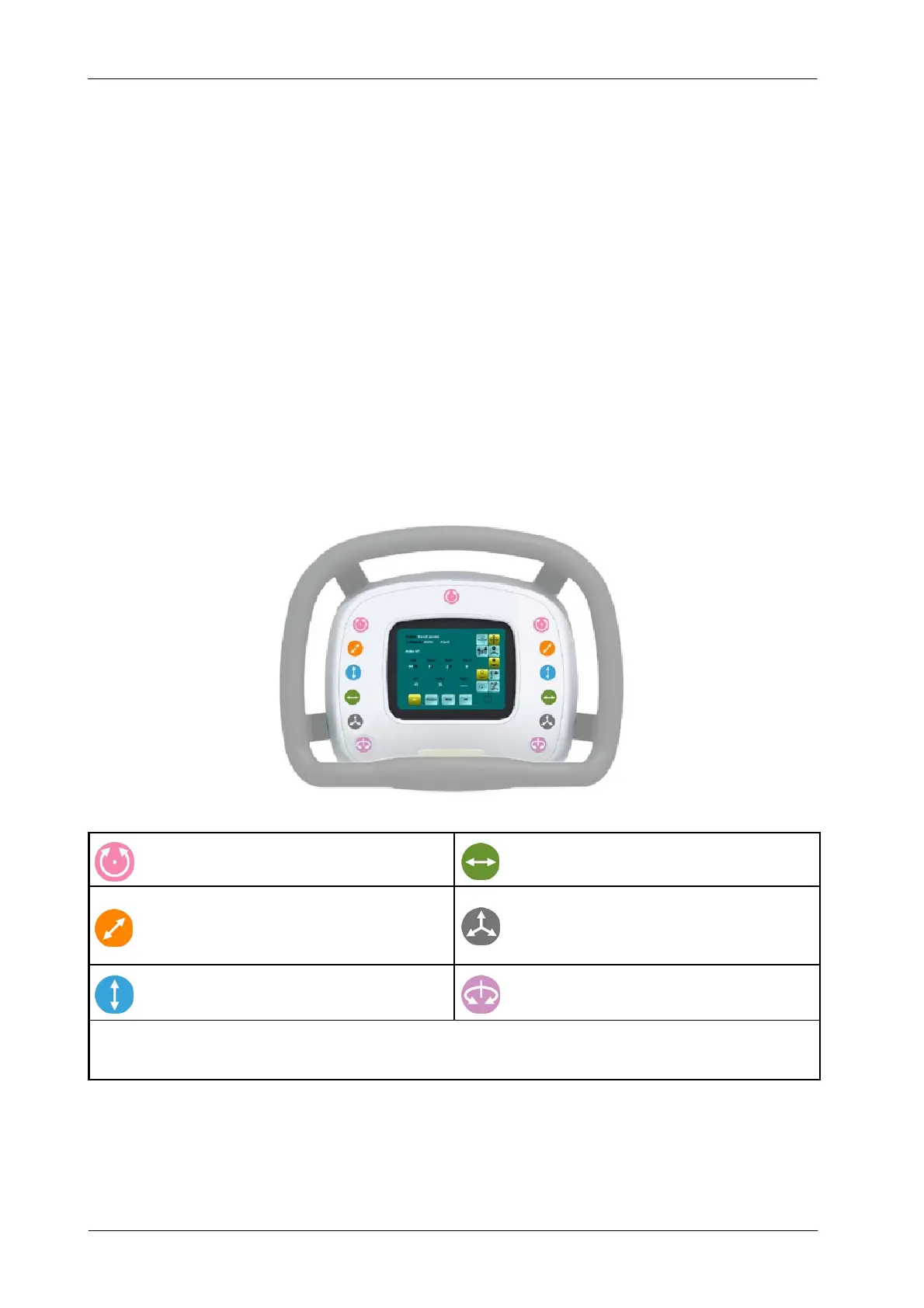
The Control Console enables the operator to control the movements (manual
and/or motorized) of the Ceiling Suspension and also the automatic
movements of the System (Auto-tracking, Auto-positioning, Auto-centering.)
Brakes Buttons are used to control each axis brake/movement. When a button
is pressed and held, the brake is released, so the equipment can be moved in the
free axis. Once the button is released, the brake is activated and the motion stops.
If any of the Touchscreen buttons or Control Console brake
buttons is pressed during an automatic motion, it will be stopped
immediately.
Illustration 4-4
Control Console and Brakes Buttons
Alpha Axis Brake. Angle of the X-ray Tube.
Longitudinal Axis Brake. Right & Left.
Transverse Axis Brake. Back & Front.
Omni-directional Brake. Transverse and
Longitudinal. Vertical and/or Alpha will be also
activated according to the configuration during
installation.
Vertical Axis Brake. Up & Down.
Beta Axis Brake. Rotation of the X-ray Tube.
Wheel Omni-directional Brake. Transverse and Longitudinal. Other axis could be also activated according to the configuration during
installation.
Use always the Control Console Wheel to drive all manual movements of the
Ceiling Suspension. Otherwise, operator could get injured due to the potential
pinch points areas.
Note .



 To Next Page