DX- D 600
User Manual
0242F EN 20181218
67
4.1.5 RAD AREA
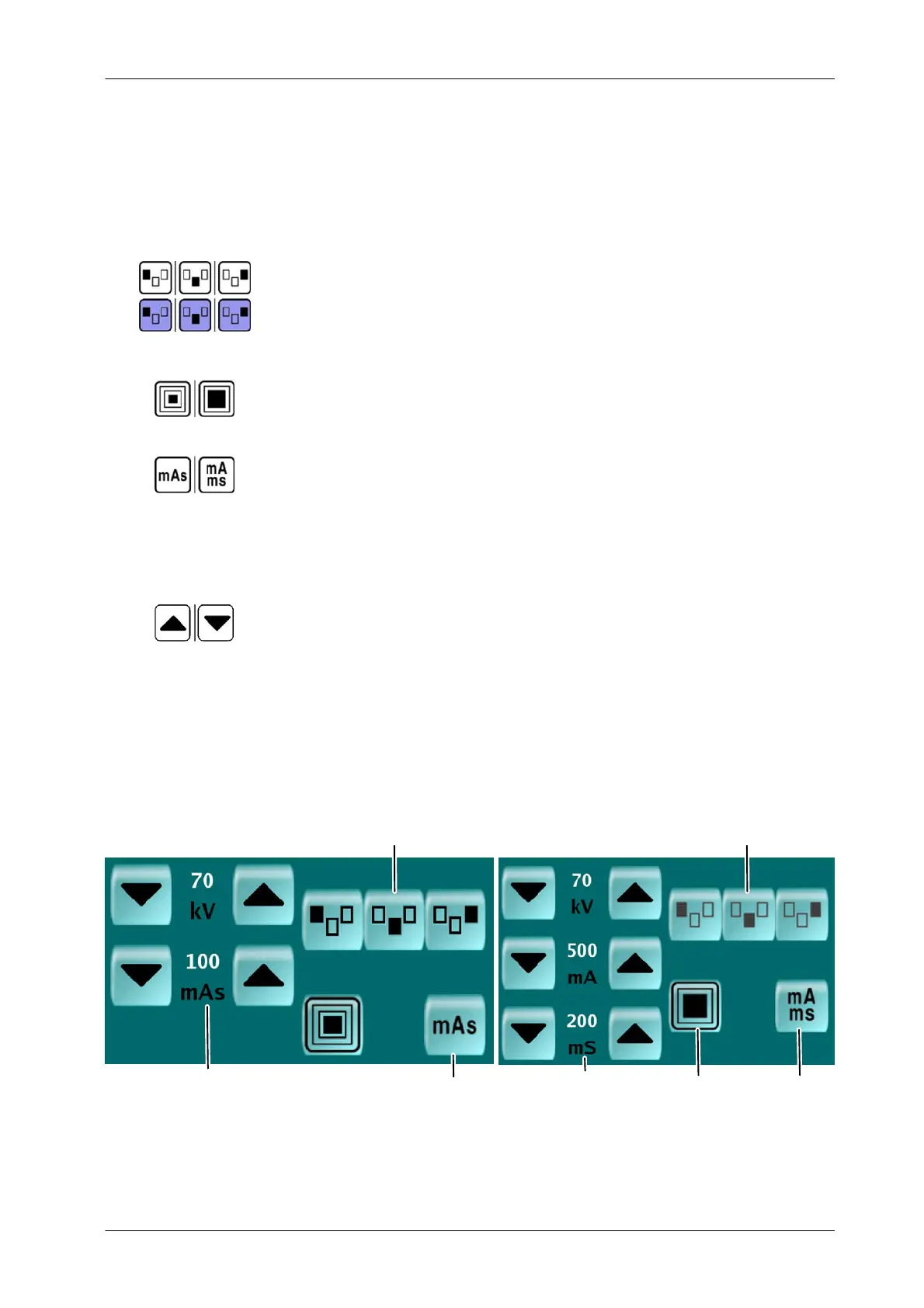
Select for Technique configuration:
AEC. It is possible to select any combination of AEC area. Selected option is
highlighted by the shaded background.
It is possible that the AEC were not available by configuration or if the Direct
Workstation is selected. It is displayed but it is not possible to set it up.
FOCAL SPOT. Small or Large toggle when the Button is pressed.
OPERATING MODE. mAs (2P) or mA/ms (3P) toggle when the Button is
pressed. Configure the Technique:
kV and mAs for the 2P.
kV, mA and ms for the 3P.
PARAMETERS. Press on the INCREASE/DECREASE Buttons to set up the
desired values.
All new parameters set up modification is automatically
transferred to the X-ray Generator.
Illustration 4-9
RAD display
2P Parameters
AEC Active
3P Parameters Focus 3P Techniqu
AEC Inactive
2P Technique
Note .



 To Next Page