DX- D 600
User Manual
0242F EN 20181218
84
To activate the Auto-tracking function, the SID must be between 950 mm (37.4”)
and <4000 mm (137.5”), if Room configuration and rails dimensions allow it.
Once the Auto-tracking function is activated, the current SID is the default one
during the automatic movement.
Configure a new SID before activating the Auto-tracking function. Use the
Auto-center function to change the SID (refer to Section 4.2.3.6)ormove
manually the X-ray Tube up to the new distance and then, press the
AUTO-TRACKING Control.
Auto-tracking function remains active just for 5 minutes after
Ceiling Suspension becomes inactive. After this time
activate again the Auto- tracking function.
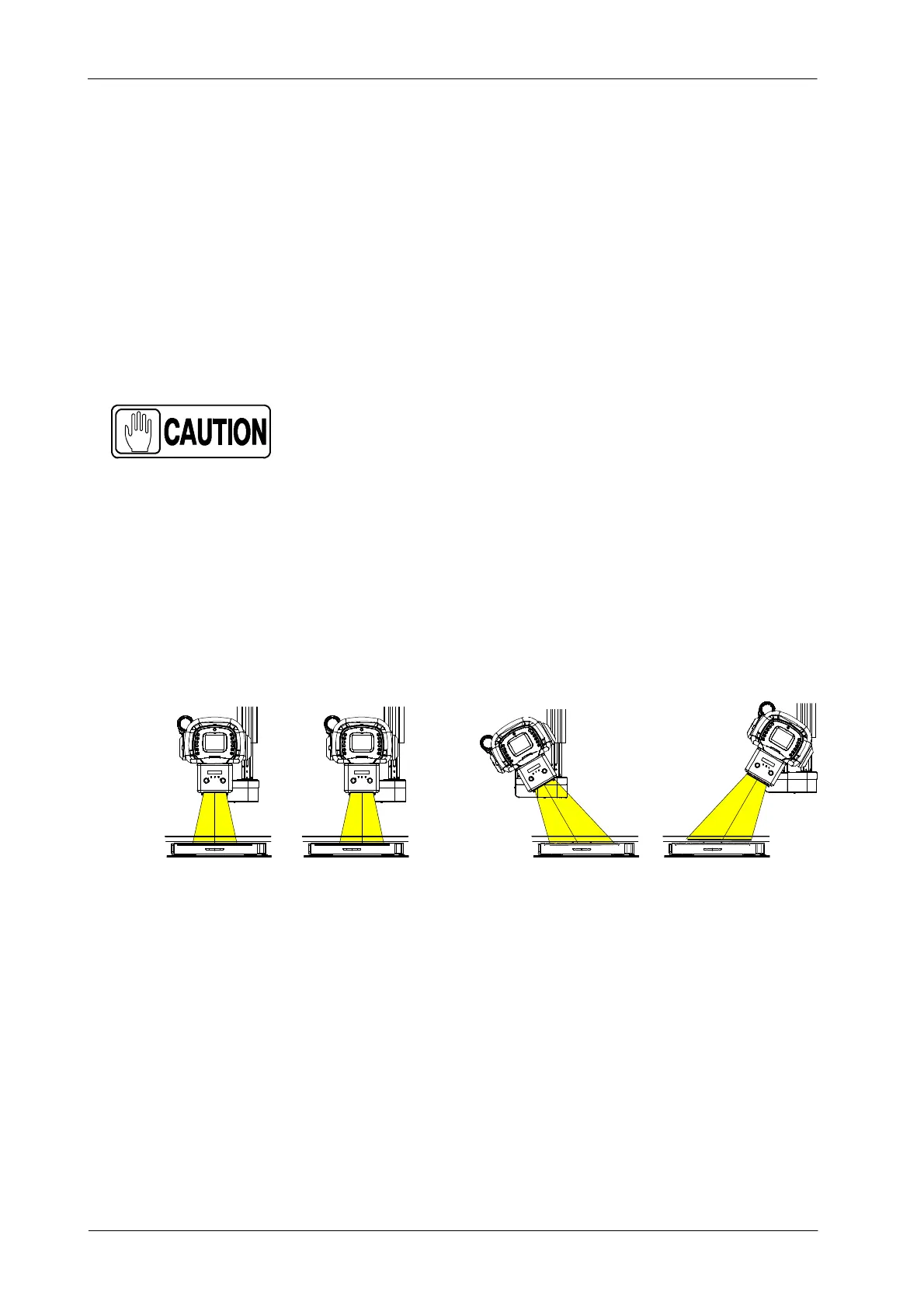
It is not necessary to center the X-ray Tube with the DR Detector, but both
pieces of equipment must be aligned; that is, the X-ray tube must be pointing
to the DR Detector. The Slave equipment will reach the final position once the
X-ray beam is pointing to the same spot of the DR Detector that it was pointing
to before starting the displacement.
Illustration 4-22
Ceiling Suspension and DR Detector must be aligned
Centered
Not Centered
Centered
Not Centered
There are two different buzzing alarms, one to indicate when the
Auto-tracking movement is running and a second one to indicate
when it is finished.
There are different Auto-tracking movement policies depending on the
Receptor support, which can be a Table or a Wall Stand.
Note .



 To Next Page