Installation Note E8362-90004 11
Step 3. Remove the Inner Cover
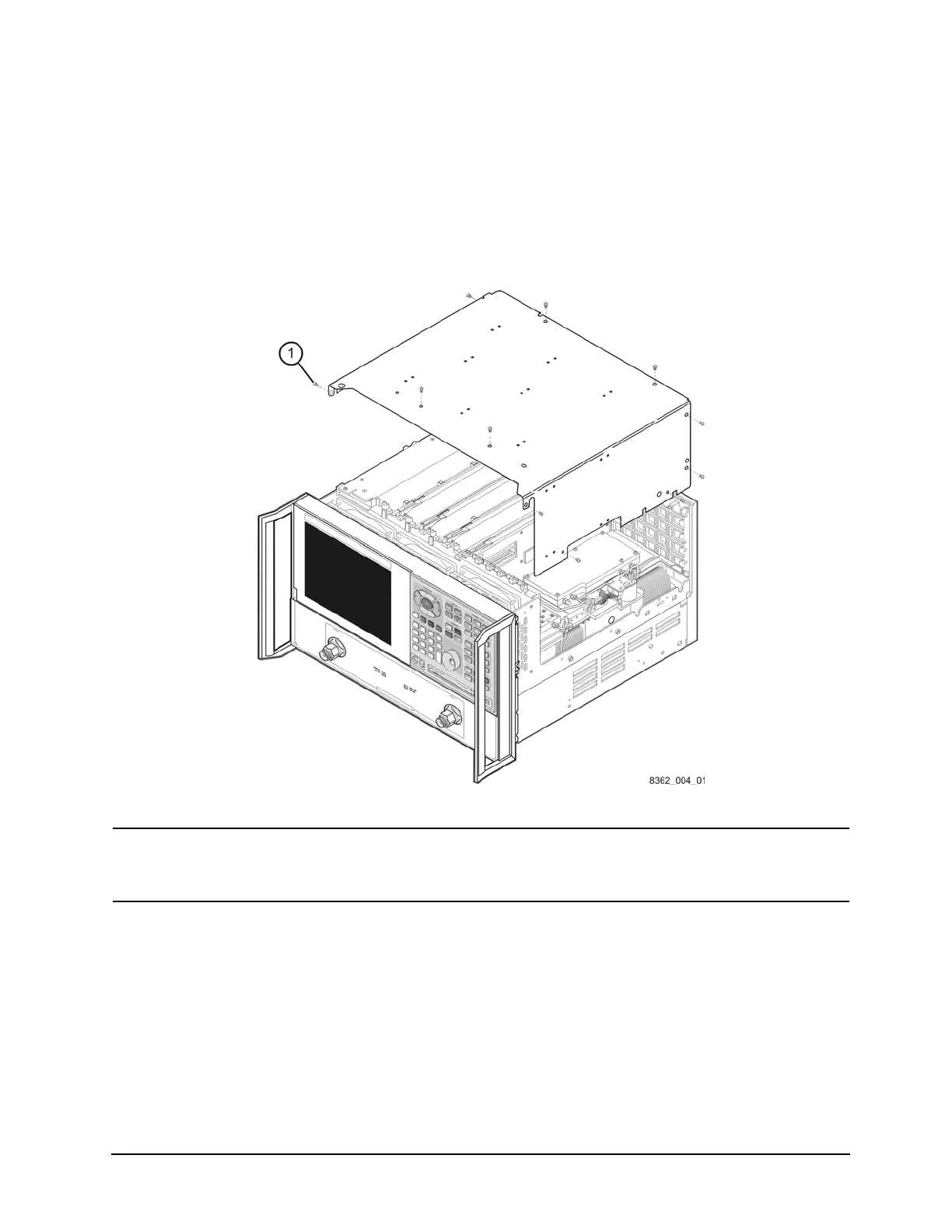
1. Place the analyzer top-side up on a flat surface.
2. Using a T-10 TORX driver, remove the eleven screws (item
①
).
3. Lift off the cover.
Figure 3 Inner Cover Removal
NOTE
The figure above shows the E8362B front panel and floppy disk drive. The
E8362C front panel has a slightly different appearance and does not
include a floppy disk drive.

 To Next Page
 Loading...