EasyManua.ls Logo

Agilent Technologies HP 83711A - POWER Switch

Agilent Technologies HP 83711A
251 pages
Print Icon
To Next Page IconTo Next Page
To Previous Page IconTo Previous Page
Loading...
POWER
Switch
The
POWER
switch (LINE
on
HP
83711A/B)
turns
power
to
the
synthesizer
to
either
on
( )
or
standby
(
).
The
PO
WER
switch
(LINE
on
HP
83711A/B) is
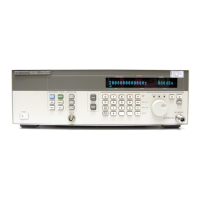
located at
the bottom
left
corner of
the
front
panel
and
is
a
rocker-type
switch.
Pressing
the
symbol
turns the
synthesizer
on
and
pressing
the
symbol turns
it
to
standby
.
When
set
to
standby
,
most
of
the
synthesizer
circuitry
is
powered
o,
however
,
power
to
the
internal
timebase
is
not
disconnected.
WA
RN
IN
G
Before turning
the synthesizer
on, make
sure
that
it
is
grounded
through the
protective conductor
of the
power cable
to
a
mains
power
receptacle provided
with protective
earth contact.
Any interruption
of
the
protective
grounding conductor
inside or
outside
of
the
synthesizer
or
disconnection
of the
protective earth
terminal
can
result
in
personal
injury
.
C
A
U
T
I
O
N
Before
turning
the
synthesizer
on,
set
the
line
voltage
selector
to
the
voltage
of
the
power
source
.
F
ailure
to
do
this
can
cause
instrument
damage when
the
power
cable
is
plugged
in.
F
or
information
on
setting
the
line
voltage
selector
,
refer
to
\T
o
Install the
Synthesizer"
in
Chapter
1
of
this
manual.
See Also
To
Install the
Synthesizer
P
ower
Cables
5-15

Other manuals for Agilent Technologies HP 83711A

Related product manuals