EasyManua.ls Logo

AGM Global Vision ASP TM25-384 - User Manual

AGM Global Vision ASP TM25-384
24 pages
Print Icon
To Next Page IconTo Next Page
Loading...
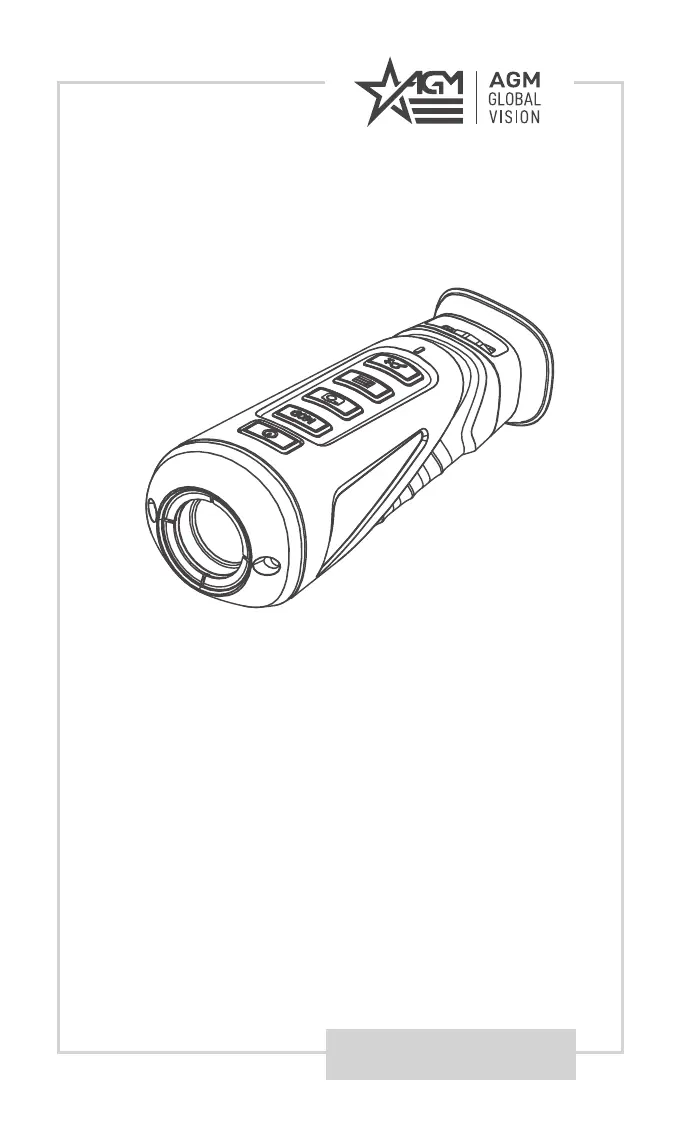
USER MANUAL
ASP TM25-384
ASP TM35-384
THERMAL IMAGING MONOCULARS

Questions and Answers

  • D
    Danielle BergAug 16, 2025
    What to do if capturing or recording fails on AGM Global Vision ASP TM25-384?
    • K
      Kevin AdkinsAug 16, 2025
      If capturing or recording fails on your AGM Global Vision Monocular, check the following: 1. Ensure the device isn't connected to your PC, which disables capturing and recording. 2. Verify that the storage space isn't full. 3. Confirm that the device has sufficient battery.
  • N
    Nicholas CobbAug 19, 2025
    Why is Wi-Fi not found on my AGM Global Vision ASP TM25-384?
    • M
      mitchellmariaAug 19, 2025
      If the Wi-Fi is not found on your AGM Global Vision Monocular, check if the Wi-Fi function is turned on. If it is off, go to the OSD menu and turn on Wi-Fi.
  • A
    Alexander WilliamsAug 22, 2025
    What to do if PC cannot identify AGM Global Vision Monocular?
    • A
      Amanda FrazierAug 22, 2025
      If your PC cannot identify the AGM Global Vision Monocular, check the following: 1. Ensure the device is connected to your PC with a standard USB cable. 2. If you are using other USB cables, make sure the cable length is no longer than 1m. 3. Check whether the Wi-Fi function is turned on. If so, go to the OSD menu and turn off Wi-Fi.
  • M
    Michael RobertsAug 25, 2025
    How to fix a blurry image on AGM Global Vision ASP TM25-384?
    • A
      Andrew BergerAug 26, 2025
      If the image on your AGM Global Vision Monocular is not clear, perform the sight adjustment referring to section 2.1.5.
  • J
    joshualangAug 27, 2025
    Why does the charge indicator flash improperly on my AGM Global Vision Monocular?
    • K
      Kim ShahAug 27, 2025
      If the charge indicator on your AGM Global Vision Monocular flashes improperly, examine whether the device is charged with a standard power adapter and the charging temperature is between 0°C to 45°C (32°F to 113°F).
  • W
    wilsoncharlesAug 30, 2025
    What to do if the power indicator is off on AGM Global Vision ASP TM25-384 Monocular?
    • Z
      zmurphyAug 30, 2025
      If the power indicator is off on your AGM Global Vision Monocular, examine whether the device is off-battery.
  • S
    samanthajenningsSep 2, 2025
    What to do if capturing or recording fails on AGM Global Vision Thermal cameras?
    • B
      Benjamin AllisonSep 2, 2025
      If capturing or recording fails, check the following: 1. Ensure the device isn't connected to your PC, which disables capturing and recording. 2. Verify that the storage space isn't full. 3. Check if the device has sufficient battery.
  • J
    Jared Brown MDSep 4, 2025
    Why PC cannot identify AGM Global Vision Thermal cameras?
    • M
      Martin NewtonSep 5, 2025
      If your PC cannot identify the monocular, check the following: 1. Ensure the device is connected to your PC with a standard USB cable. 2. If using other USB cables, ensure the cable length is no longer than 1m. 3. Check if the Wi-Fi function is turned on; if it is, go to the OSD menu and turn it off.
  • J
    johnpollardSep 7, 2025
    How to fix Wi-Fi not found on AGM Global Vision Thermal cameras?
    • T
      Teresa DavisSep 7, 2025
      If Wi-Fi is not found, check whether the Wi-Fi function is turned on. If it is not, go to the OSD menu and turn on Wi-Fi.
  • D
    dhobbsSep 10, 2025
    What to do if the charge indicator flashes improperly on AGM Global Vision Thermal cameras?
    • D
      Dylan HillSep 10, 2025
      If the charge indicator flashes improperly, examine whether the device is charged with a standard power adapter and that the charging temperature is between 0°C to 45°C (32°F to 113°F).

Summary

SAFETY SUMMARY

OPERATING INSTRUCTIONS

UNPACKING AND CHARGING

Steps for initial setup, unpacking, and charging the monocular.

CONTROL BUTTONS

Explains the functions of the device's control buttons.

THERMAL VIEW OBSERVATION

Steps for viewing thermal images with the monocular.

MAIN FUNCTION

MENU OPERATION

How to navigate and operate the device's menu system.

OSD AND HOT TRACKING

Managing OSD display and using the hot tracking feature.

DISTANCE MEASUREMENT

How to measure the distance to a target using the device.

MAINTENANCE

TROUBLESHOOTING

Common malfunctions and their corrective actions.

WARRANTY INFORMATION

SPECIFICATIONS

AGM Global Vision ASP TM25-384 Specifications

General IconGeneral
Resolution384 x 288
Objective Lens Diameter25 mm
Frame Rate50 Hz
Pixel Pitch17 μm
Eye Relief15 mm
WaterproofIP67
Digital Zoom2x
Focus Range1 m to ∞
Battery TypeCR123
Operating Temperature-20 °C to 55 °C

Related product manuals