EasyManua.ls Logo

AGM Global Vision TAIPAN TM10-256 - User Manual

AGM Global Vision TAIPAN TM10-256
24 pages
Print Icon
To Next Page IconTo Next Page
Loading...
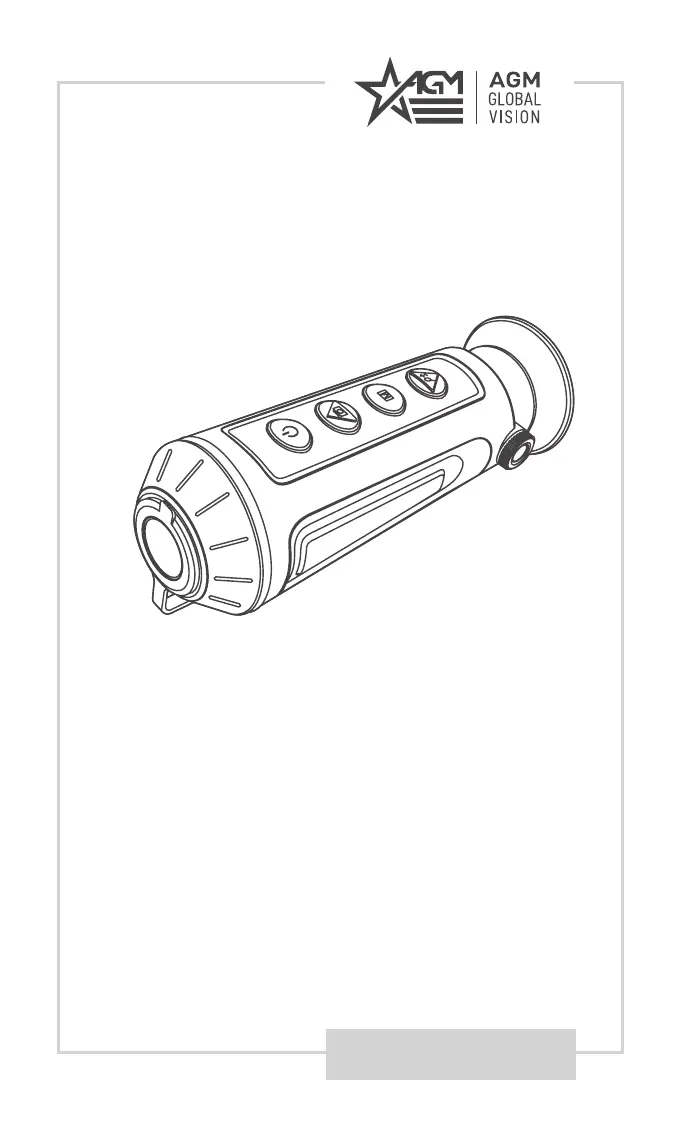
USER MANUAL
TAIPAN
TM10-256
TM15-256
THERMAL IMAGING MONOCULAR

Questions and Answers

  • P
    pmitchellJul 28, 2025
    What to do if capturing or recording fails on my AGM Global Vision Monocular?
    • S
      Sherry MckenzieJul 29, 2025
      If you are experiencing issues with capturing or recording, check the following: 1. Ensure the device is not connected to your PC, as this disables capturing and recording. 2. Verify that the storage space is not full. 3. Check if the device has sufficient battery.
  • S
    smithchloeAug 3, 2025
    Why is my PC unable to identify the AGM Global Vision TAIPAN TM10-256?
    • R
      Rebecca GlennAug 3, 2025
      If your PC isn't recognizing the monocular, please check the following: 1. Ensure you're using a standard USB cable to connect the device to your PC. 2. If you're using a different USB cable, make sure it is no longer than 1 meter. 3. Verify that the Wi-Fi function is turned off. If it's on, go to the OSD menu and turn it off.
  • T
    Timothy RossAug 9, 2025
    What to do if Wi-Fi is not found on AGM Global Vision Monocular?
    • A
      Ashley MoralesAug 9, 2025
      If the Wi-Fi is not found, check if the Wi-Fi function is turned on. If it is not, go to the OSD menu and turn on Wi-Fi.
  • H
    Heather McdonaldAug 15, 2025
    What to do if device power indicator is off on AGM Global Vision TAIPAN TM10-256?
    • R
      Rhonda FarleyAug 15, 2025
      If the device power indicator is off, examine whether the device is off-battery.
  • J
    James BaileyAug 21, 2025
    How to resolve improper flashing of the charge indicator on my AGM Global Vision TAIPAN TM10-256?
    • C
      Carmen JacksonAug 21, 2025
      If the charge indicator is flashing improperly, examine whether the device is charged with standard power adapter and the charging temperature is 0°C to 45°C (32°F to 113°F).

Summary

General Information

System Description

Details the Taipan TM-256/TM15-256 thermal monocular's features, capabilities, and main parts.

Key Features

Lists the primary technical specifications and functionalities of the thermal monocular.

Standard Components

Identifies and lists all items included in the product packaging.

Operating Instructions

Unpacking and Initial Inspection

Steps for unpacking the device and verifying its condition and contents.

Charging the Monocular

Procedure for charging the device's battery using the provided USB cable and power adapter.

Control Buttons and Functions

Details the purpose and operation of each button on the device for various functions.

Power On and Off Procedures

Instructions on how to turn the device on, off, and manage its power states.

Sleep Mode

Explains how to put the device into and exit from sleep mode to conserve power.

Thermal View Observation

Guide to setting up the eyepiece and diopter for clear thermal viewing.

Palette Settings

How to select and adjust different color palettes for optimal image display.

Digital Zoom Functionality

Instructions for using the digital zoom feature to magnify the thermal image.

Recording and Snapshot Capturing

Steps for recording video and taking still images with the device.

File Export Procedures

Guide on how to transfer recorded videos and snapshots to a computer via USB.

Menu Operation

How to navigate and use the device's main menu for various settings.

Maintenance

Cleaning Procedures

Detailed steps for cleaning the device's body, lenses, and accessories.

Preparing for Extended Storage

Instructions on how to properly prepare the device for long-term storage.

Viewing Device Information

How to access and view device information like version and serial number.

Updating the Device Firmware

Steps for downloading and installing firmware updates for the device.

Restore Device to Defaults

Procedure to reset the device to its original factory default settings.

Troubleshooting Common Malfunctions

Lists common issues and their corrective actions for the device.

Warranty Information

Warranty Information and Registration

Details the product warranty period, coverage, and exclusions.

Limitation of Liability

Outlines the extent of AGM Global Vision's liability for product use.

Product Registration

Instructions on how to register the product to validate the warranty.

Obtaining Warranty Service

Procedure for contacting service and returning the product for warranty repair.

Specifications

Technical Specifications

Lists detailed technical data for both TAIPAN TM10-256 and TM15-256 models.

AGM Global Vision TAIPAN TM10-256 Specifications

General IconGeneral
Detector Resolution256x192
Pixel Pitch12 μm
Objective Lens Diameter10 mm
Detection Range458 m
Battery Life8 hours
Waterproof RatingIP67
FogproofYes
ShockproofYes
Focus TypeManual
Tripod AdaptableNo
ColorBlack
Digital Zoom2x

Related product manuals