EasyManua.ls Logo

AGM Global Vision FUZION LRF - User Manual

AGM Global Vision FUZION LRF
28 pages
Print Icon
To Next Page IconTo Next Page
Loading...
USER MANUAL
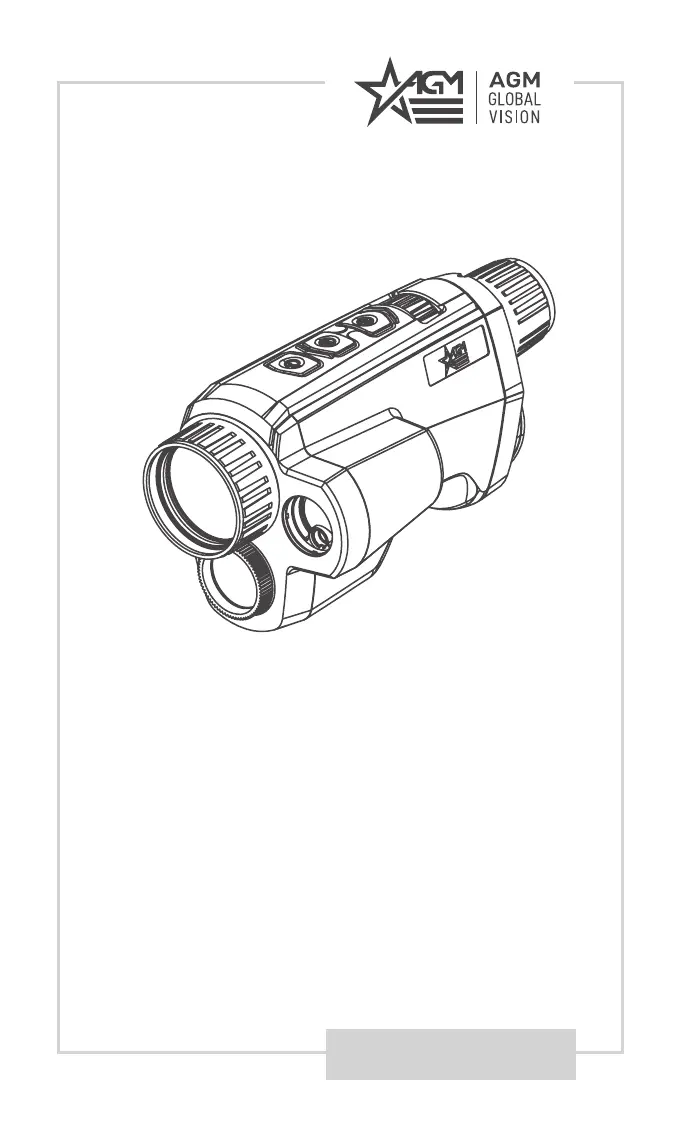
FUZION LRF
FUSION THERMAL & OPTICAL
BI-SPECTRUM MONOCULAR
WITH LASER RANGEFINDER

Questions and Answers

  • K
    kelsey57Jul 28, 2025
    Why is my AGM Global Vision Monocular not turning on?
    • W
      williamnicholsJul 29, 2025
      Your AGM Global Vision monocular might not be activating due to several reasons: * The batteries may be missing or not correctly installed. Ensure they are properly inserted. * The batteries might be dead, in which case, replace them. * The battery contacts could be dirty or corroded. Try cleaning the contacts.
  • C
    Carly WhitneyAug 8, 2025
    What to do if capturing or recording fails on AGM Global Vision Monocular?
    • M
      Michael PerryAug 8, 2025
      If capturing or recording fails on your AGM Global Vision monocular, consider the following: 1. Check if the device is connected to your PC, which might disable capturing and recording. 2. Verify that the storage space isn't full. 3. Ensure the device isn't low on battery.
  • R
    Ray TaylorAug 18, 2025
    How to fix PC not recognizing AGM Global Vision Monocular?
    • D
      Dominic Morgan Jr.Aug 18, 2025
      If your PC doesn't recognize the AGM Global Vision monocular, check these items: 1. Make sure the device is connected to your PC using a standard USB cable. 2. If you're using a different USB cable, ensure it's no longer than 1 meter.

Summary

Safety Summary

Latex Allergy Warning

Alerts users to potential fatal allergic reactions from natural rubber latex in the product.

Warnings and Cautions

Covers critical warnings and cautions related to product usage, transportation, power, and battery.

Emergency Procedures

Provides immediate actions for device emergencies and laser-related hazards.

General Information

System Description

Details the AGM Fuzion LRF monocular's features, components, and applications.

Key Features

Highlights the main capabilities and technical specifications of the device.

Standard Components

Lists and illustrates the items included in the product package.

Operating Instructions

Basic Operations

Covers unpacking, battery installation, and initial setup for device use.

Controls and Indication

Identifies device buttons, indicators, and their respective functions.

Power Management

Explains how to power the device on/off, manage standby mode, and auto power off.

Image Viewing and Adjustment

Guides on thermal observation, focus, palettes, fusion levels, and digital zoom.

Recording and Connectivity

Details video recording, image capture, and connecting the device to a PC.

Main Functions

Provides access to device settings and operational modes via the menu system.

Advanced Settings & Features

Covers various settings like correction, language, information, time sync, OSD, and tracking.

Distance Measurement

Details how to use the laser rangefinder to measure target distances.

Network Configuration

Guides on connecting to the device's Wi-Fi hotspot for remote control and viewing.

Client Software Introduction

Provides instructions for using companion software for enhanced device functionality.

Maintenance

Cleaning Procedures

Detailed steps for cleaning the device's exterior surfaces and lenses.

Preparing for Extended Storage

Guidance on preparing the monocular for long-term storage.

Updating Device Firmware

Steps to download, install, and update the device's firmware.

Laser Maintenance

Information regarding maintenance and potential replacement of the laser assembly.

Troubleshooting

Common Malfunctions and Solutions

Lists common issues, their causes, and corrective actions for the device.

Warranty Information

Warranty Information and Registration

Details the product's warranty coverage, terms, and registration process.

Limitation of Liability

Outlines the extent of AGM Global Vision's liability regarding product use and defects.

Product Registration

Instructions for registering the product online to validate the warranty.

Obtaining Warranty Service

Procedures for contacting customer support and returning the product for warranty service.

Specifications

Technical Specifications

Provides detailed technical data for different Fuzion LRF models.

Detailed Specifications

Further technical details including dimensions, weight, power, and operating conditions.

AGM Global Vision FUZION LRF Specifications

General IconGeneral
BrandAGM Global Vision
ModelFUZION LRF
CategoryMonocular
LanguageEnglish

Related product manuals