4
1
2
3
4
5
Video Playback Interface Introduction
1
2
3
4
5678
9
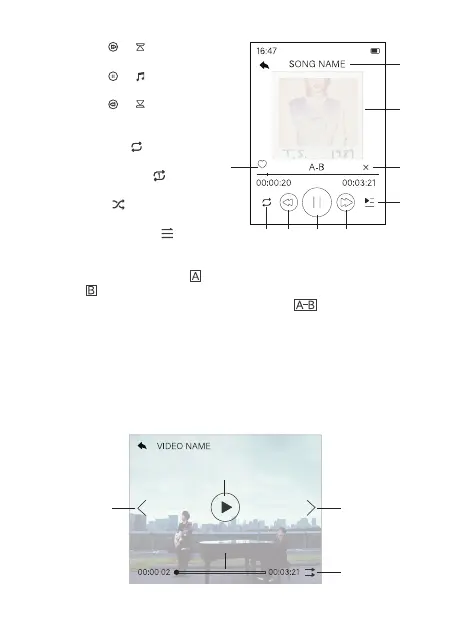
5. Press the or button to
the next track.
6. Press the or button to
play/pause music.
7. Press the or button to
the previous track.
8. Play Modes
A. Repeat All . Play all
songs repeatedly.
B. Single Repeat . Play
one song repeatedly.
C. Shuffle . Randomly play
all music.
D. Sequential Play . Play
the list songs in order.
9. Click to collect favorite song to favorite list 1/2/3.
10. A-B Repeat Mode. Click to select the repeat starting point,
click to select the repeat end point, then the A-B section will
automatically play repeatedly, and click the to resume
normal playback.
Video
Find Video on the home menu interface, and click to enter the video
mode.



 To Next Page