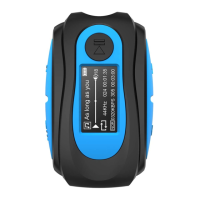
10.Clip:360°Swivel Clip
11.Waterproof Connector
12.USB Cable: The 3.5mm end can be inserted into the player, the
USB port to connect a computer or an adapter.
8. Bluetooth Mode
9. 3.5mm Earphone Jack (Charge / Transmission)
STATUS BEEP LED INDICATOR
/
/
Triple Flashing
Green
Flashing Green
Play from Memory
Play Order by Name
Play Order by Name
Play
Previous Folder Previous Folder
Solid Green
Pause
/
/
Play
Pause
Play from Memory
Next Folder Next Folder
Bluetooth Play Bluetooth Play
Solid Green
/
Flashing Red and
Green Alternately
Bluetooth emparejado
/
/
Bluetooth emparejado
Flashing Red
7. Next Track / Next Folder / Fast Forward
5


 To Next Page