DocNo.FM5611issueCPage12
8.PANELSETUP
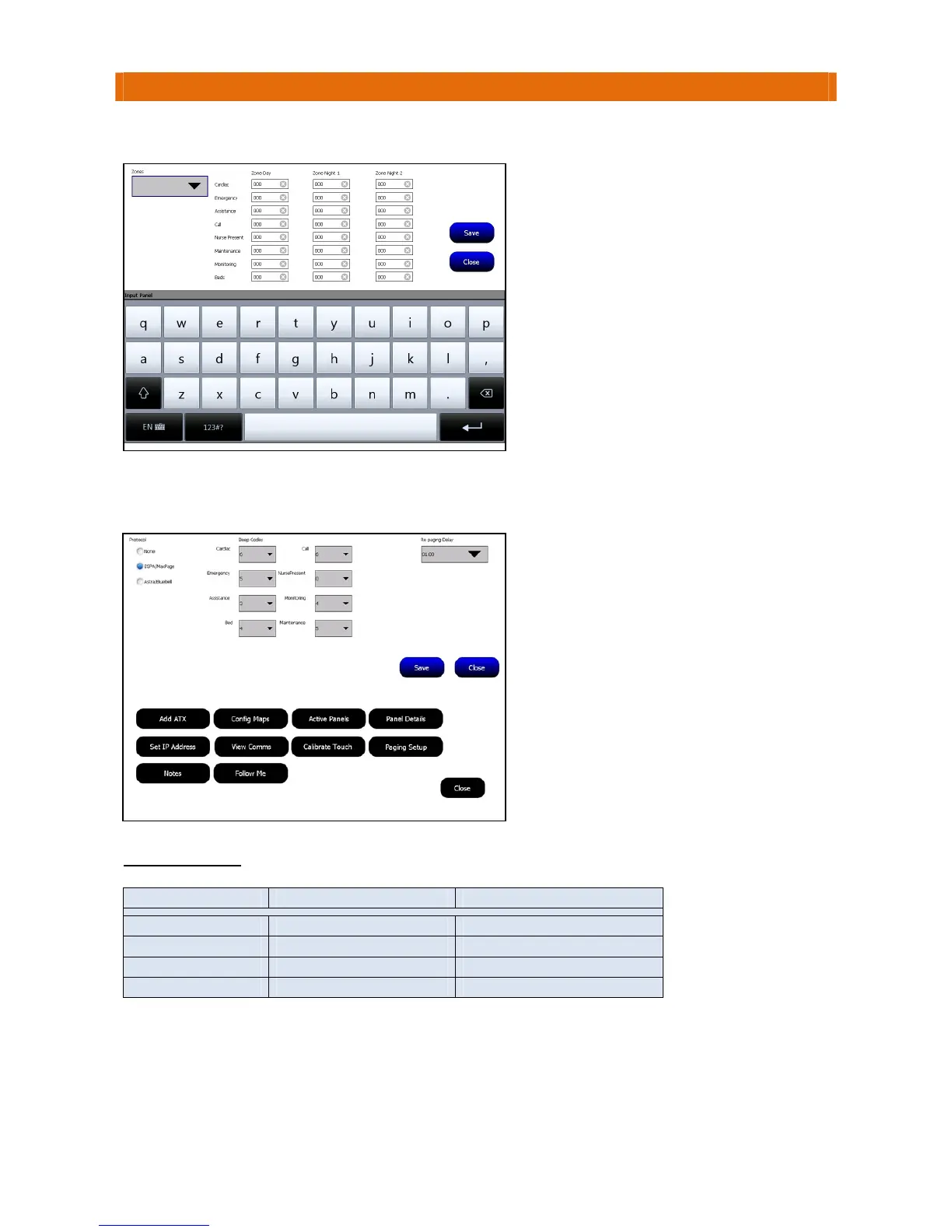
StillonTouchsafeProMasterPanel(ID1),selecttheZonedPagersoption…
GototheTouchsafeProPanelwiththeMaxpageTerminalconnected,LogonasanEngineerandselectthe
PagingSetupoption…
BEEPCODETABLE
ESPABeepCode J25PagerBeepPattern Scope PagerBeepPattern
0,1,5,9 6singlebeeps 8singlebeeps
2,6 6doublebeeps 8doublebeeps
3,7 8triplebeeps 8triplebeeps
4,8 high/lowbeeps+vibrate 8fourbeeps
EntertheBeepCodetochoosethebeeppatternthePagerwillsoundforeachcalltype.
SettheProtocoloptiontoESPA/Maxpage.
SelecttheBeepCodesyouwantthePager
tosoundfromthepull‐downboxes
alongsideeachcalltype.
Note:only4differentbeeppatternsare
availablewiththeESPAoption‐seethe
BeepCodetablebelow.
SettheRePagingDelayfromthe
pull‐downbox,ifapagercallisnot
acceptedwhenthisperiodexpiresthecall
willberesent.
PresstheSavebuttonthenClosetoexit.
SelectaZone fromthepull‐downboxthen
enterthe3digitPagerID’syouwanttobe
notifiedduringtheDay,Night1andNight2
modesintheboxesalongsideeachcalltype
group(Cardiac,Emergency,etc.).
Thekeypadwillbedisplayedwhenyouclick
on
aboxtoenterapagerID‐youmayneed
topressthe123#?buttontoselectthe
numerickeypad.
PresstheSavebuttonthenClosetoexit.



 To Next Page