DocNo.FM5611issueCPage11
8. PANELSETUP
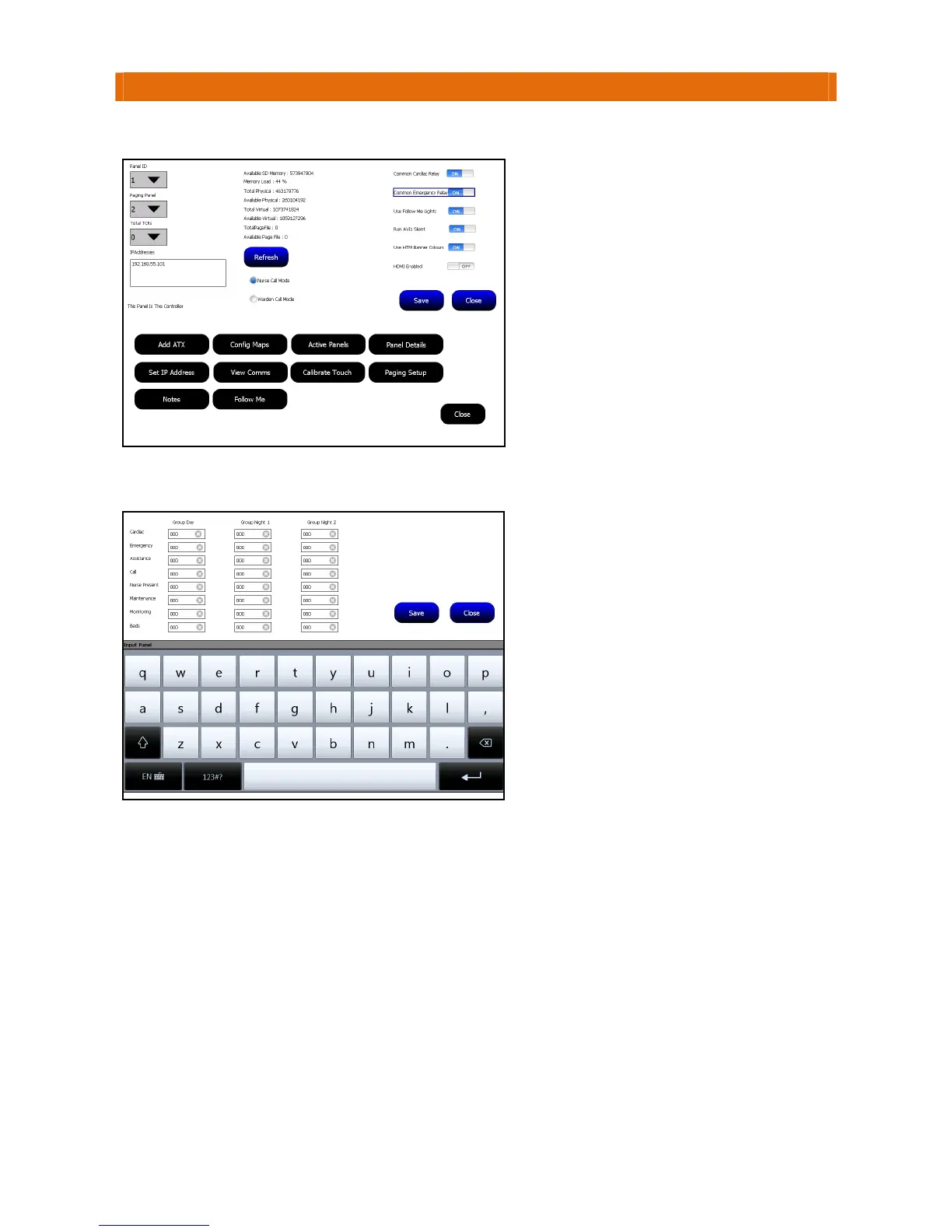
GototheTouchsafeProMasterPanel(ID1),LogonasanEngineerandselectthePanelDetailsoption…
StillonTouchsafeProMasterPanel(ID1),selecttheCommonPagersoption…
Alternatively,PagerscanbesettooperatebyZone‐seenextpage…
S
NotesonPagerID’s
J25Pagerscanbeprogrammedwithupto6differentID’s
ScopePagerscanbeprogrammedwithupto8differentID’s
TheseID’sare7digitslongbutonlyenterthelast3digitsoftheID’sintheboxesabove
RefertotheJ25Pager
UserGuide(AidcallDocNo.FM5615)formoreinformation
RefertotheScopePagerUserGuide(AidcallDocNo.FM5620)formoreinformation
S
SelectthePanelIDtheMaxpageTerminal
isbeingconnectedtofromthePagingPanel
pull‐downbox.
Note:thisonlyneedstobesetonthe
MasterPanel(ID1).
PresstheSavebuttonthenClosetoexit.
Enterthe3digitPagerID’s
intheboxes
alongsideeachcalltypegroup(Cardiac,
Emergency,etc.)foronesyouwanttobe
notifiedduringtheDay,Night1andNight2
modes.
Thekeypadwillbedisplayedwhenyouclick
onaboxtoenterapagerID‐youmayneed
topressthe
123#?buttontoselectthe
numerickeypad.
PresstheSavebuttonthenClosetoexit.



 To Next Page